

The last two tabs of My account are Policies and Delete account. Policies opens the terms, the privacy policy and the FAQ without leaving your account. Delete account sends a request to the BSO team; the account is closed once they approve it. See Edit your profile and company details for where My account is.
Before you start
- A BSO account, signed in.
- For deletion: be sure. Once the BSO team approves the request, the account and its data are deleted and you can no longer sign in.
Open the Policies tab
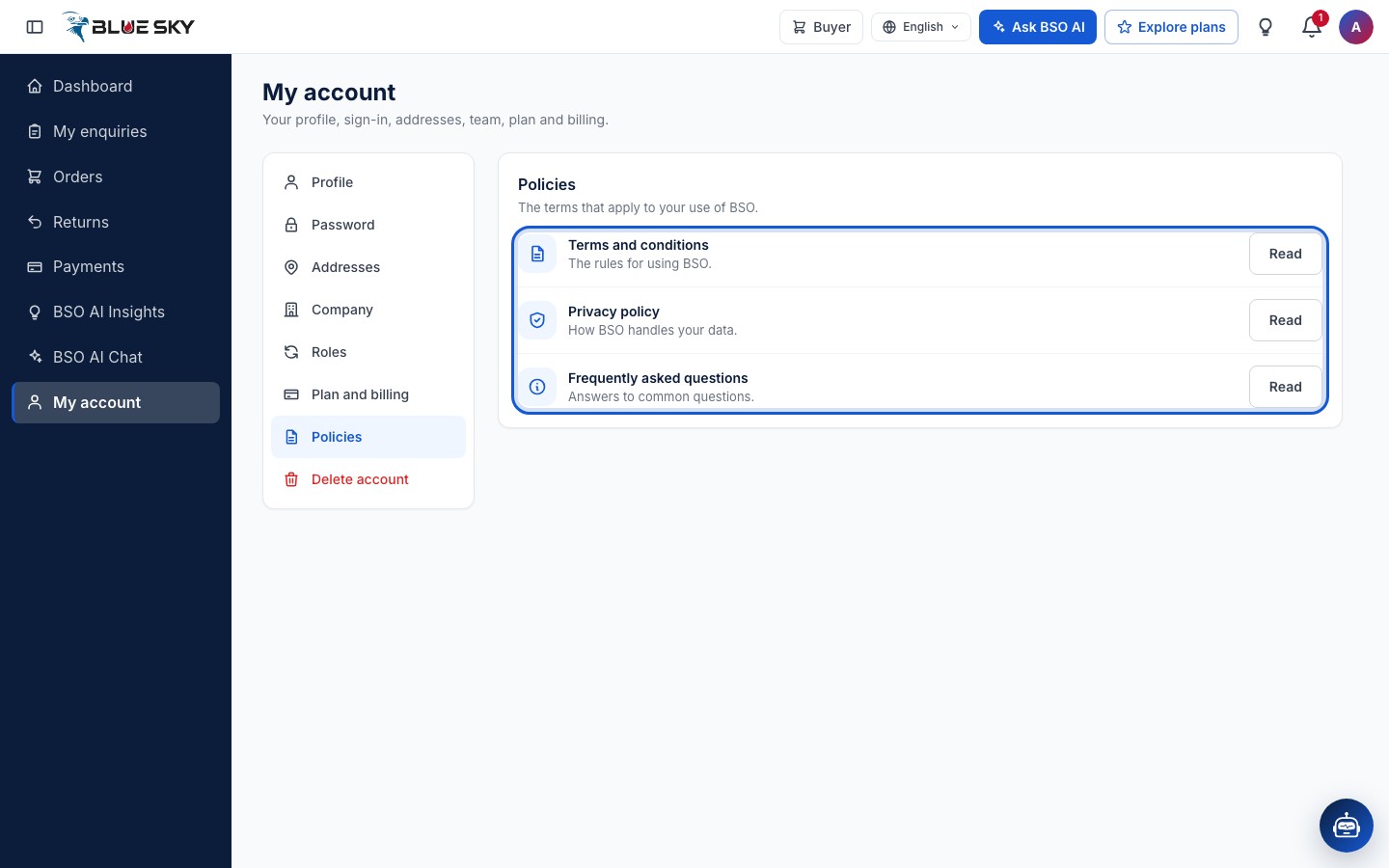
Click "Policies" in the list on the left of My account. It lists "Terms and conditions", "Privacy policy" and "Frequently asked questions", each with a "Read" button. On a supplier account it also lists the four supplier policies (Quality policy, Health and safety policy, Anti-bribery policy, Environmental policy). A policy you have accepted carries an Accepted mark; the others have none.
Read a policy
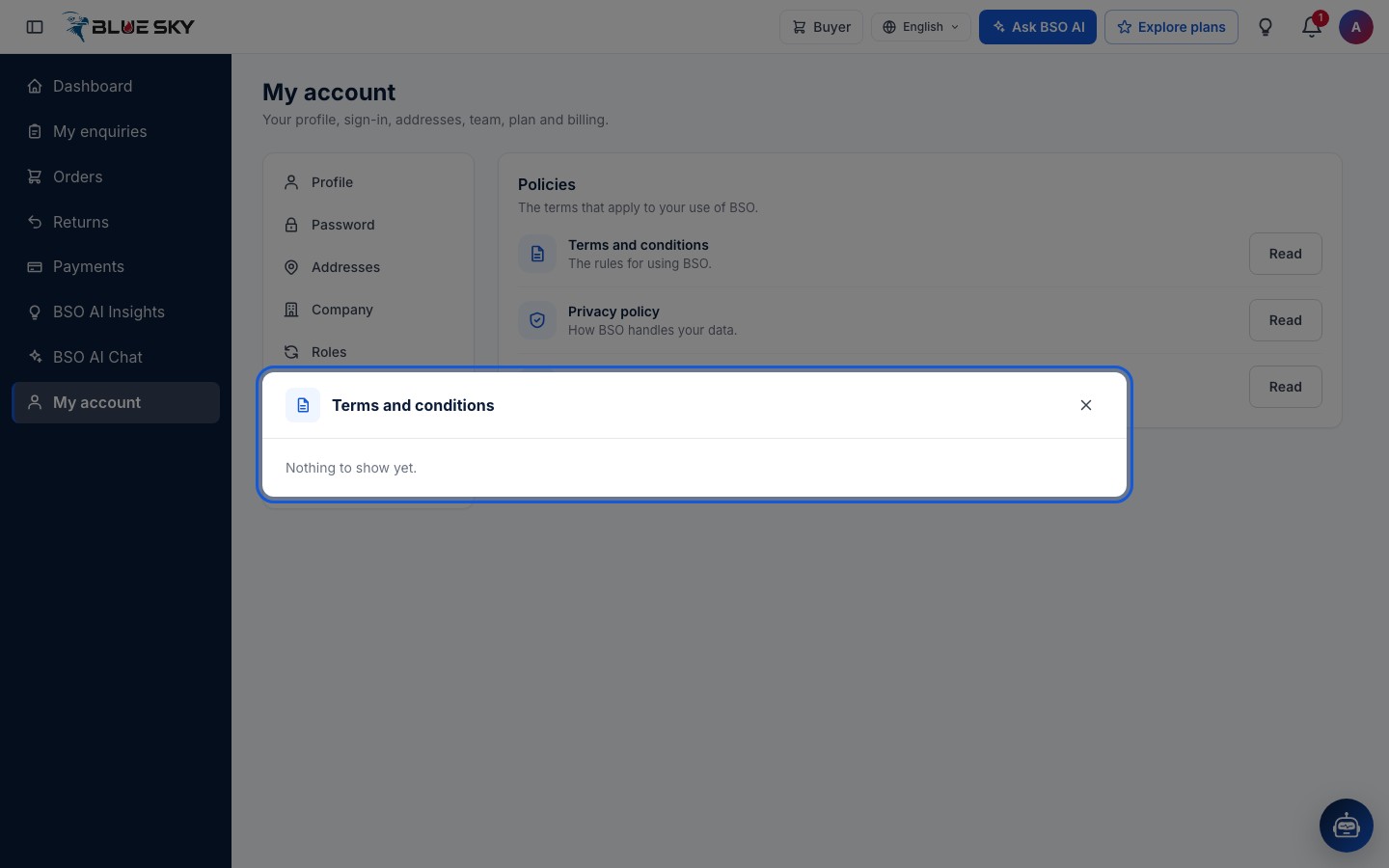
Click "Read" and the text the BSO team has published opens in a dialog on the same page (until they publish it, the dialog says Nothing to show yet). The public site has its own Terms and Conditions and Privacy Policy pages, linked from the footer, and the FAQ has its own page too.
Suppliers accept four more policies (quality, health and safety, anti-bribery and anti-corruption, environmental) on their profile form, and can read them on this tab.
Know what a delete request does
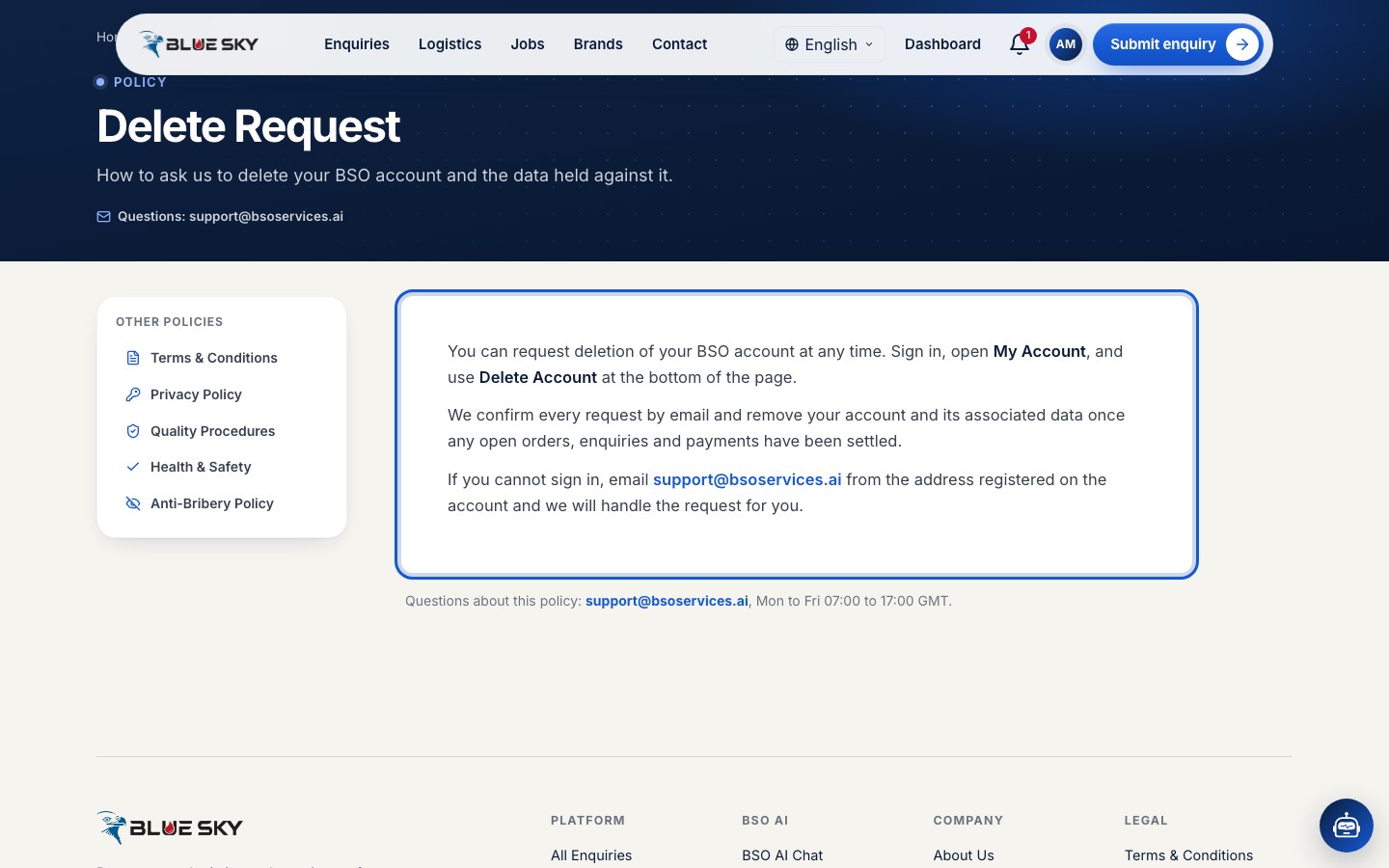
The public Delete Request page (linked from the footer) explains the process in its own words: you ask from My account, the BSO team confirms every request by email, and the page says the account and its data are removed once any open orders, enquiries and payments have been settled. If you cannot sign in, email support@bsoservices.ai from the address on the account.
Open the Delete account tab
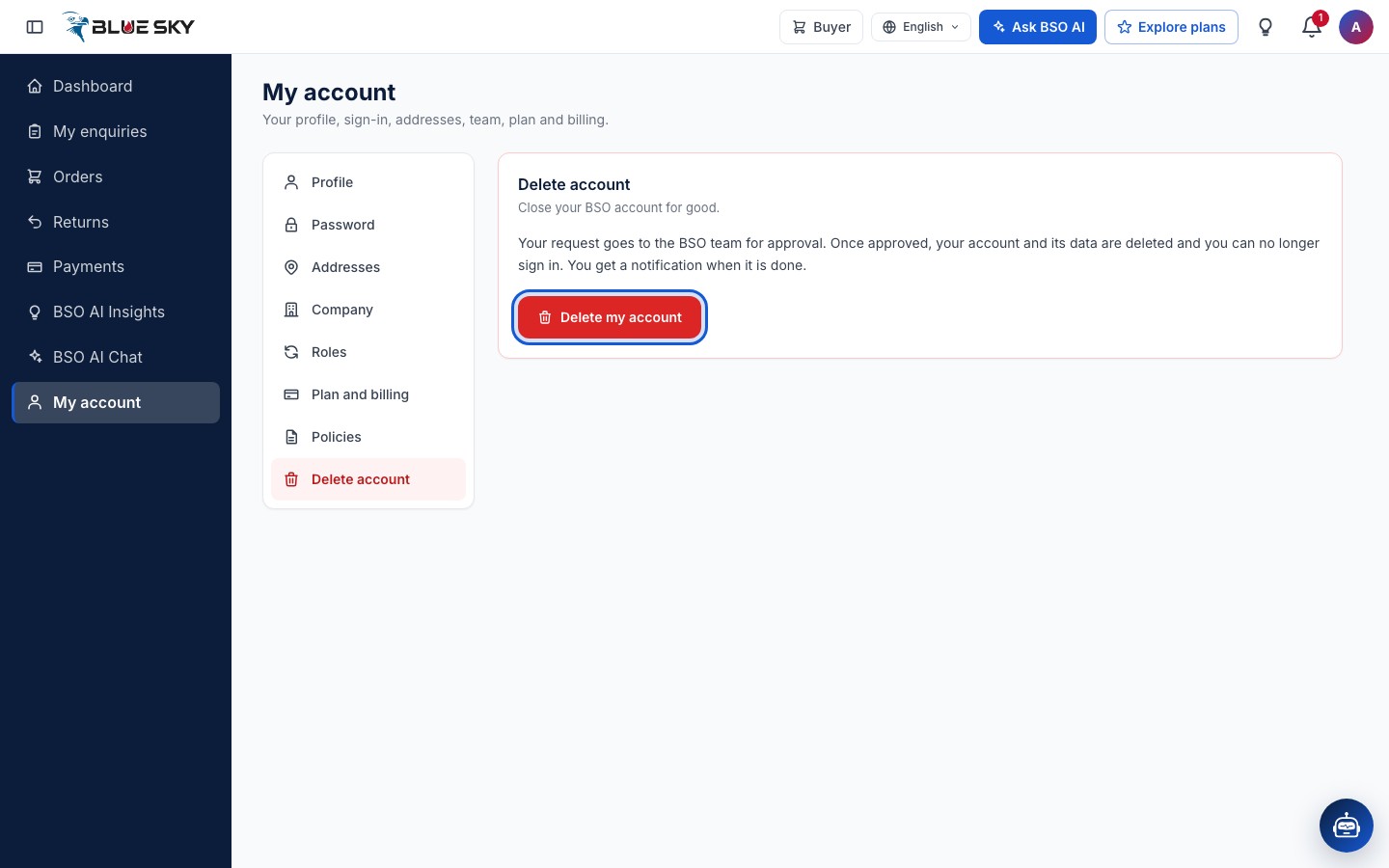
Back in My account, click "Delete account", the red entry at the bottom of the list. The card says what happens: your request goes to the BSO team for approval; once approved, your account and its data are deleted and you can no longer sign in; you get a notification when it is done.
Click Delete my account and confirm
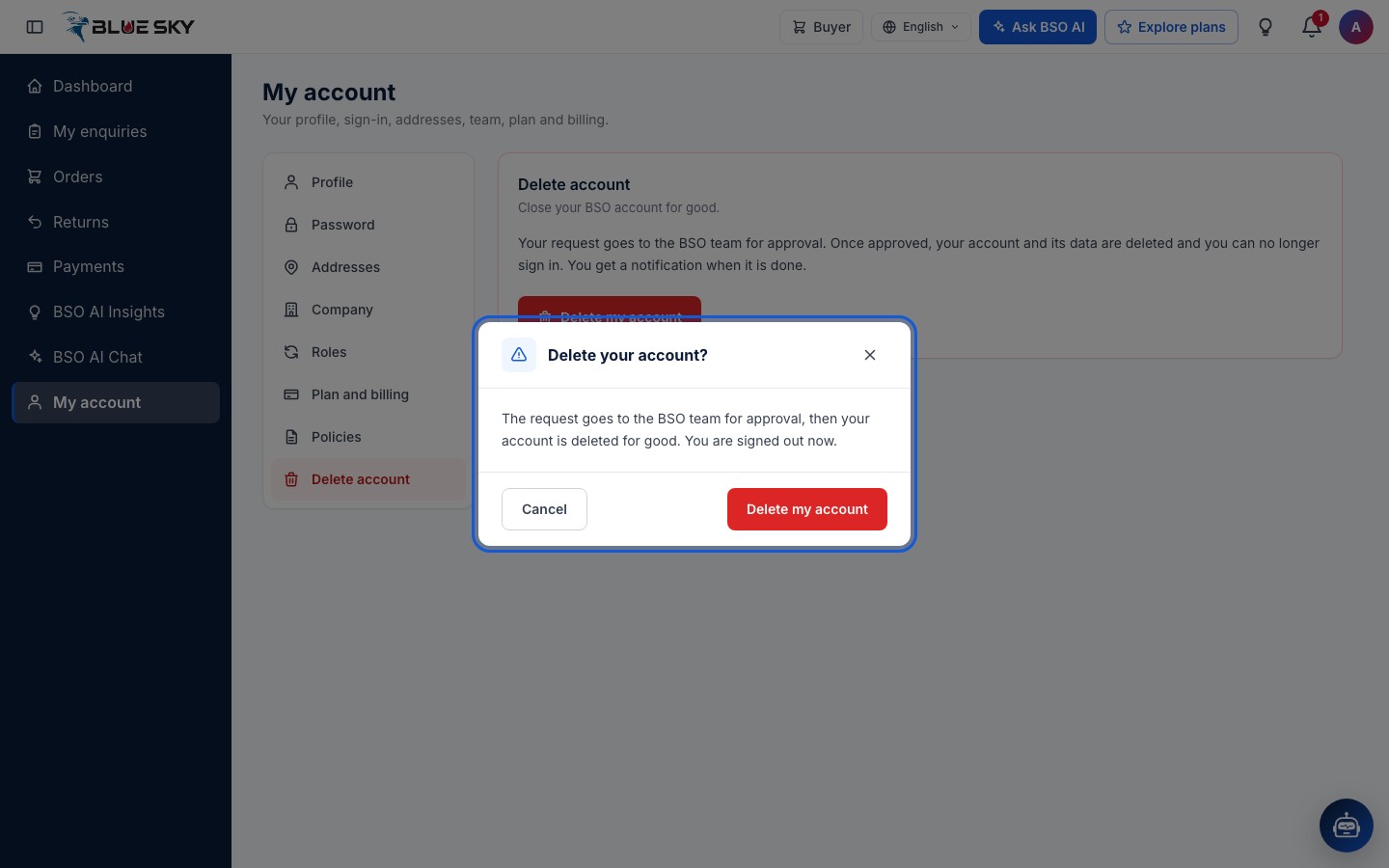
Click "Delete my account". A confirmation asks "Delete your account?" and repeats that the request goes to the BSO team, that the account is then deleted for good, and that you are signed out now. Click "Cancel" to keep the account, or "Delete my account" to send the request.
While the request waits
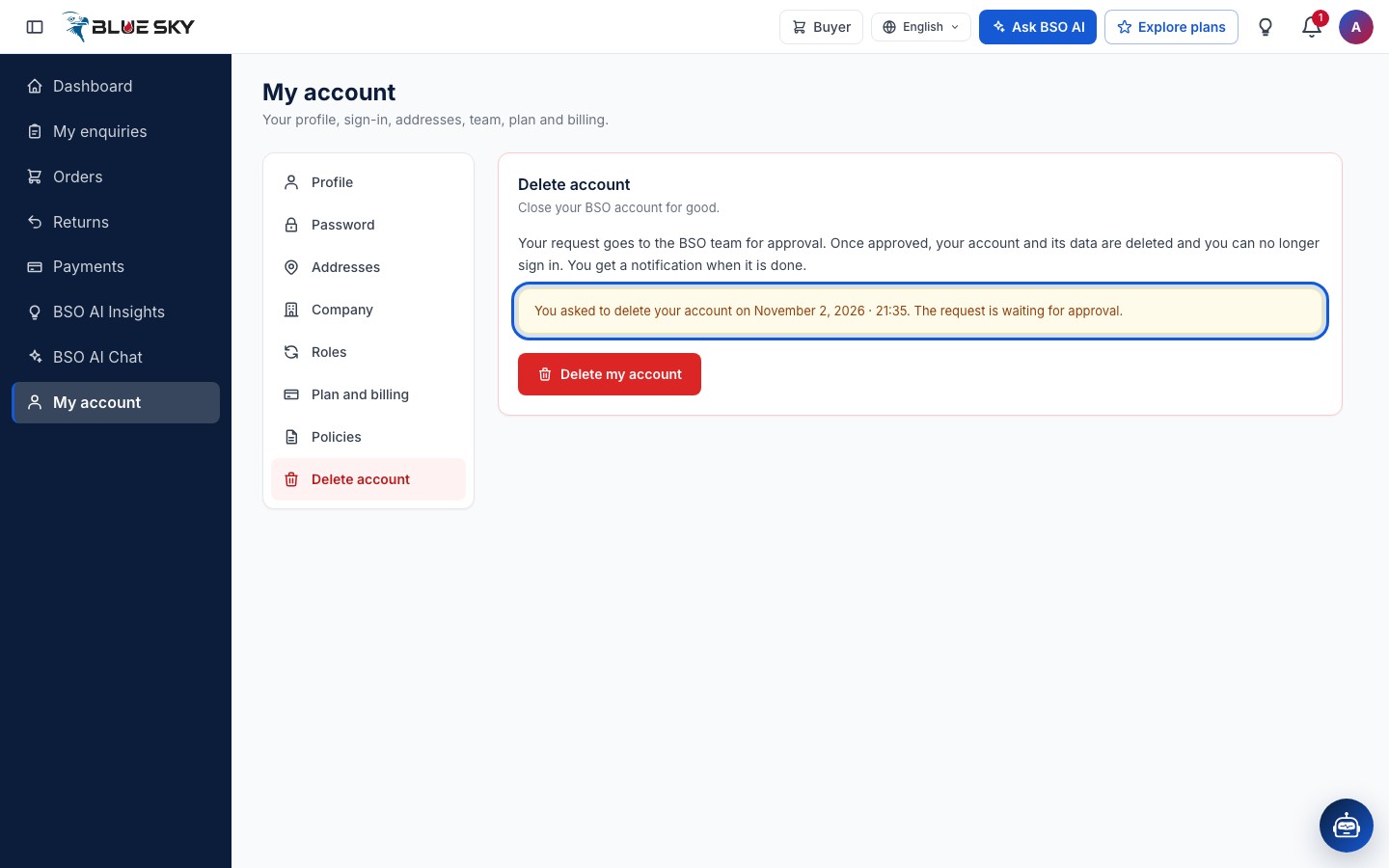
You are signed out straight away. You can still sign in while the BSO team looks at the request; the Delete account tab then shows the date you asked and that the request is waiting for approval. Sending the request again replaces the earlier one. When the team approves it, the account is closed and sign-in stops; when they reject it, the account stays as it was. Either way you are told by email.
Good to know
- There is no set time for the review; the BSO team handles requests by hand.
- To stop a request you have sent, write to support@bsoservices.ai, Monday to Friday 07:00 to 17:00 UK time.
Related guides
Still stuck? We are here.
Open BSO AI Chat inside the platform, or email the support team. Monday to Friday, 07:00 to 17:00 UK time.