

Every BSO account starts as a free buyer account. Once you are in, you can add a supplier, logistics or recruiter role from My account whenever you need one.
Sign-up has four short steps: your email or mobile number, a one-time code, a password, and your profile. Already have an account? See Sign in, log out and reset your password.
Before you start
- A work email address, or a mobile number that can receive text messages.
- Your name. Company details are optional and can be added later.
Open the sign-up page
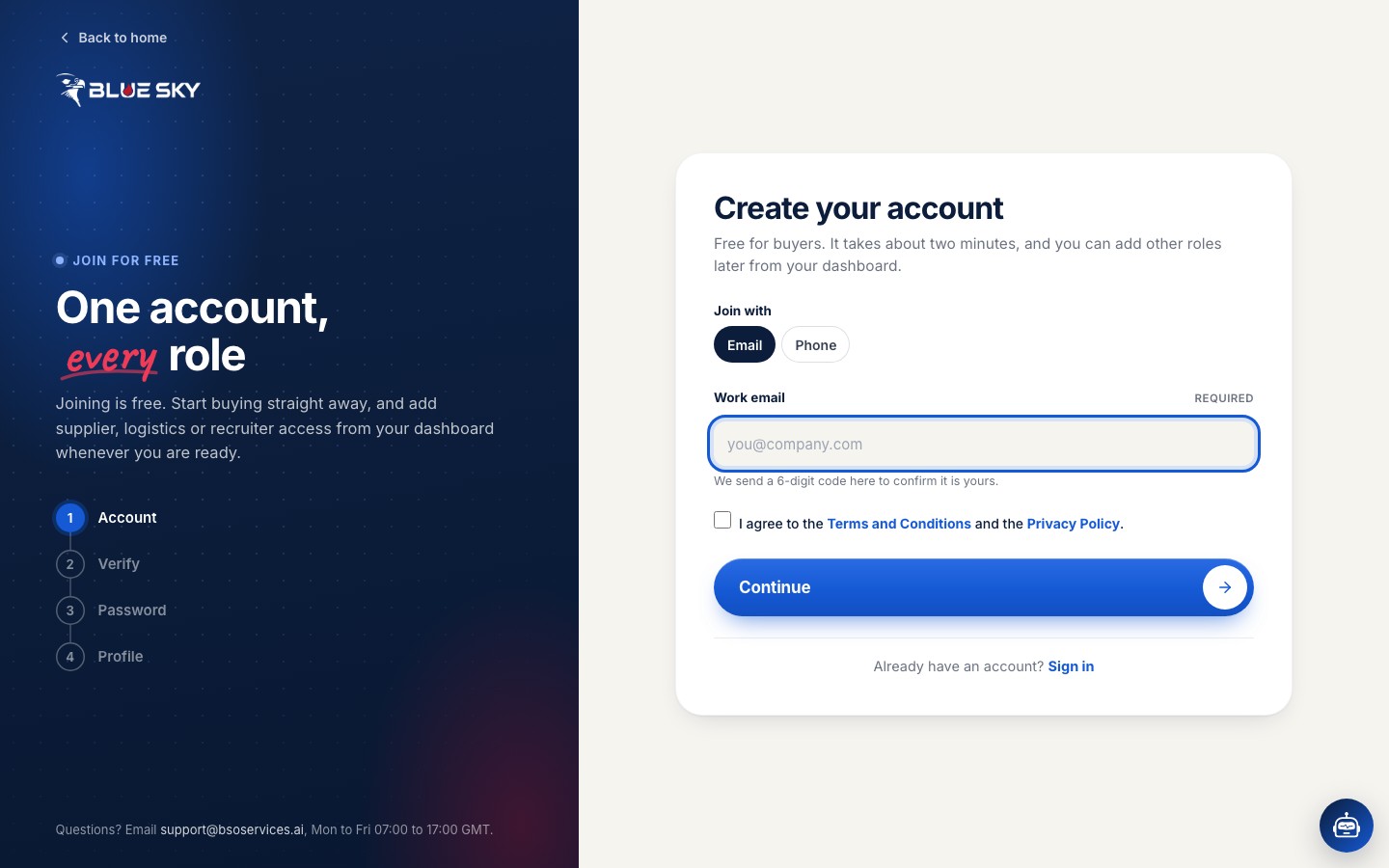
Click Join for free at the top of any page, or go to bsoservices.ai/sign-in and click Join for free in the New here? line under the sign-in form. The page is called Create your account.
Enter your work email or mobile number
Under Join with, keep Email and type your work email address, or pick Phone, choose your country code and type the number.
Tick the box to agree to the Terms and Conditions and the Privacy Policy, then click Continue. We send a 6-digit code to that address or number.
Use the address you read every day. Quotes, order updates and delivery codes all go there.
Enter the code we sent you
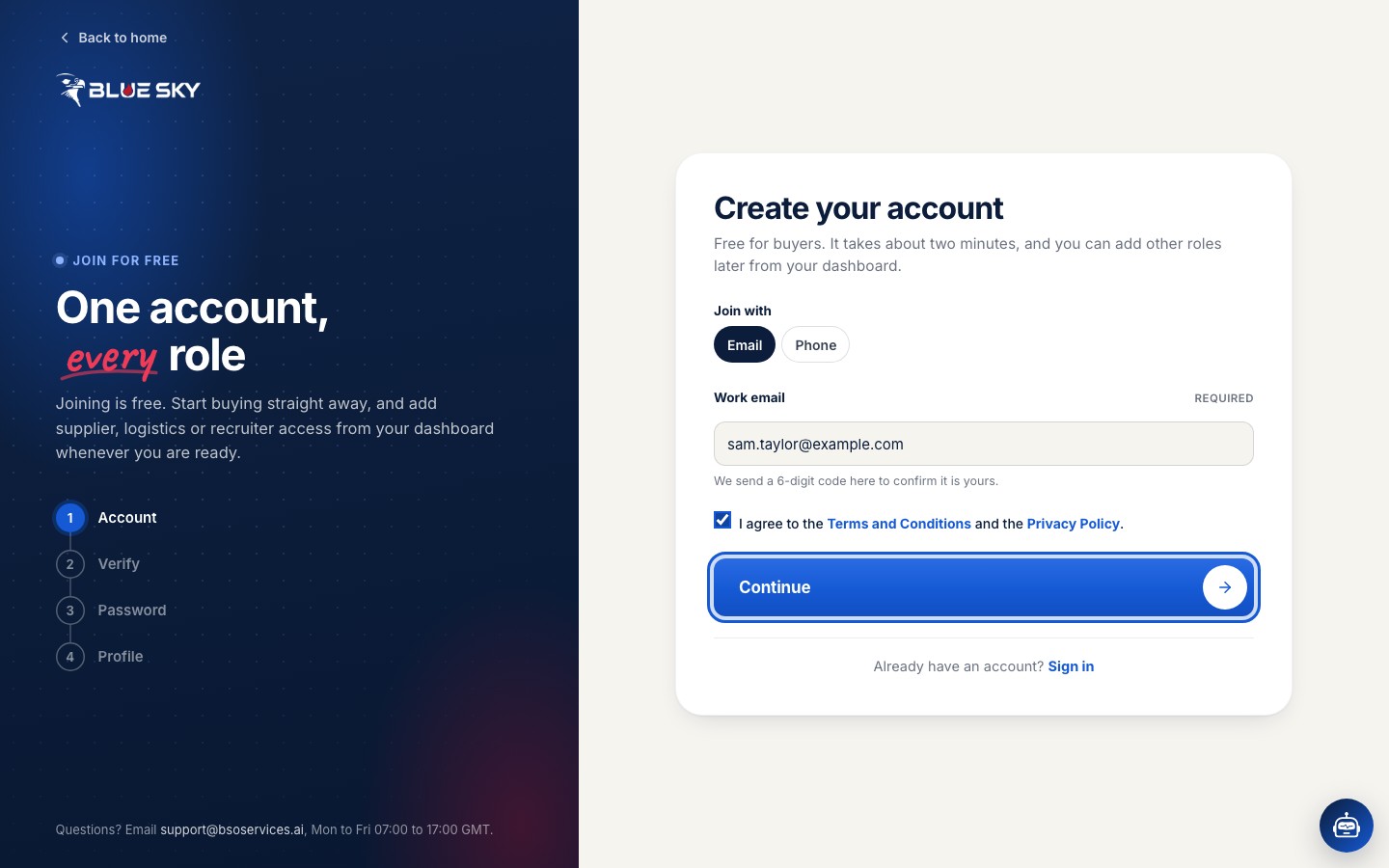
Open the email or text message and type the 6-digit code into the One-time code boxes, then click Verify. The code is valid for 10 minutes. If it has not arrived within a minute, check your spam folder, then click Resend code.
Set your password
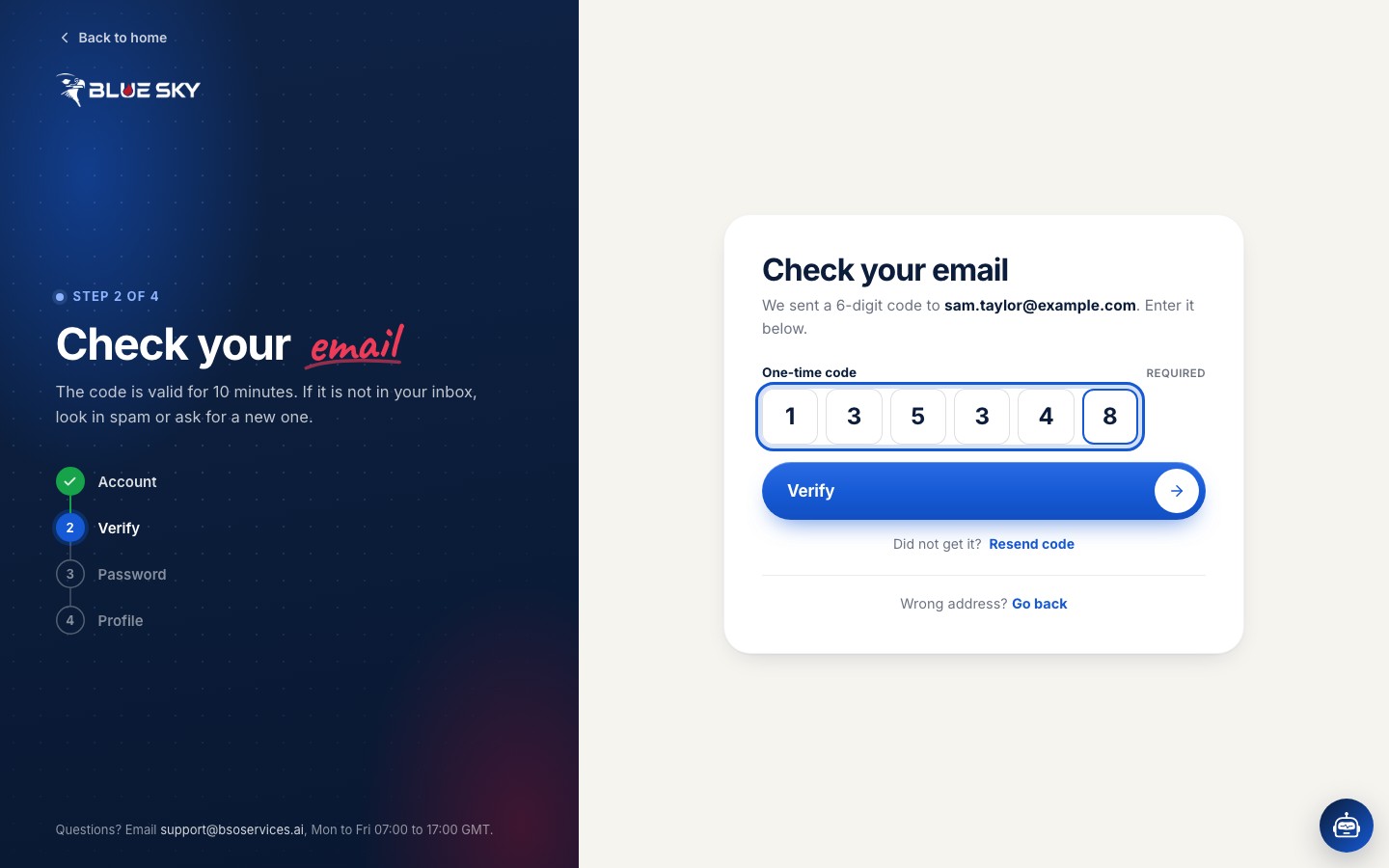
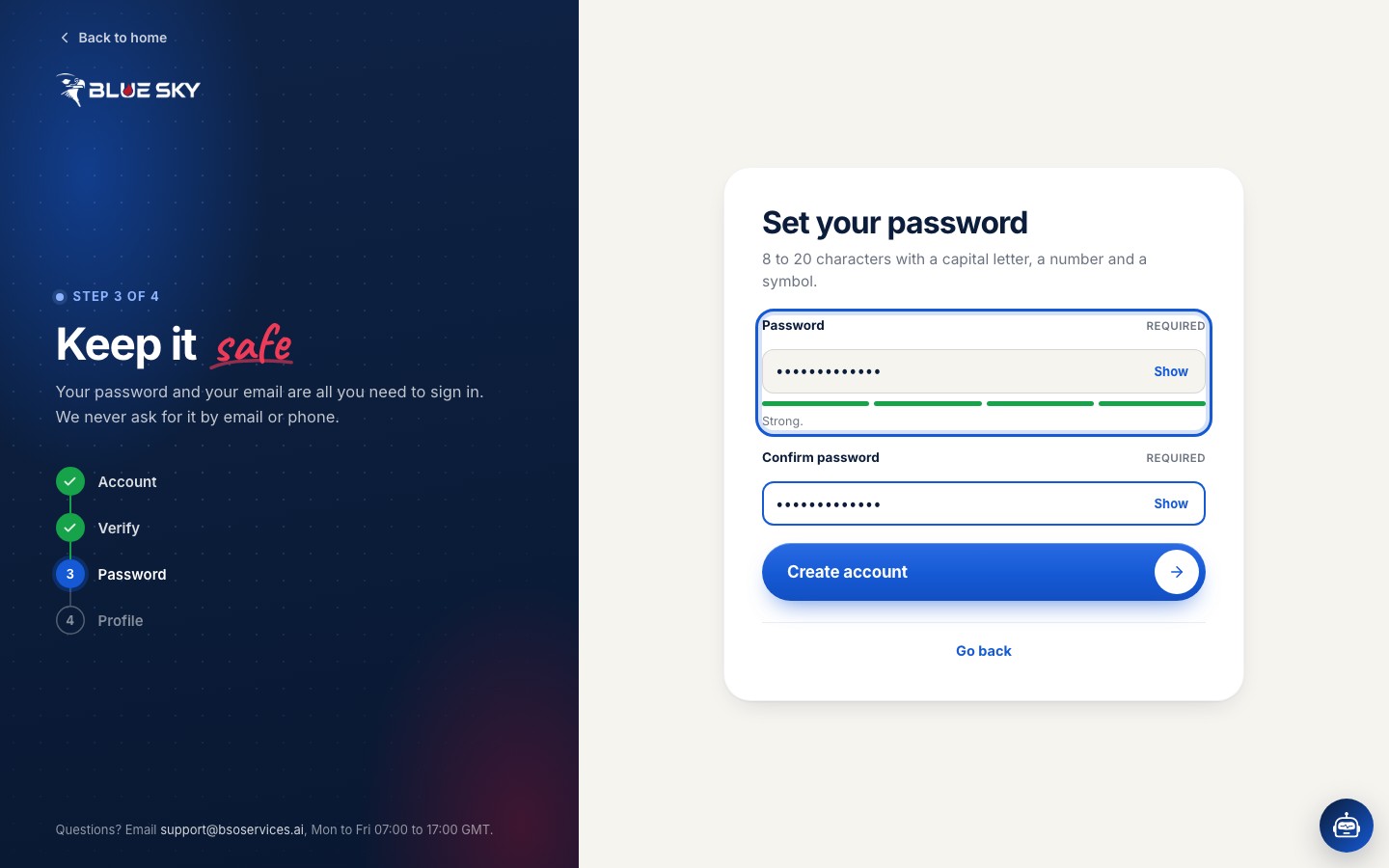
Choose a password of 8 to 20 characters with a capital letter, a small letter, a number and a symbol, and type it again in Confirm password. The page tells you how strong it is. Click Create account. If you ever forget it, the reset steps take a minute.
Choose how you want to buy
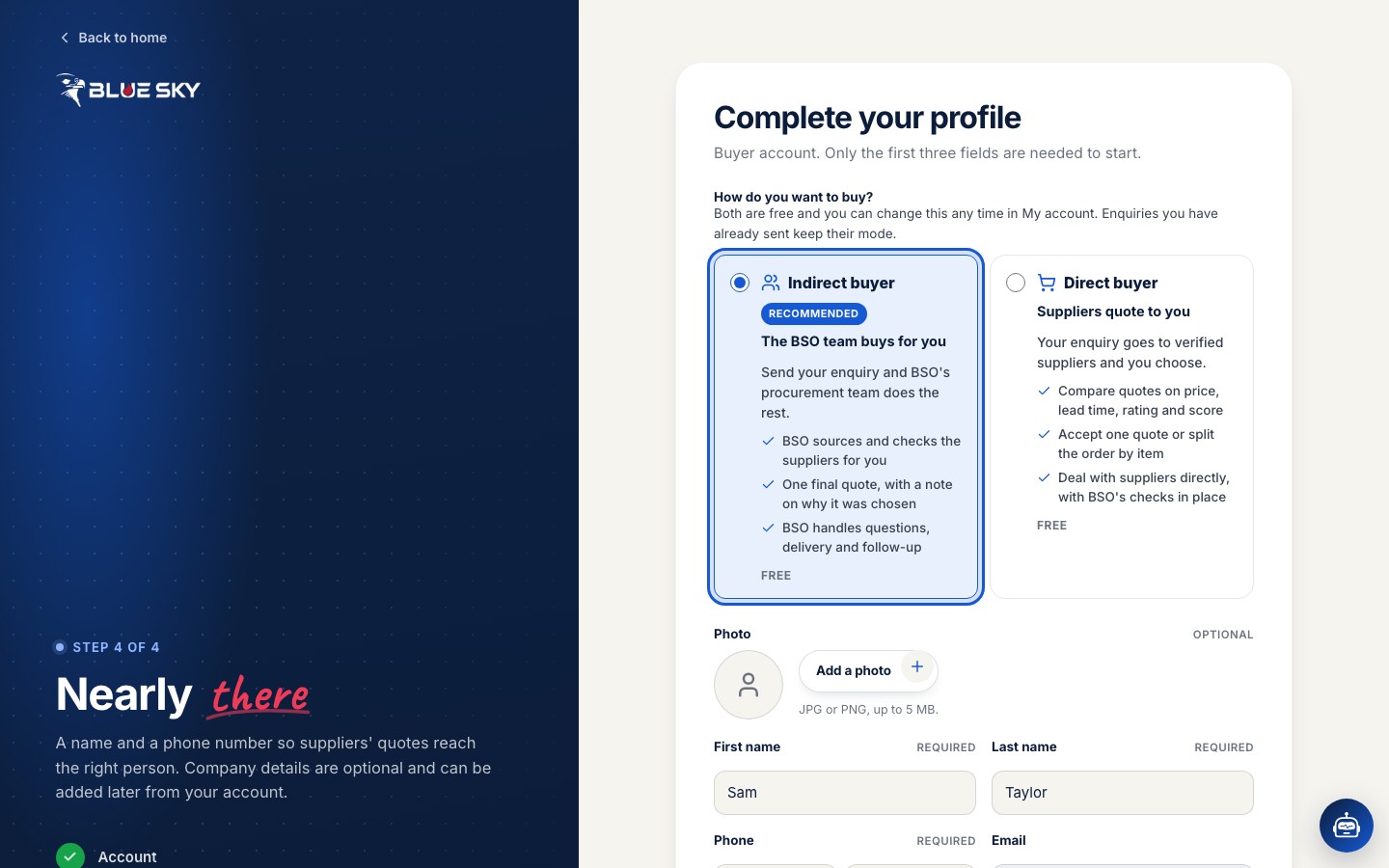
The last step, Complete your profile, opens with the question How do you want to buy? Indirect buyer is selected for you: the BSO team sources and checks the suppliers, sends you one final quote, and handles questions, delivery and follow-up. Direct buyer means your enquiry goes to verified suppliers, you compare their quotes and deal with them directly.
Both are free, and you can change this at any time in My account. Enquiries you have already sent keep their mode. How it works explains both ways of buying in more detail.
Tell us who you are
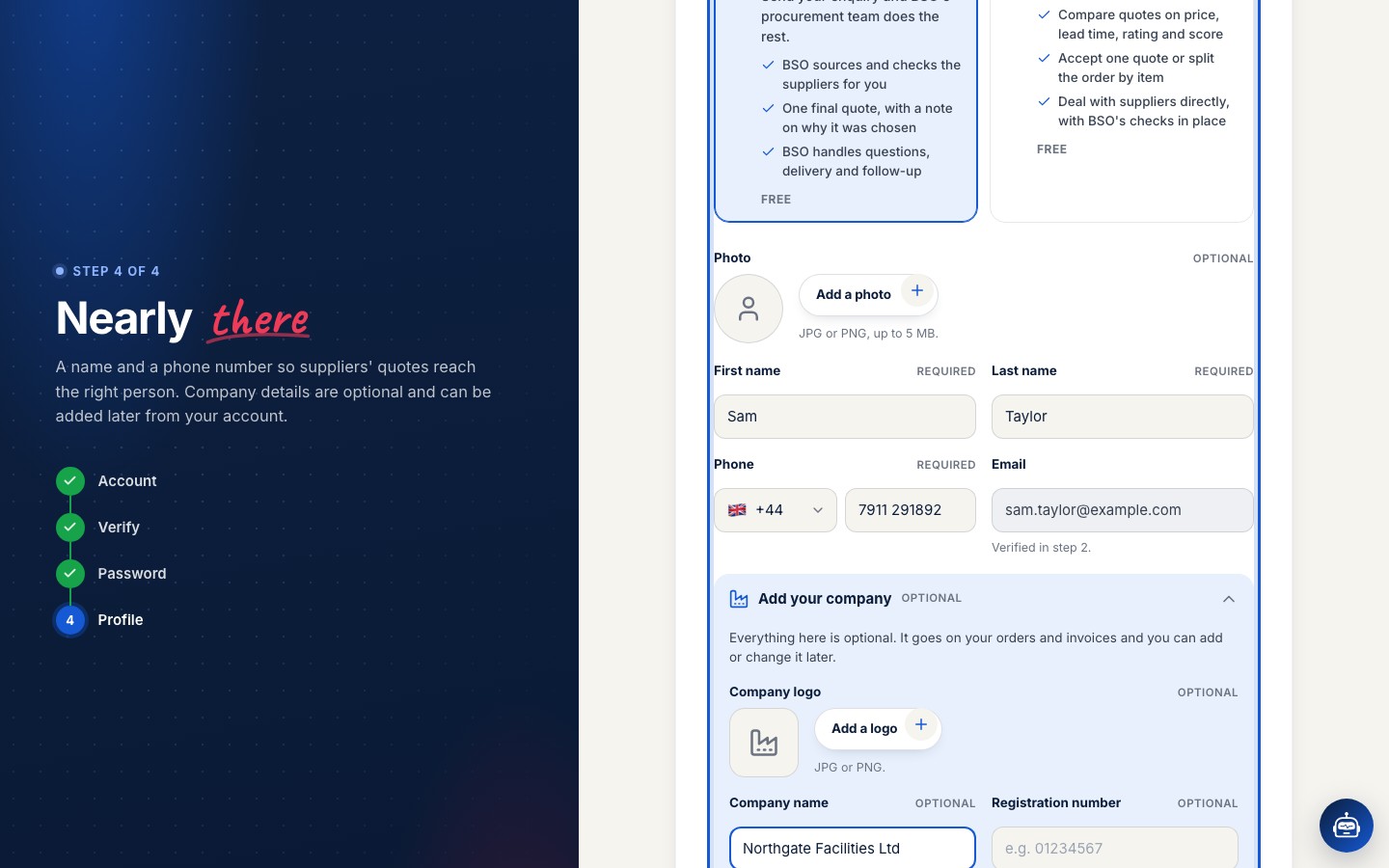
Further down the same page, fill in your First name, Last name and Phone. Your email is already there from step 2. A photo is optional.
Open Add your company if you want your company name, registration number, VAT number and logo on your orders and invoices. Everything in that section is optional and can be added later.
Finish
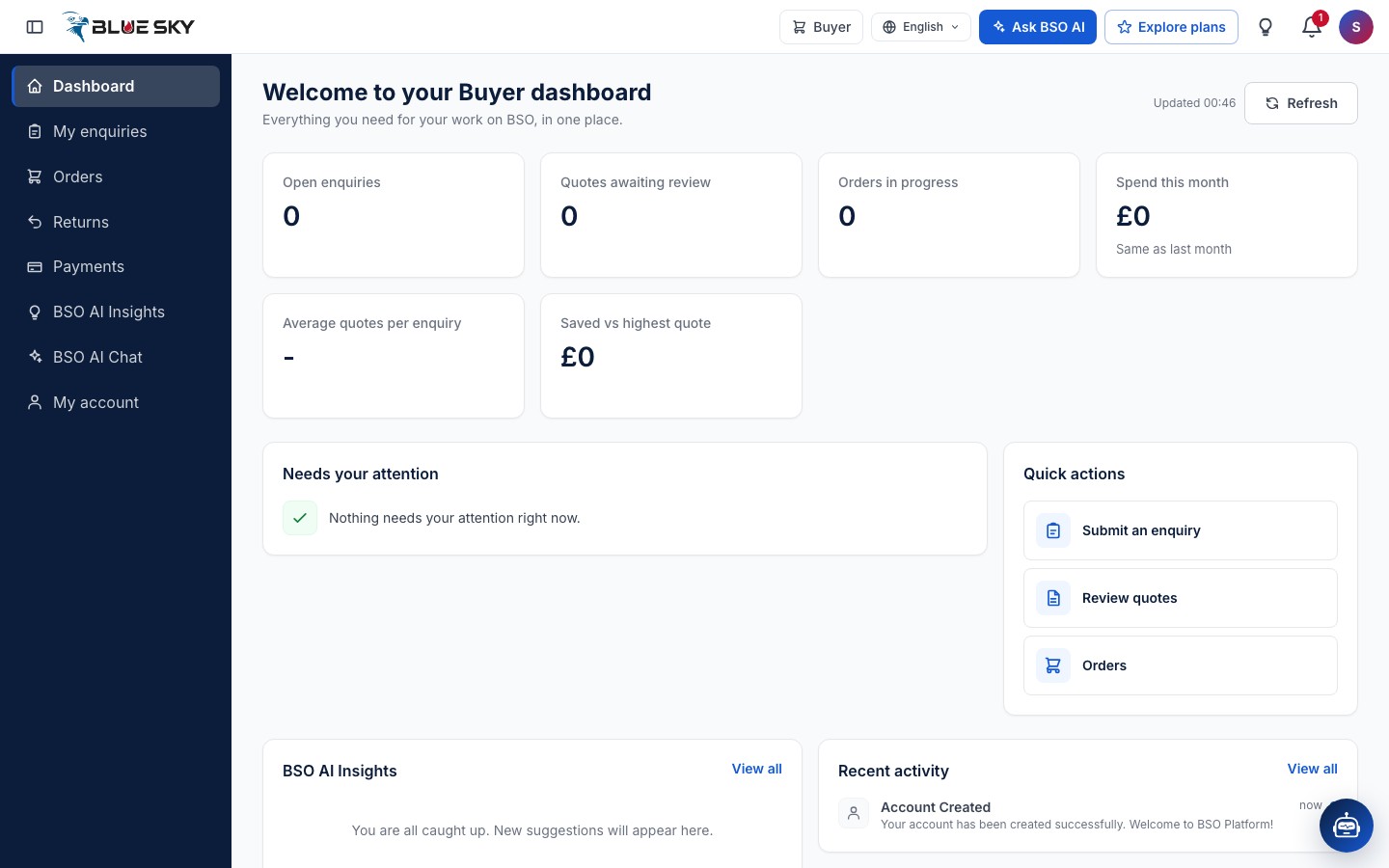
Click Finish. Your account is ready and My account opens, where you can check your details. Click Dashboard in the menu to see your buyer dashboard and submit your first enquiry.
Good to know
- One account can hold several roles. Add Supplier, Logistics provider or Recruiter later from My account, under Roles. Supplier, logistics and recruiter roles need a plan; buying stays free.
- The language switch is in the top bar of every page, and your notifications are behind the bell next to it; see Language and notifications.
- If a colleague invited you, use the link in their invitation email instead, so you land in their team.
- Next: Sign in, log out and reset your password.
Related guides
Still stuck? We are here.
Open BSO AI Chat inside the platform, or email the support team. Monday to Friday, 07:00 to 17:00 UK time.