

My products is your catalogue on BSO: Products buyers can find in the catalogue, once approved. This guide shows how to read the list, what the approval statuses mean, and where to edit a product. Adding one is in Add a product.
Before you start
- At least one product added.
Open My products
Click My products in the left menu, or go to bsoservices.ai/inventory-product-list. Each row shows the Product (name and SKU), the Brand, the Part number (with +1 more when the product has more variants), the Stock, the Price, the Status and when it was Updated. The search box takes a Name, brand, SKU or part; the two boxes next to it filter by category and by status.
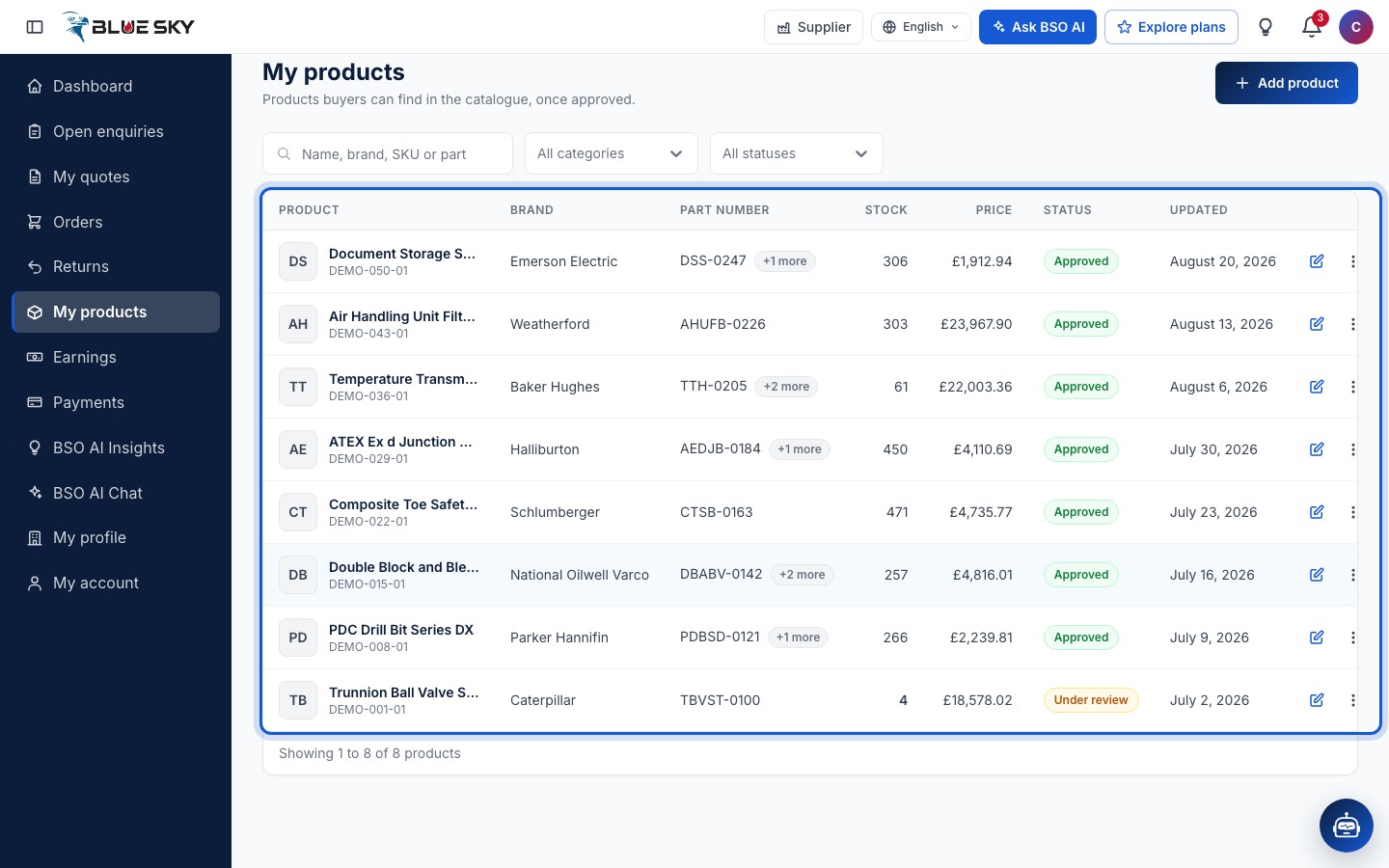
A Stock figure turns amber when it is at or under the product's low stock level and red at 0, so you can spot what to restock.
Read the status
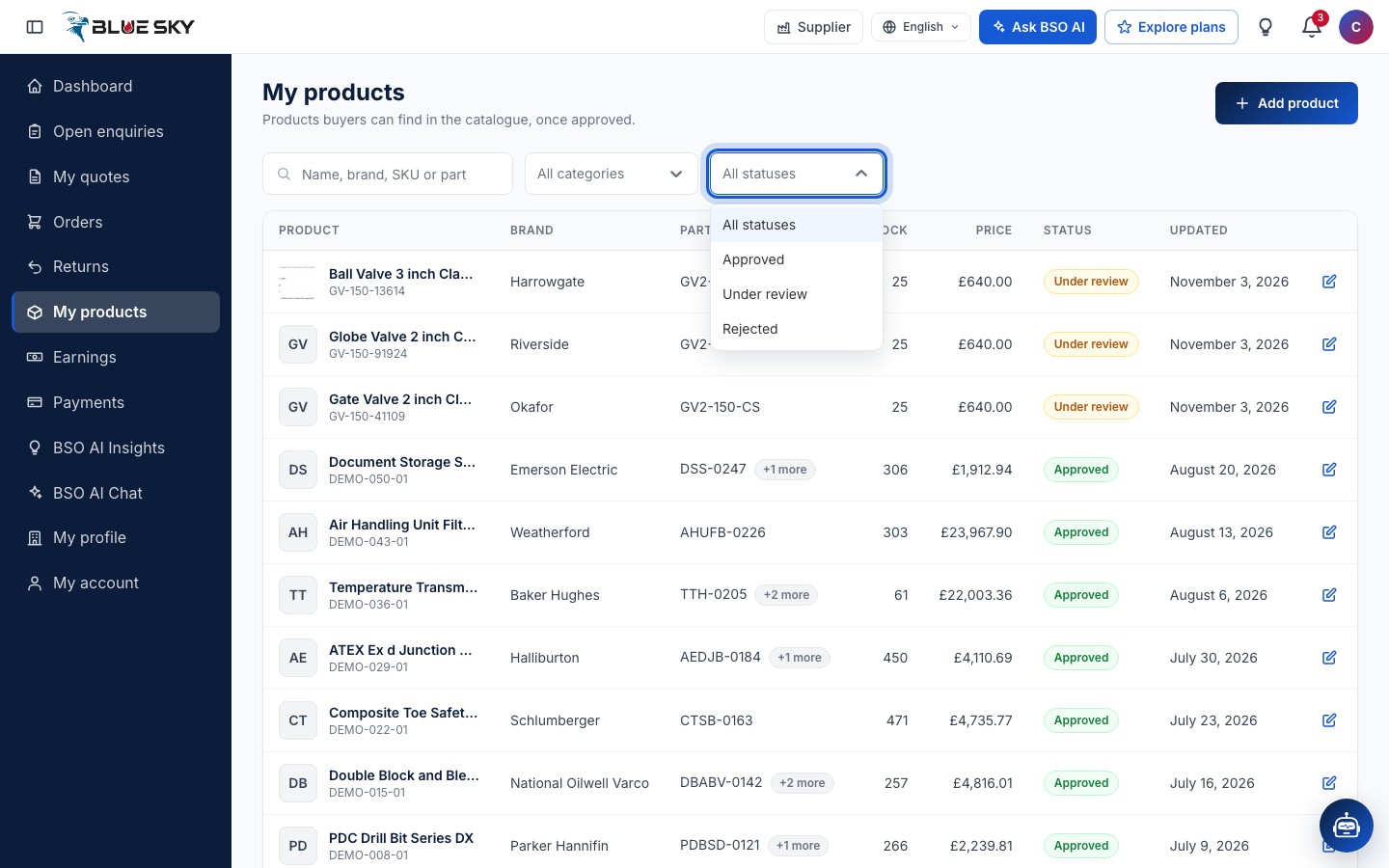
The status filter offers All statuses, Approved, Under review and Rejected. Approved: buyers can find the product in the catalogue. Under review: BSO is reviewing it; it appears in the catalogue once approved. Rejected: BSO did not approve it; edit it and save to send it again.
The row actions
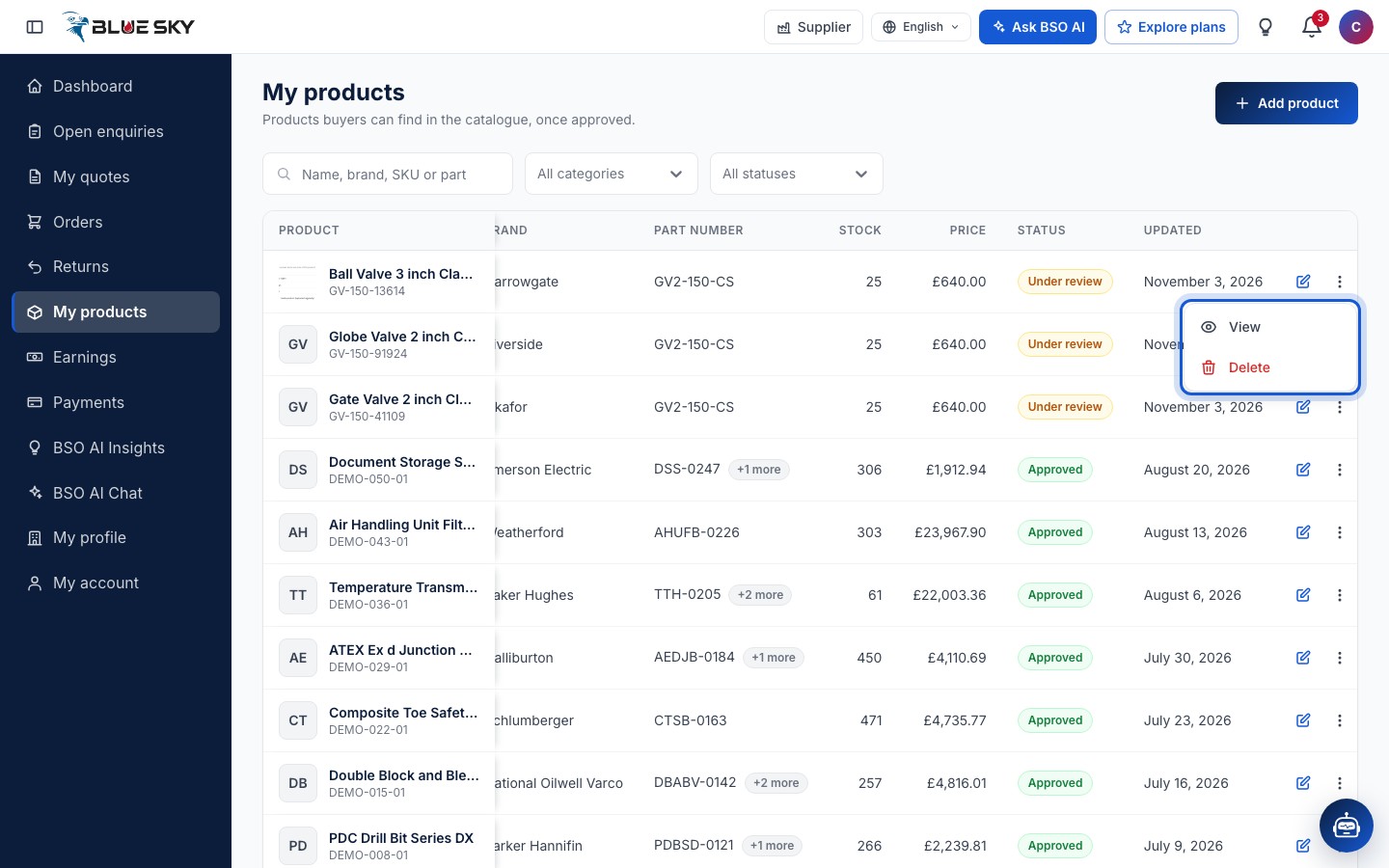
The pencil on a row opens the edit form. The three dots offer View and Delete, and Open public page once the product is approved. Delete this product? asks you to confirm; the product is removed from your products and the catalogue, and this cannot be undone.
Open a product
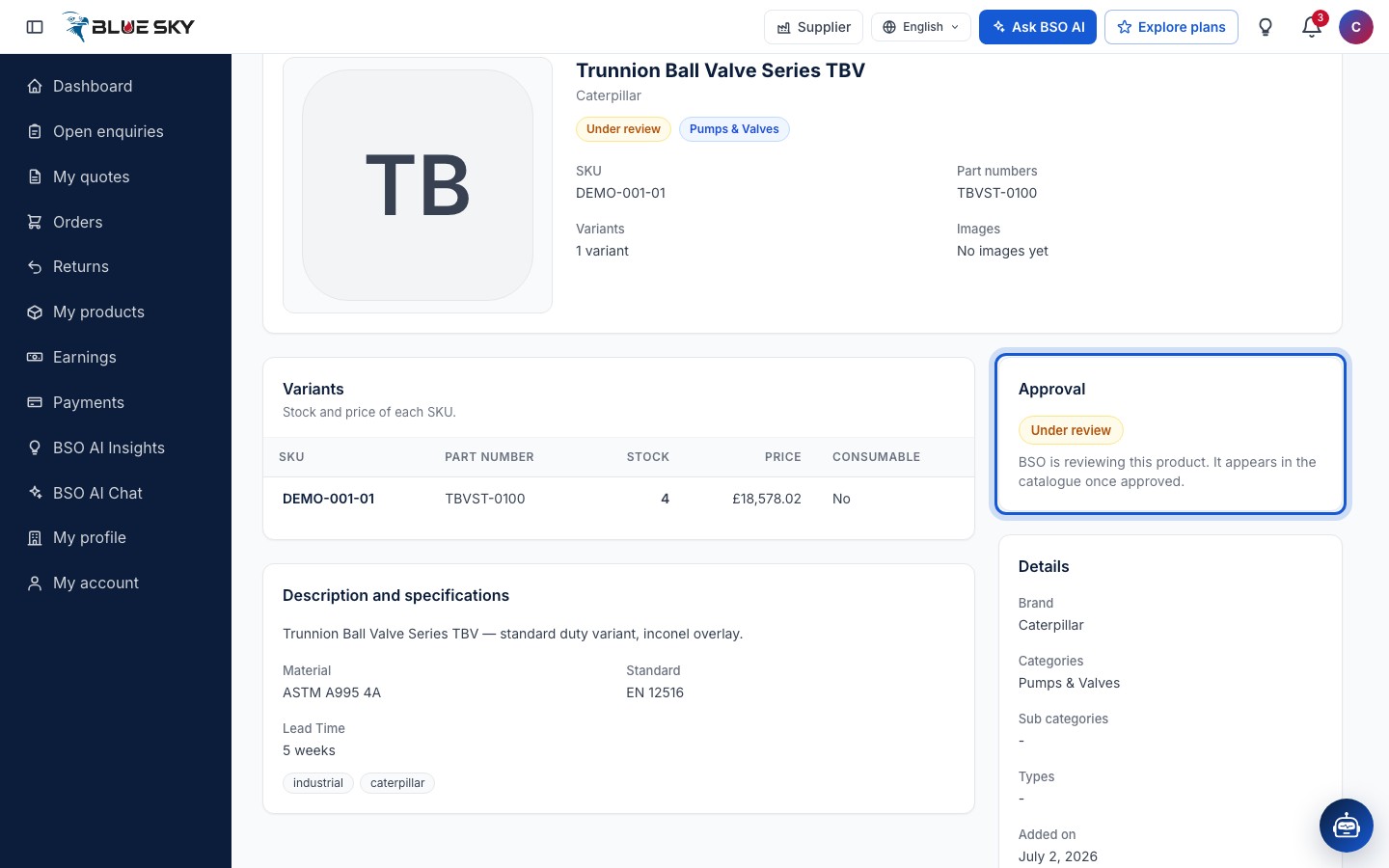
Click the row to open the product's own page: its images, the Variants with SKU, part number, stock, price and whether it is consumable, the Description and specifications, the Details (brand, categories, when it was added and updated) and an Approval card. Under review reads BSO is reviewing this product. It appears in the catalogue once approved; a rejected product shows the Reason BSO gave. Edit at the top right opens the form; on an approved product Open public page opens the catalogue page, and until then the page says Public page appears after BSO approval.
Edit a product
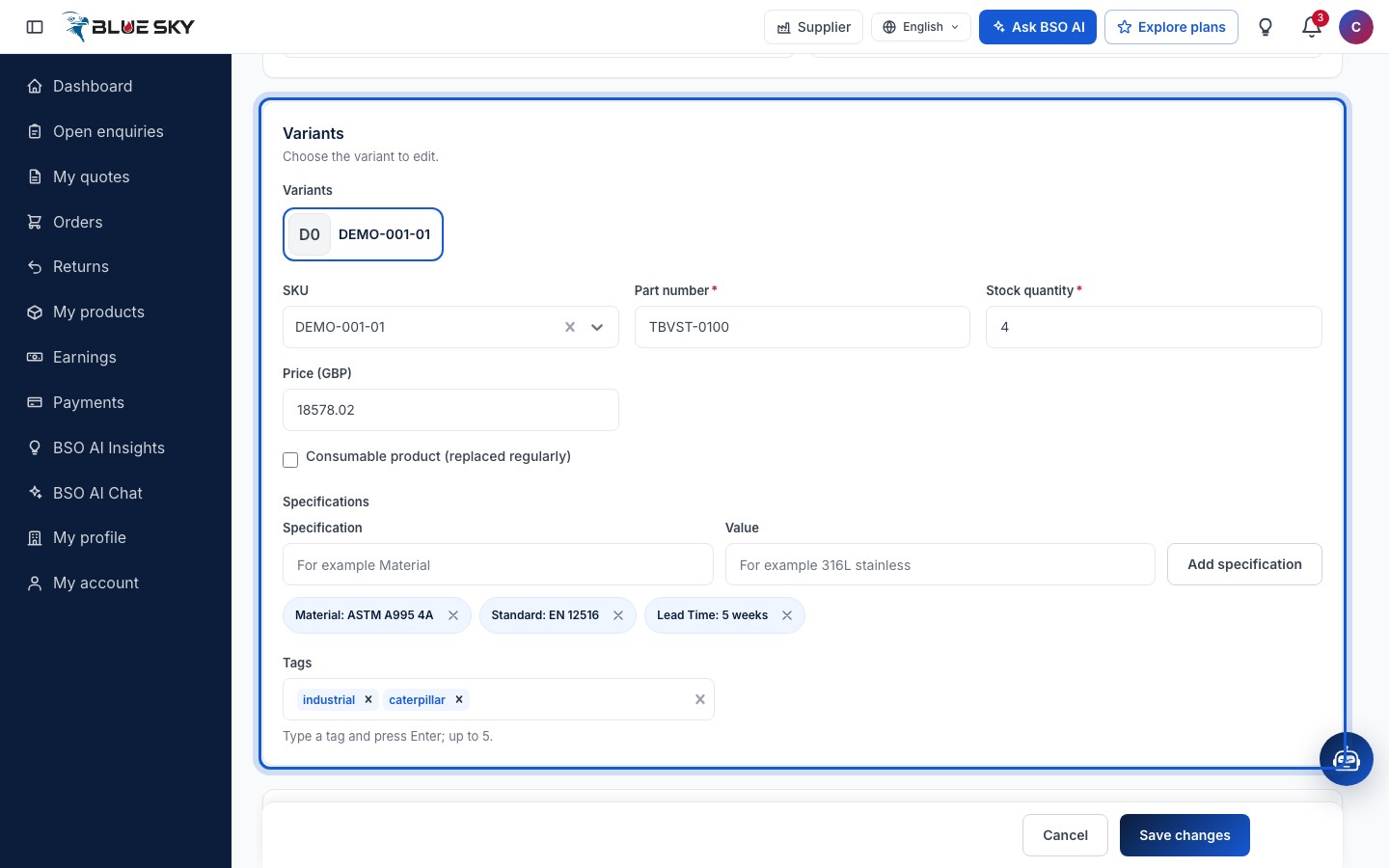
Edit product is the same form as Add product, with a Variants card to choose the variant to edit, and Save changes instead of Add product. The warranty and terms are already accepted (You accepted these when you added the product). Saving an edit sends the product back to Under review until BSO approves it again.
Good to know
- Your profile page links here too: Manage my products on the Your products card of Your profile and BSO score.
- Questions about an approval? Email support@bsoservices.ai, Monday to Friday 07:00 to 17:00 UK time, with the product name.
Related guides
Still stuck? We are here.
Open BSO AI Chat inside the platform, or email the support team. Monday to Friday, 07:00 to 17:00 UK time.