

A buyer can ask to return items from a delivered order within the return window (Request a return shows their side). You are told in the bell and by email, and Returns in your left menu lists the request with a deadline to answer. On a direct order the decision is yours: accept or reject by the date shown; after it BSO decides. On an order placed through BSO your answer goes to BSO first, which confirms the decision with the buyer (see Indirect or direct).
Before you start
- A return request on one of your orders.
- If you accept and want the items back, the address and instructions for sending them.
Open Returns
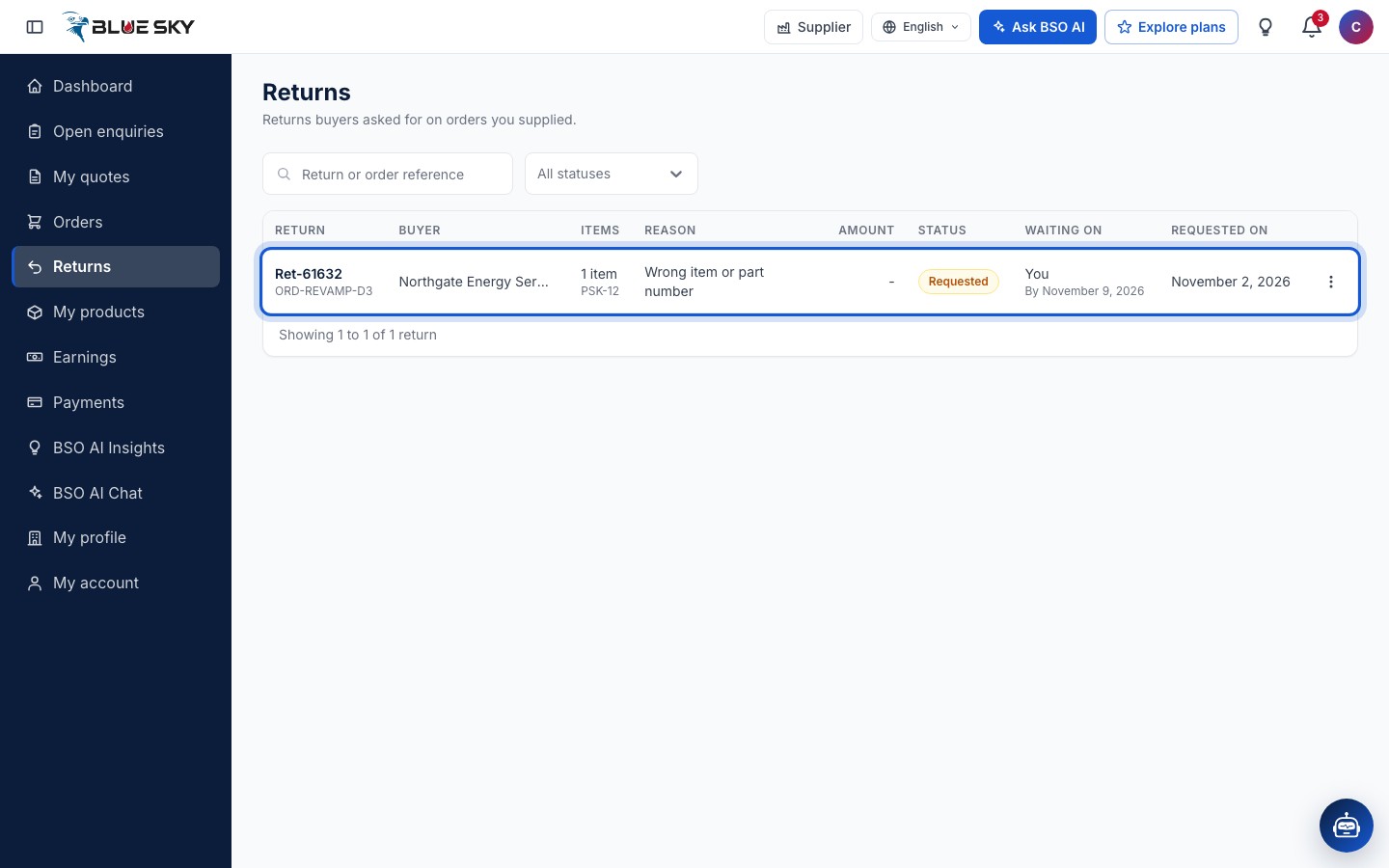
Click Returns in the left menu, or go to bsoservices.ai/returns: Returns buyers asked for on orders you supplied. Each row shows the Return and order references, the Buyer, the Items, the Reason, the Amount, the Status, who it is Waiting on and by when, and Requested on. The status box offers Waiting for you and Open as well as every status: Requested, Under review, Accepted, Rejected, Sent back, Received, Resolved and Closed.
Read the return
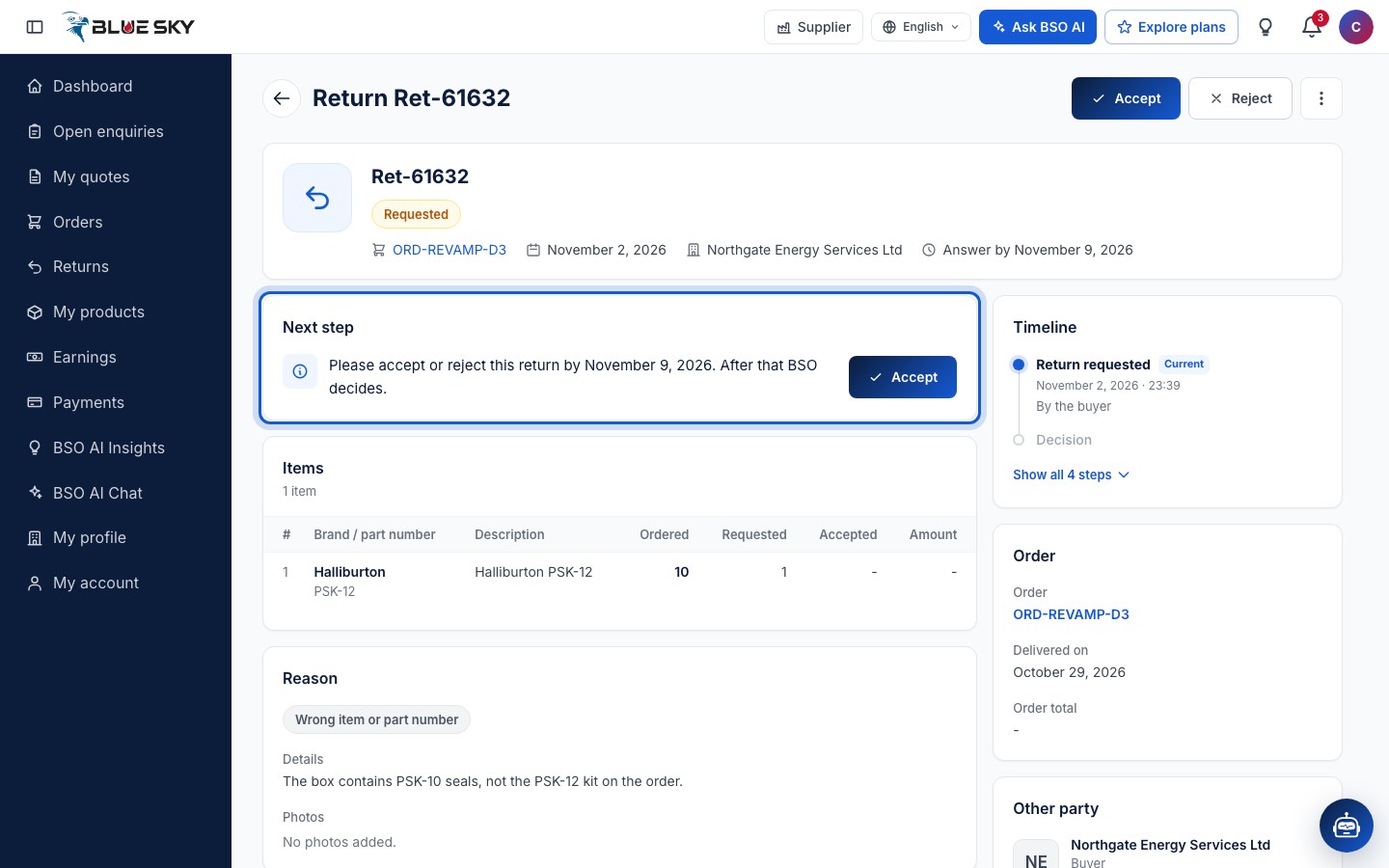
Click the row. The return page is headed Return and its reference, with Accept and Reject at the top right and the three dots next to them. The summary shows the status, the order, the date, the buyer and Answer by the deadline. Next step says what is expected: Please accept or reject this return by that date. After that BSO decides. Below: the Items with the quantities Ordered and Requested, the Reason with the buyer's details and photos, the Decision (empty until you decide), Your payouts, the Timeline, the Order and the Other party.
Start review (optional, direct orders only)
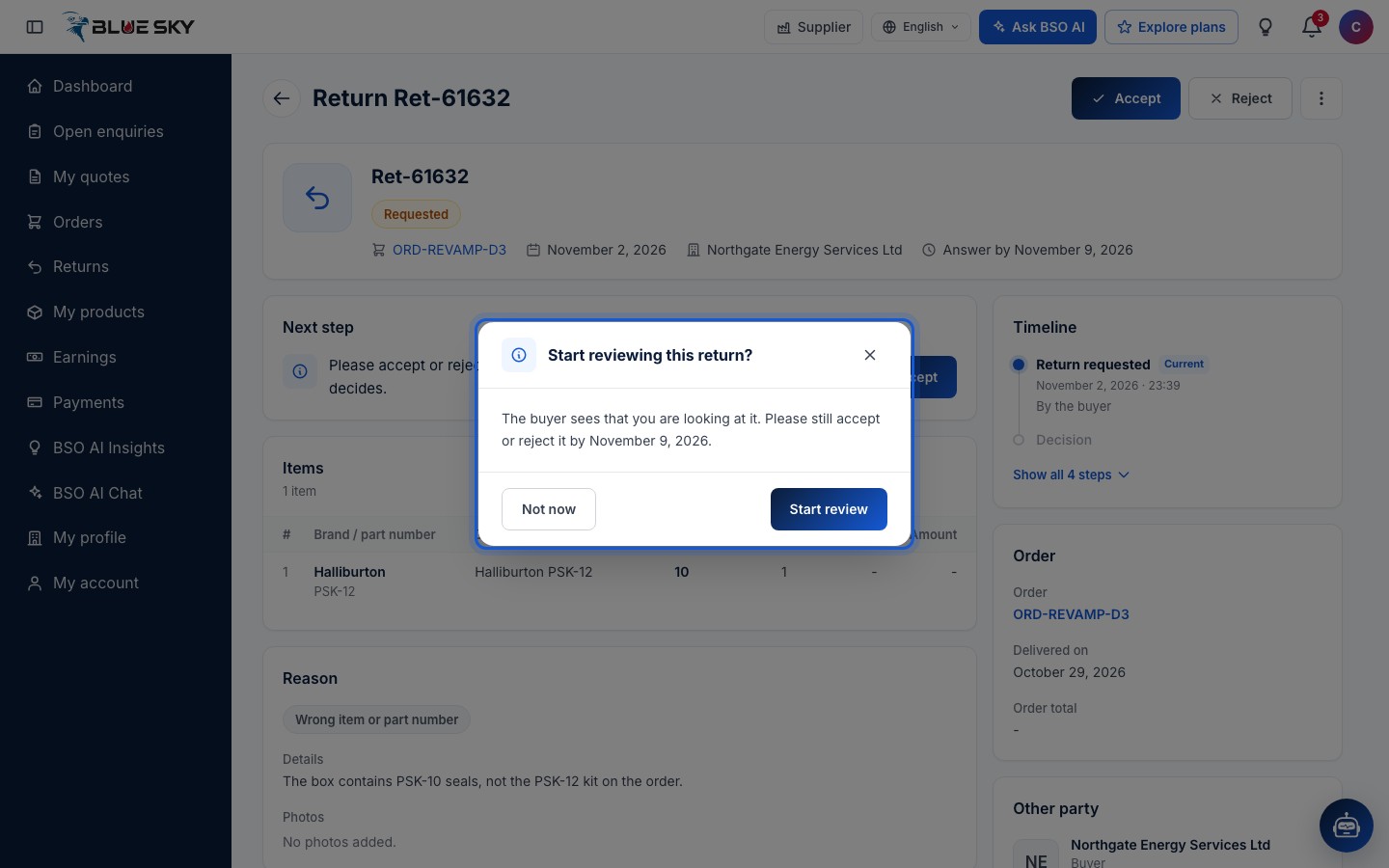
The three dots offer Open order and, on a direct order, Start review (an order placed through BSO has no review step: you accept or reject straight away). Start reviewing this return? explains: The buyer sees that you are looking at it. Please still accept or reject it by the deadline. Not now closes the box, Start review confirms. The return then reads Under review and the buyer sees Review started on their timeline. The deadline does not move.
Reject with a reason
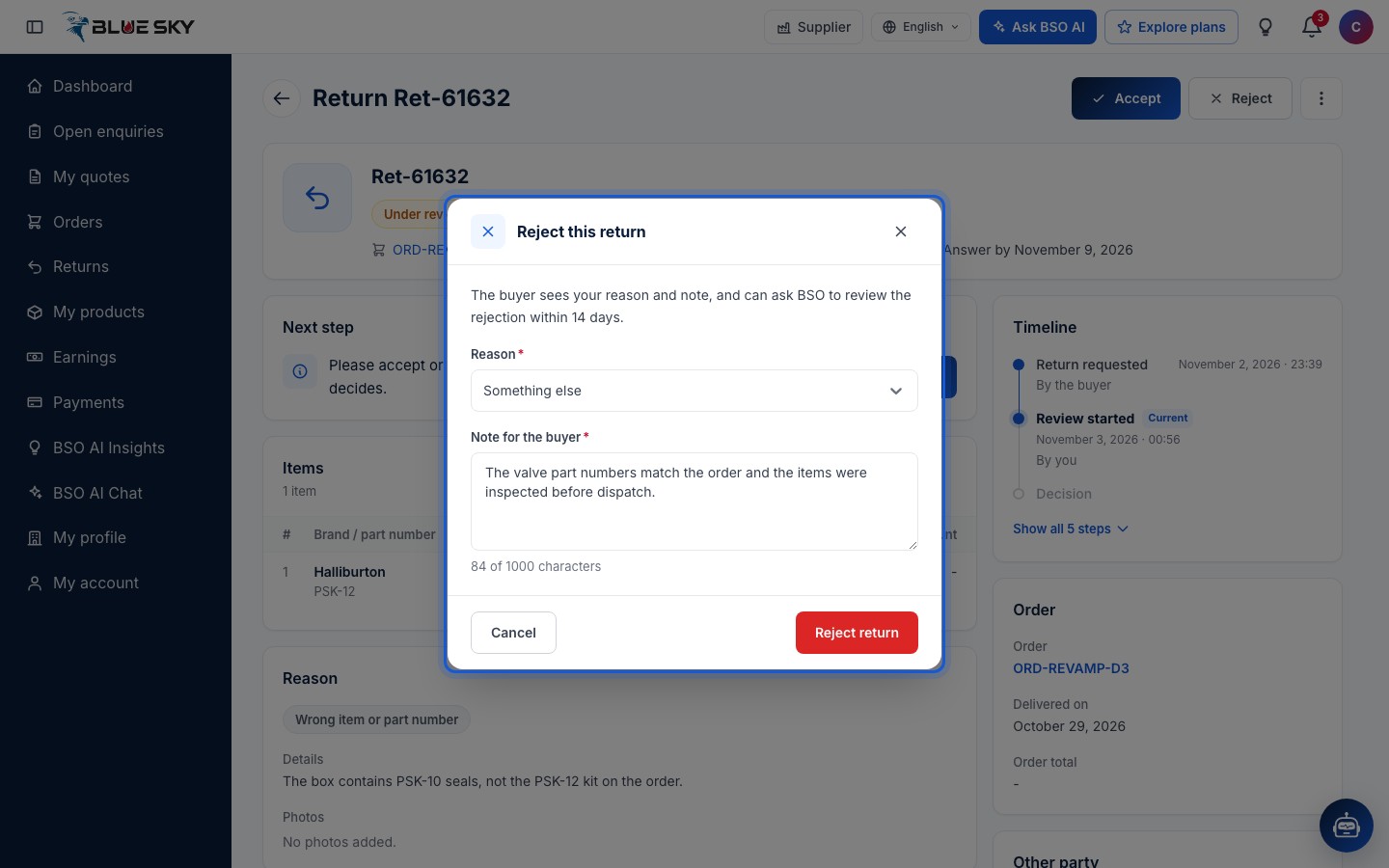
Reject opens Reject this return: The buyer sees your reason and note, and can ask BSO to review the rejection within the number of days shown. Choose a Reason (Outside the return policy, Used or damaged after delivery, The items match the order, Made to order or not returnable, or Something else) and write a Note for the buyer (required, up to 1000 characters). Reject return sends it. If the buyer asks BSO to review, BSO looks at the return and decides.
Accept with a refund, a partial refund or a replacement
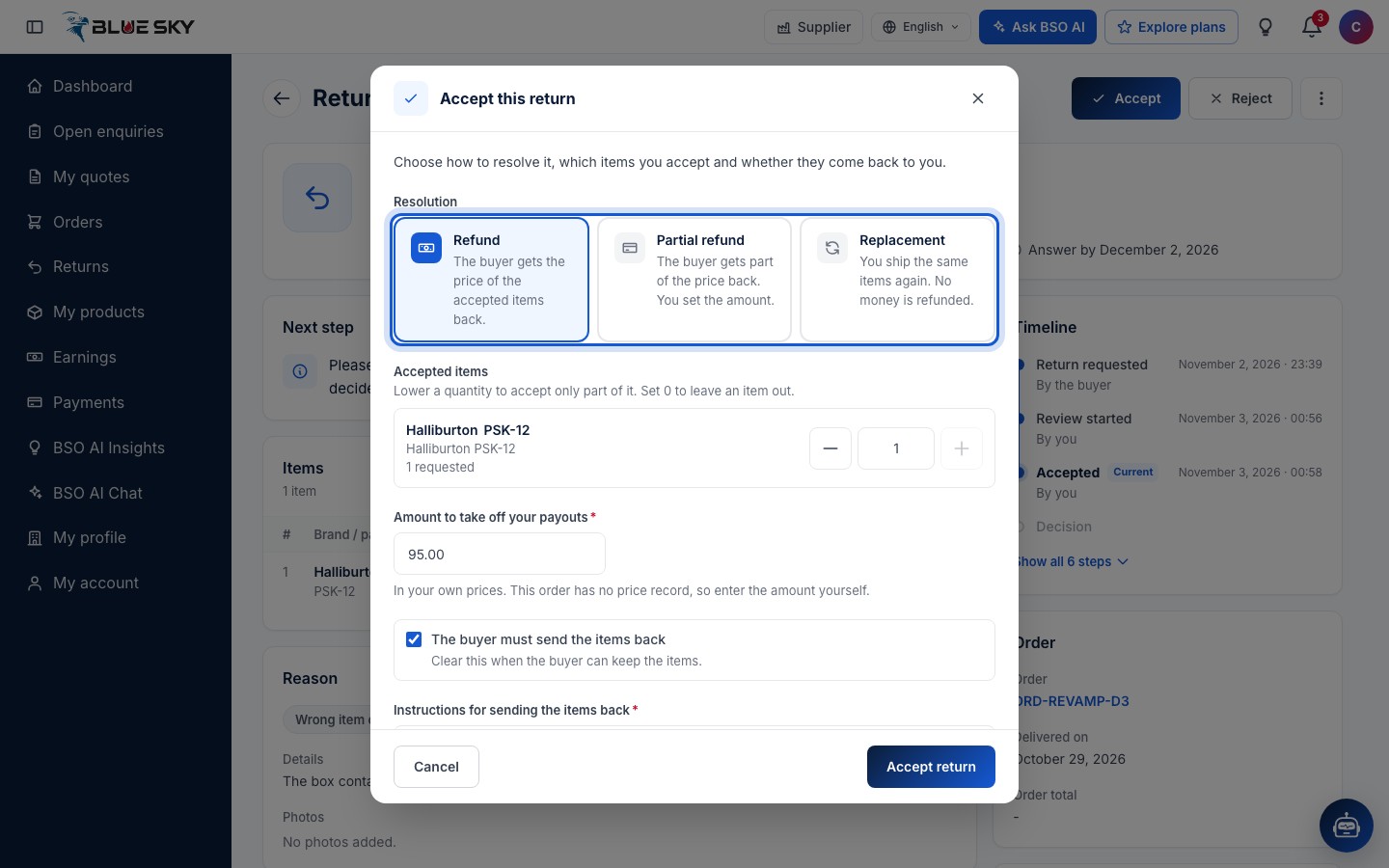
Accept opens Accept this return: Choose how to resolve it, which items you accept and whether they come back to you. The Resolution is Refund (The buyer gets the price of the accepted items back), Partial refund (The buyer gets part of the price back. You set the amount) or Replacement (You ship the same items again. No money is refunded). Under Accepted items you can lower a quantity to accept only part of it, or set 0 to leave an item out.
For a partial refund you enter the Partial refund amount, in your own prices. When the order has no price record on BSO, the box asks for the Amount to take off your payouts instead, whatever the resolution: In your own prices. This order has no price record, so enter the amount yourself. Tick The buyer must send the items back when they should come back to you (clear it when the buyer can keep them) and write the Instructions for sending the items back. What happens next sums it up, including the date the buyer has to send the items back and what is taken off your payouts. Click Accept return.
After you accept
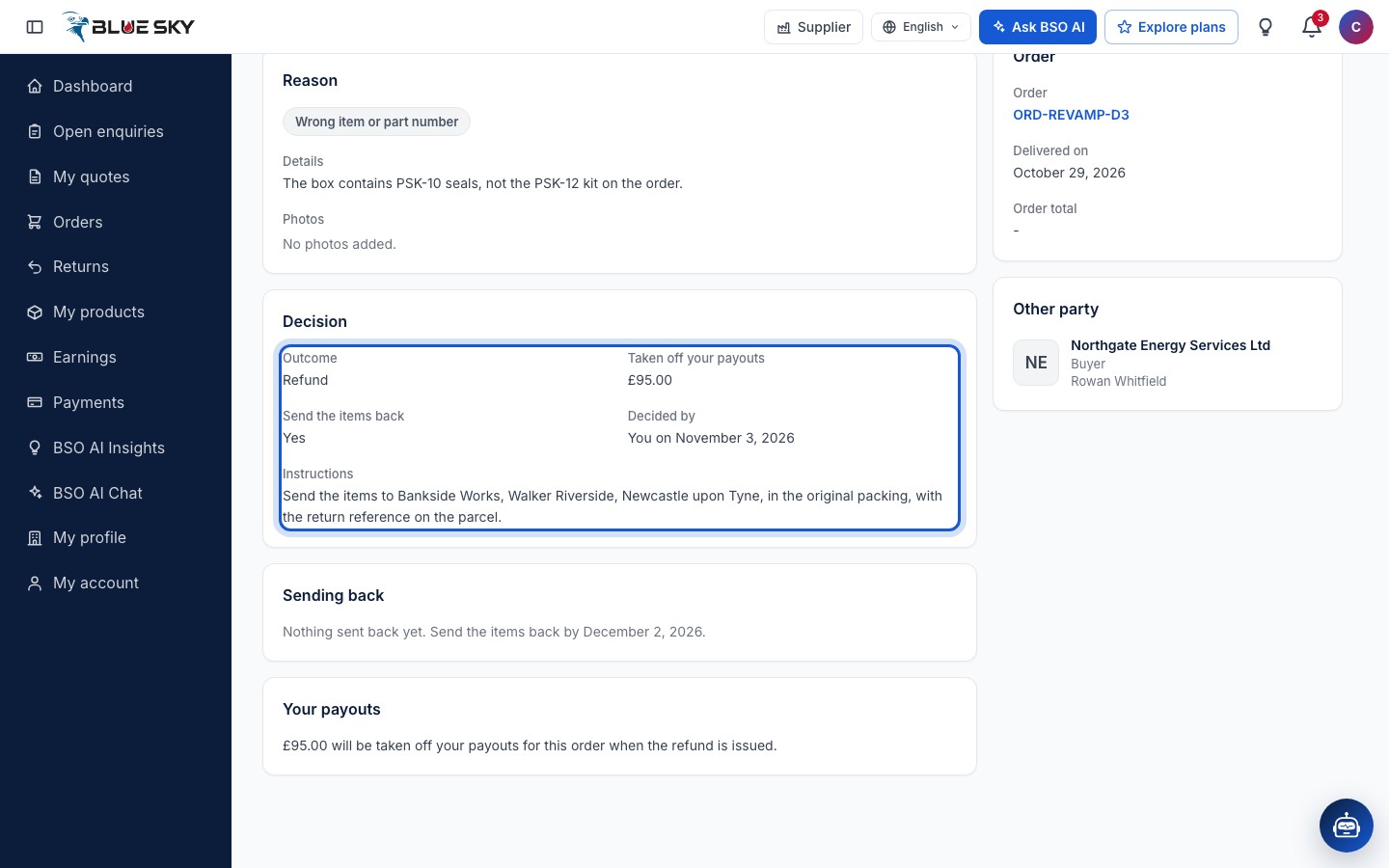
The page confirms Return accepted. and the Decision card shows the Outcome, the amount Taken off your payouts, whether to Send the items back, who decided and when, and your Instructions. Next step now reads The buyer will send the items back. Confirm when they arrive. When the items arrive, Confirm items received asks Did the items arrive as described? (Yes or No, with a note when something is wrong). After a refund BSO refunds the buyer; after a replacement you ship it and click Mark replacement shipped with the logistics provider and the tracking number.
Your payouts
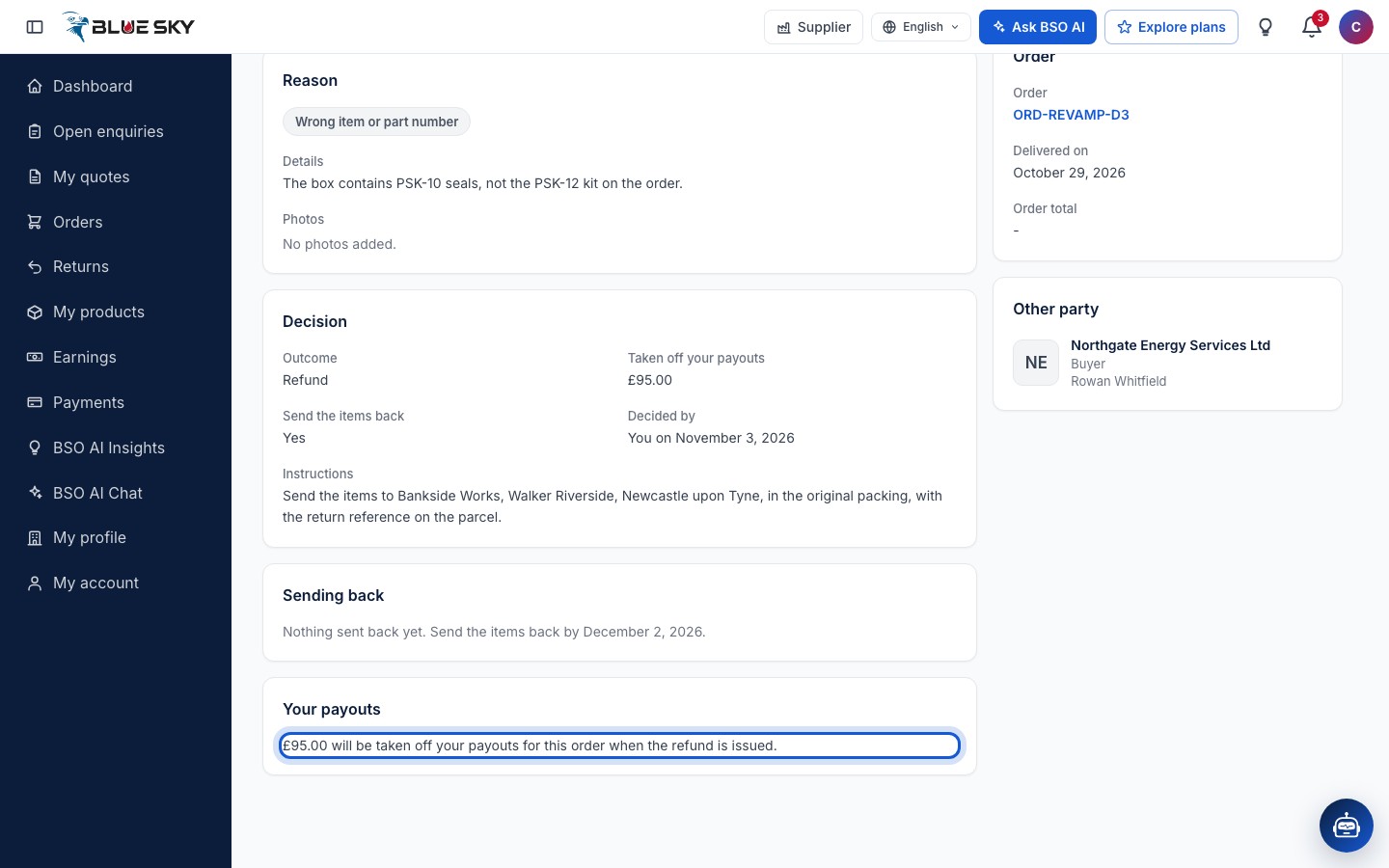
The Your payouts card says what the return does to your money: while the return is open the payouts of that order are on hold; when a refund is issued the amount comes off those payouts, and if they were paid out already you owe BSO that amount. A replacement takes nothing off. The same hold shows in Earnings and payouts.
Good to know
- If you do not answer by the deadline, the return passes to BSO, which decides in your place.
- On an order placed through BSO the buttons read Send to BSO: your accept or reject is a proposal, and BSO confirms your answer before the buyer sees it.
- Refunds are issued by BSO, not by you: a card payment goes back to the buyer's card through Stripe, a bank transfer is refunded by BSO. A resolved return closes by itself after a while.
- Questions about a return? Email support@bsoservices.ai, Monday to Friday 07:00 to 17:00 UK time, with the return reference.
Related guides
Still stuck? We are here.
Open BSO AI Chat inside the platform, or email the support team. Monday to Friday, 07:00 to 17:00 UK time.