

Hired resources lists every person whose application you accepted (see Review applicants), with the job they were hired for and your rating of them. From here you open the hire, their profile, and the Rate resource form.
Ratings are how recruiters on BSO tell each other who was good to work with. A rating is one to five stars with a short review, and your latest rating of a person is the one that shows.
Before you start
- A recruiter account with at least one accepted application.
Open Hired resources
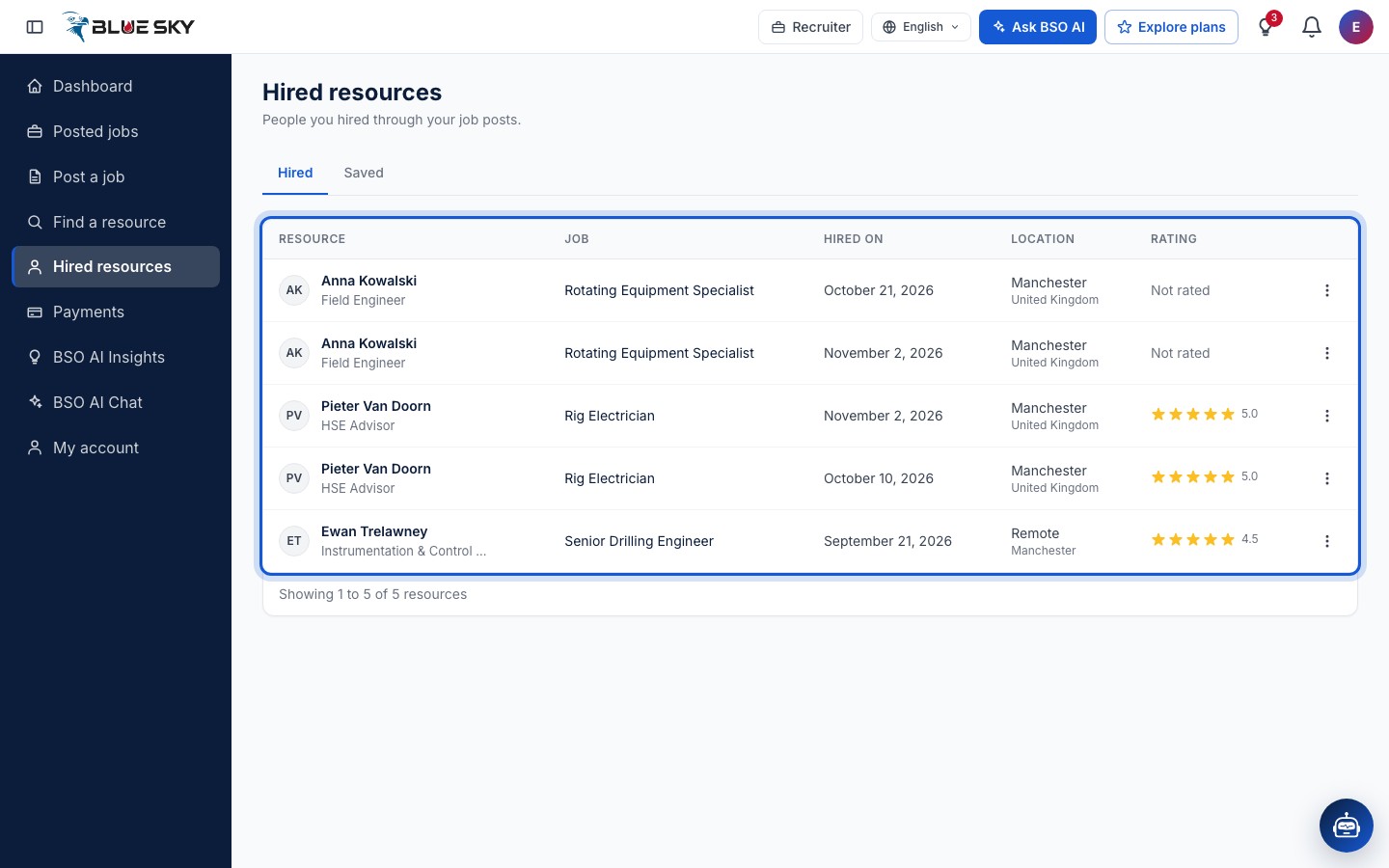
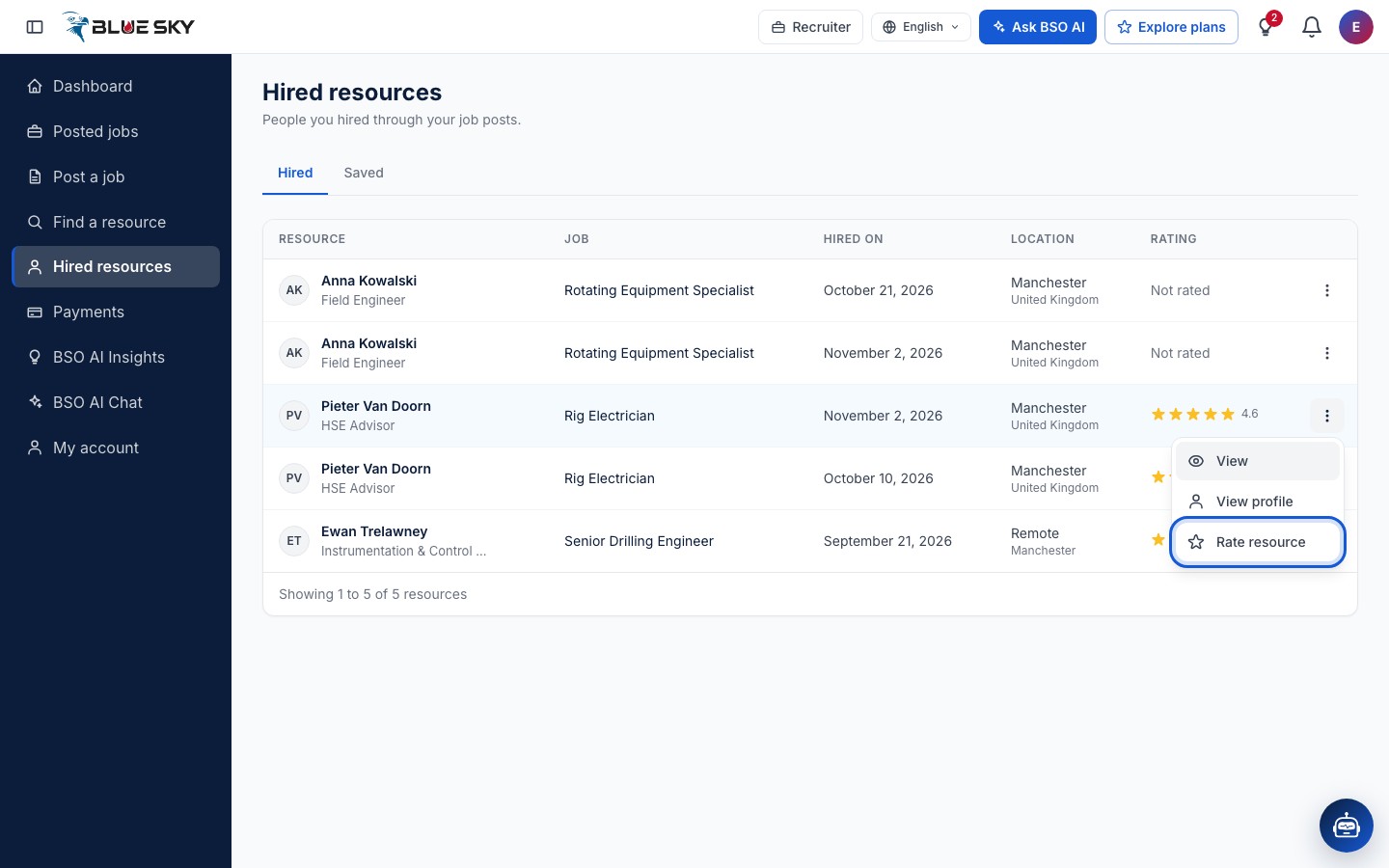
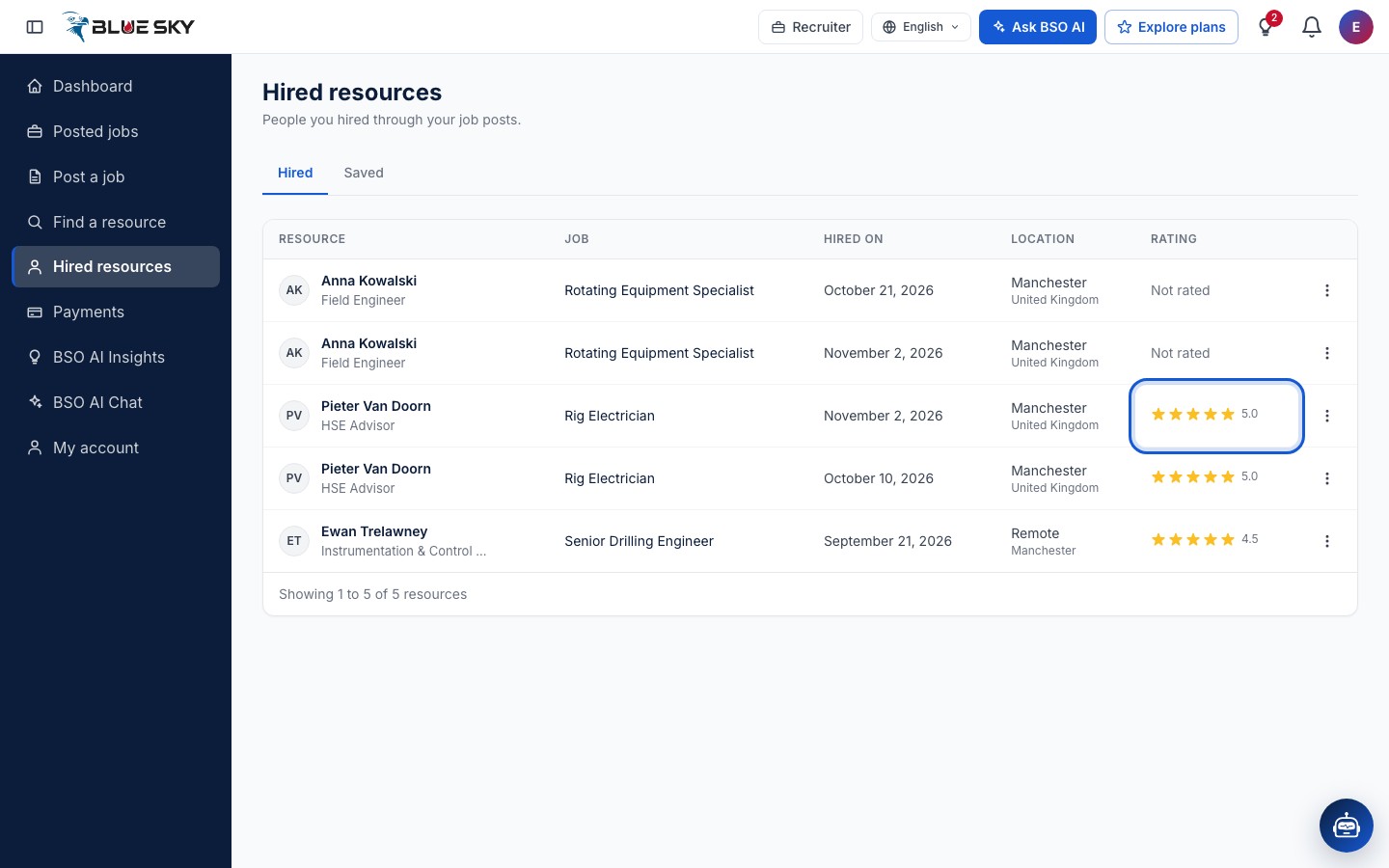
Click Hired resources in the left menu. The page has two tabs, Hired and Saved. The Hired list has the columns Resource, Job, Hired on, Location and Rating; the job title links to the job page. A person you have not rated shows Not rated. Clicking a row opens the hire; More actions offers View, View profile and Rate resource.
Open a hire
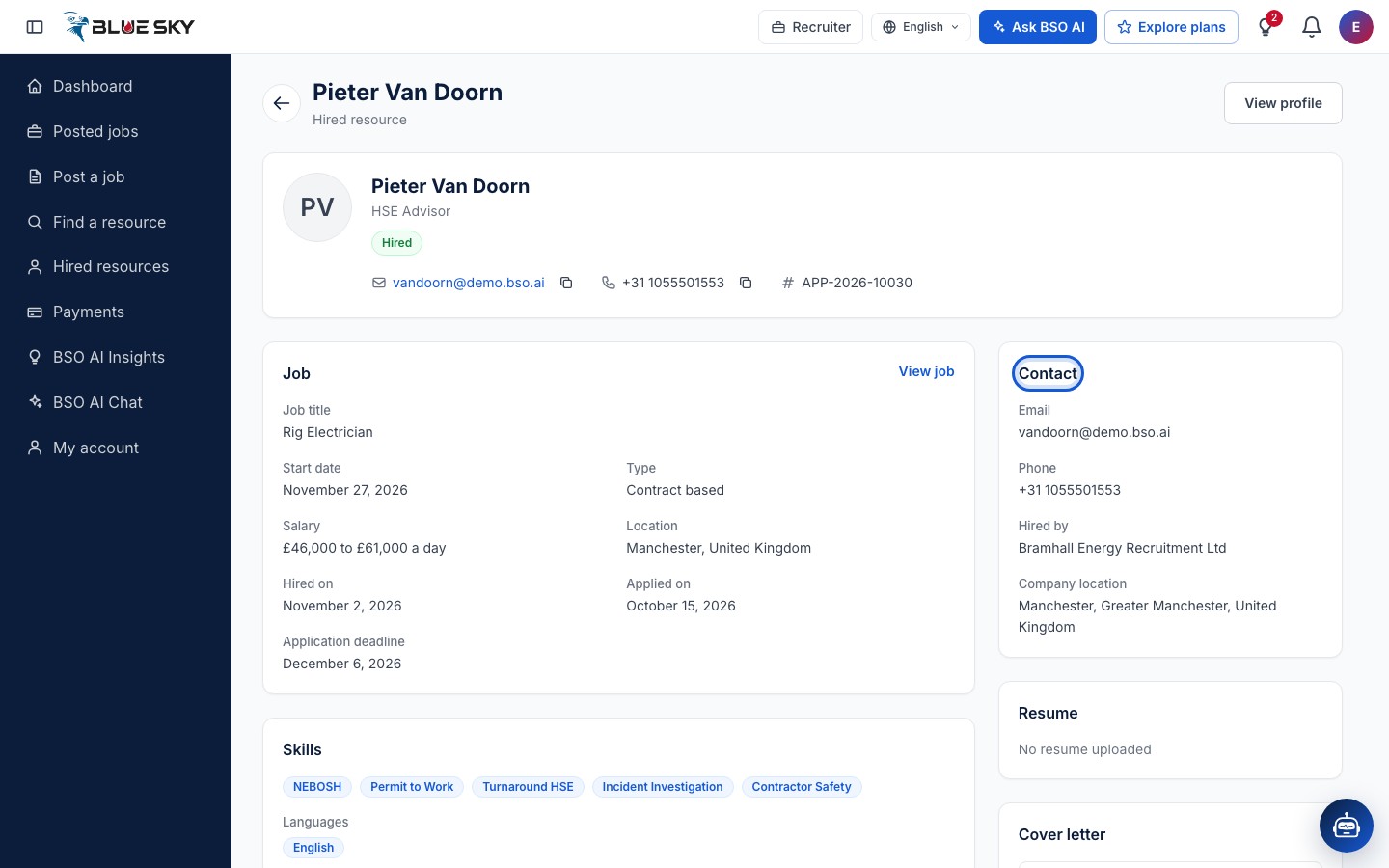
The hire's page shows the person's name and headline with a Hired chip, their email, phone and the Hire reference (the application's reference). The Job card lists the Job title, Start date, Type, Salary, Location, Hired on, Applied on and Application deadline, with View job to open the post.
Below are their Skills, Experience and Screening answers; on the right a Contact card with Email, Phone, Hired by (your company) and Company location, then the Resume and Cover letter they sent with the application. View profile at the top opens their full profile.
Choose Rate resource
Back on Hired resources, open More actions on the person's row and click Rate resource.
Give the stars and a review
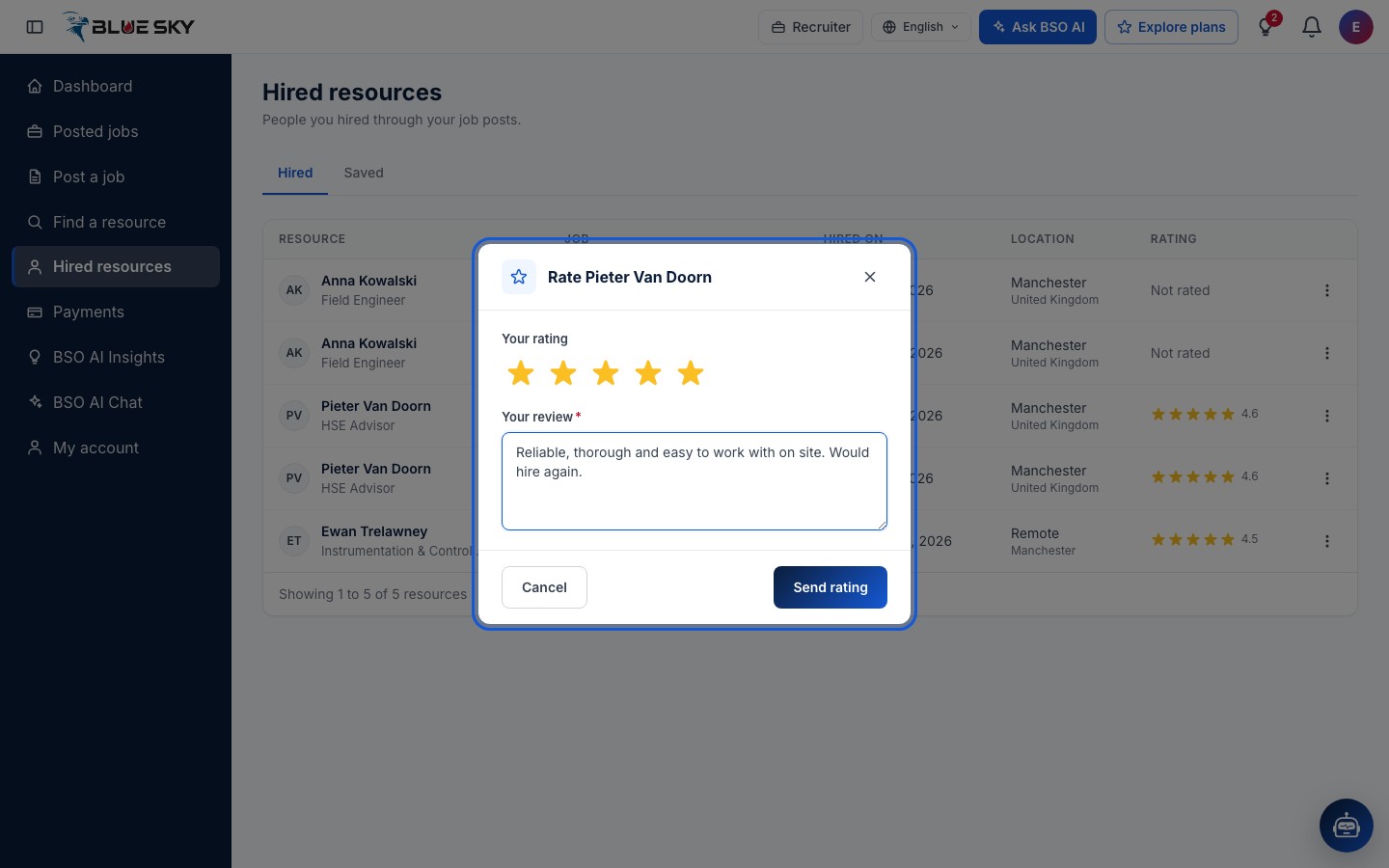
The box is headed Rate followed by the person's name. Under Your rating click one to five stars; under Your review write a few words on how it was to work with them. Both are needed: sent empty, the form asks you to choose a rating from 1 to 5 stars and to write a short review. Click Send rating, or Cancel.
The rating shows in the list
The page confirms with Rating sent and the Rating column shows the stars with the figure next to them. Rate the same person again and the new rating replaces the one you gave before.
Good to know
- A person appears once per application you accepted, so someone you hired for two jobs is listed twice.
- The Saved tab next to Hired is your own list of people to come back to: see Find a resource.
- When a job is filled, close it so it stops taking applications: see Manage your jobs.
Related guides
Still stuck? We are here.
Open BSO AI Chat inside the platform, or email the support team. Monday to Friday, 07:00 to 17:00 UK time.