

Buyers send their enquiries to the BSO board. As a supplier you see them in Open enquiries in your left menu, newest first, with the items asked for, the destination and the date quotes close. From there you open the quote form. You need the supplier role on your account (see Become a supplier); quoting itself needs an active plan.
Before you start
- A BSO account with the supplier role, signed in.
Open Open enquiries
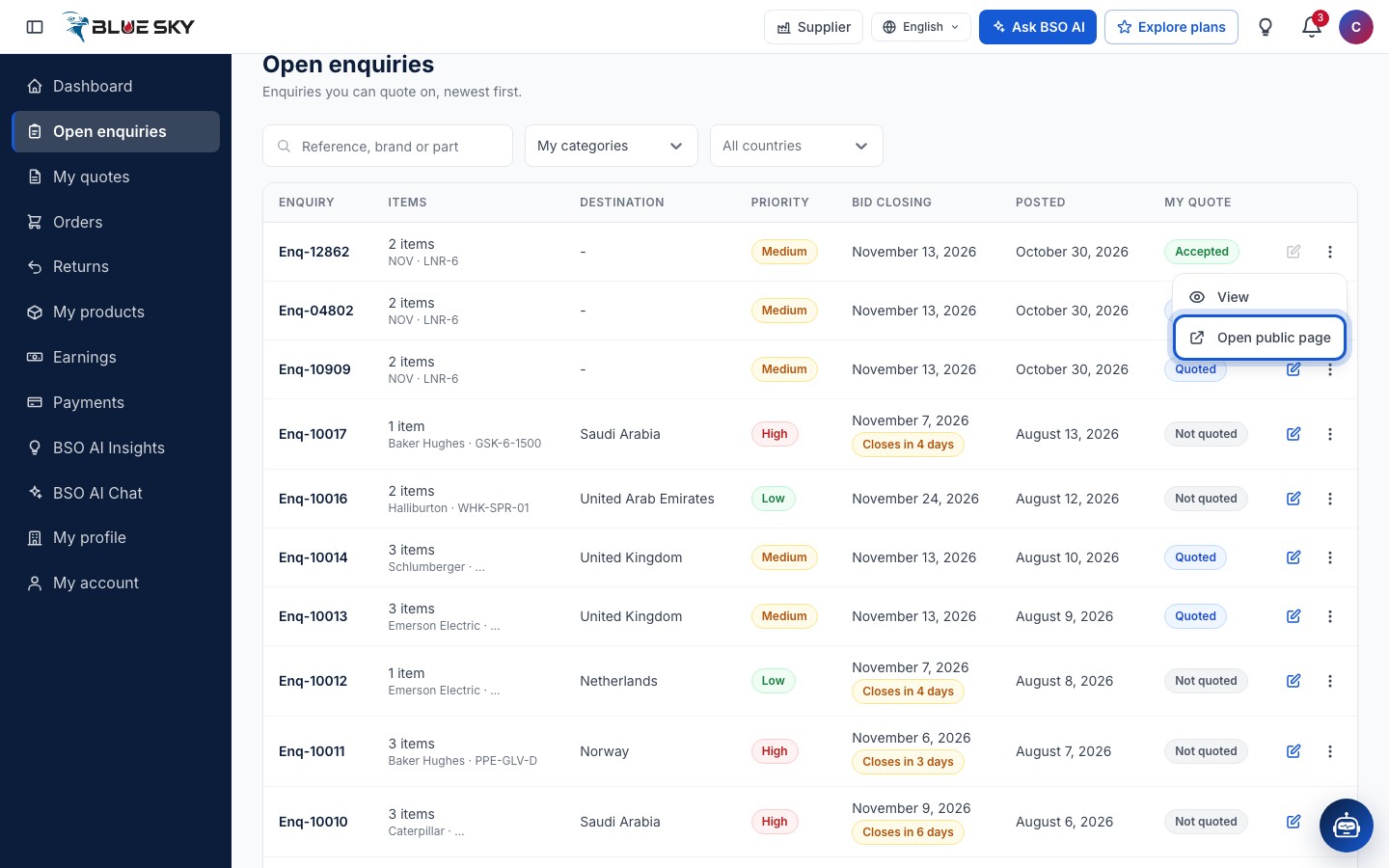
Click Open enquiries in the left menu, or go to bsoservices.ai/enquiries. The page is headed Open enquiries, Enquiries you can quote on, newest first. Each row shows the Enquiry reference (like Enq-10017, with the enquiry number under it), the Items (how many, and the first brand and part number), the Destination country, the Priority, the Quotes close date, when it was Posted and My quote, your own state on that enquiry.
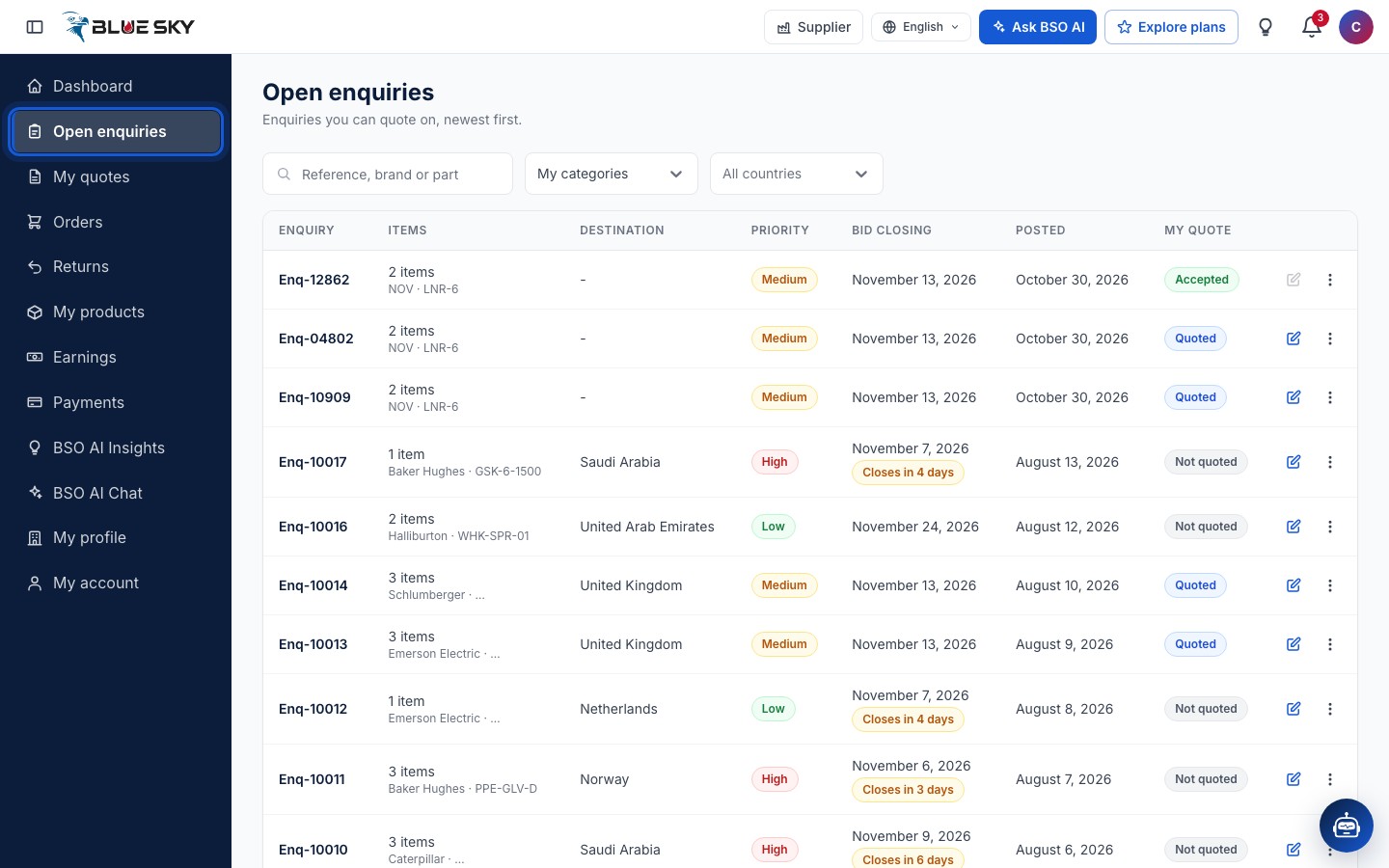
Switch between My categories and All categories
The board opens on My categories: the enquiries in the categories you sell, taken from the products you added (approved or still under review) and from the enquiries you quoted on before. Enquiries the buyer gave no category also appear there. Choose All categories in the same box to see every open enquiry. The search box takes a Reference, brand or part, and the country box narrows the list to one destination country.
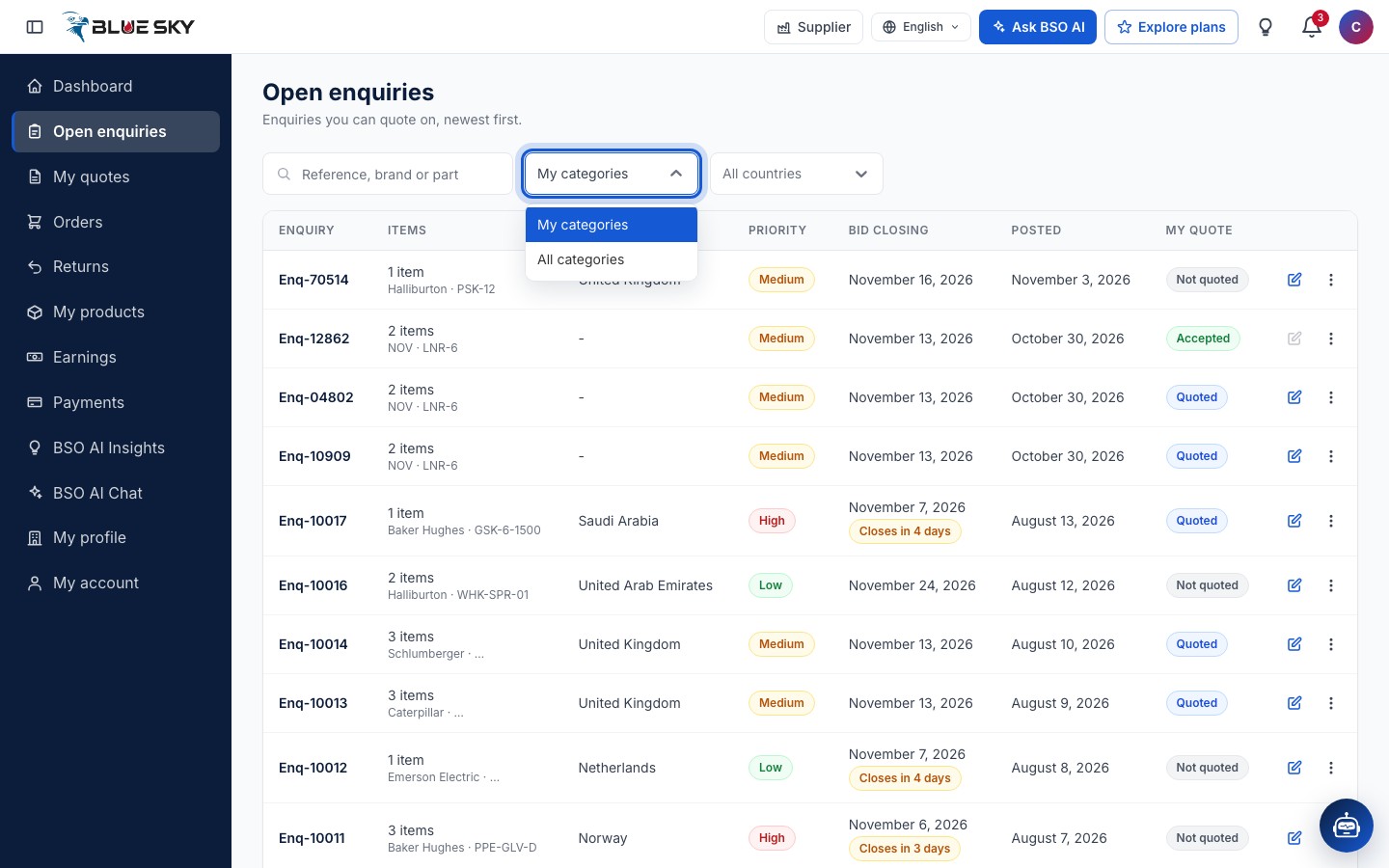
If your categories show no open enquiries, the board tells you so and offers Show all categories. Adding products widens the categories you are matched to; see Add a product.
Read a row
Quotes close is the one closing date of the enquiry. Within the last seven days it adds Closes in so many days, or Closes today; once the day is over it reads Closed and the enquiry takes no more quotes.
My quote tells you where you stand: Not quoted, Quoted (you sent a quote and can still update it), Accepted (the buyer chose your quote) or Awarded to another supplier. Your own enquiries, if you also buy on BSO, read Your enquiry.
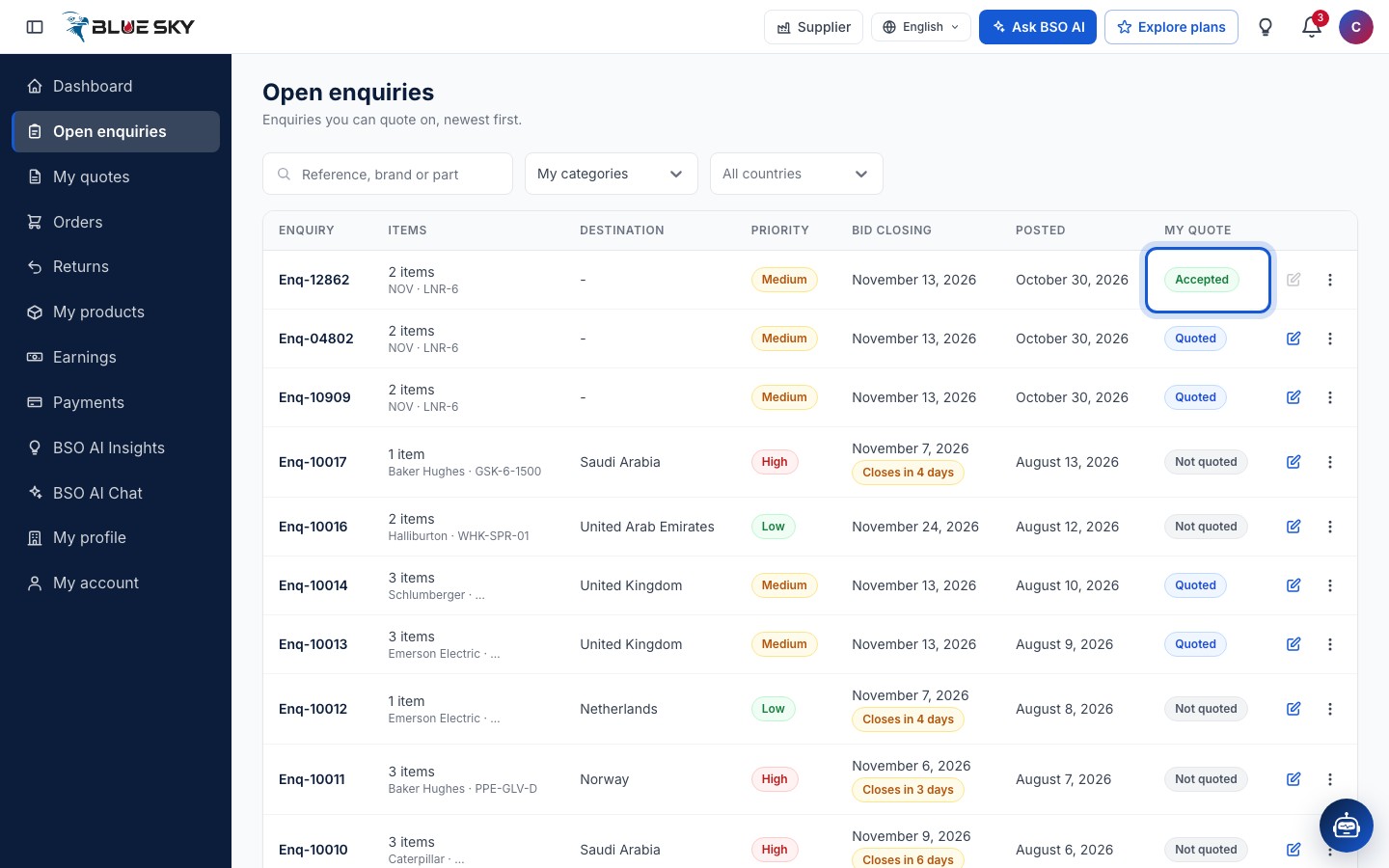
Click Write quote
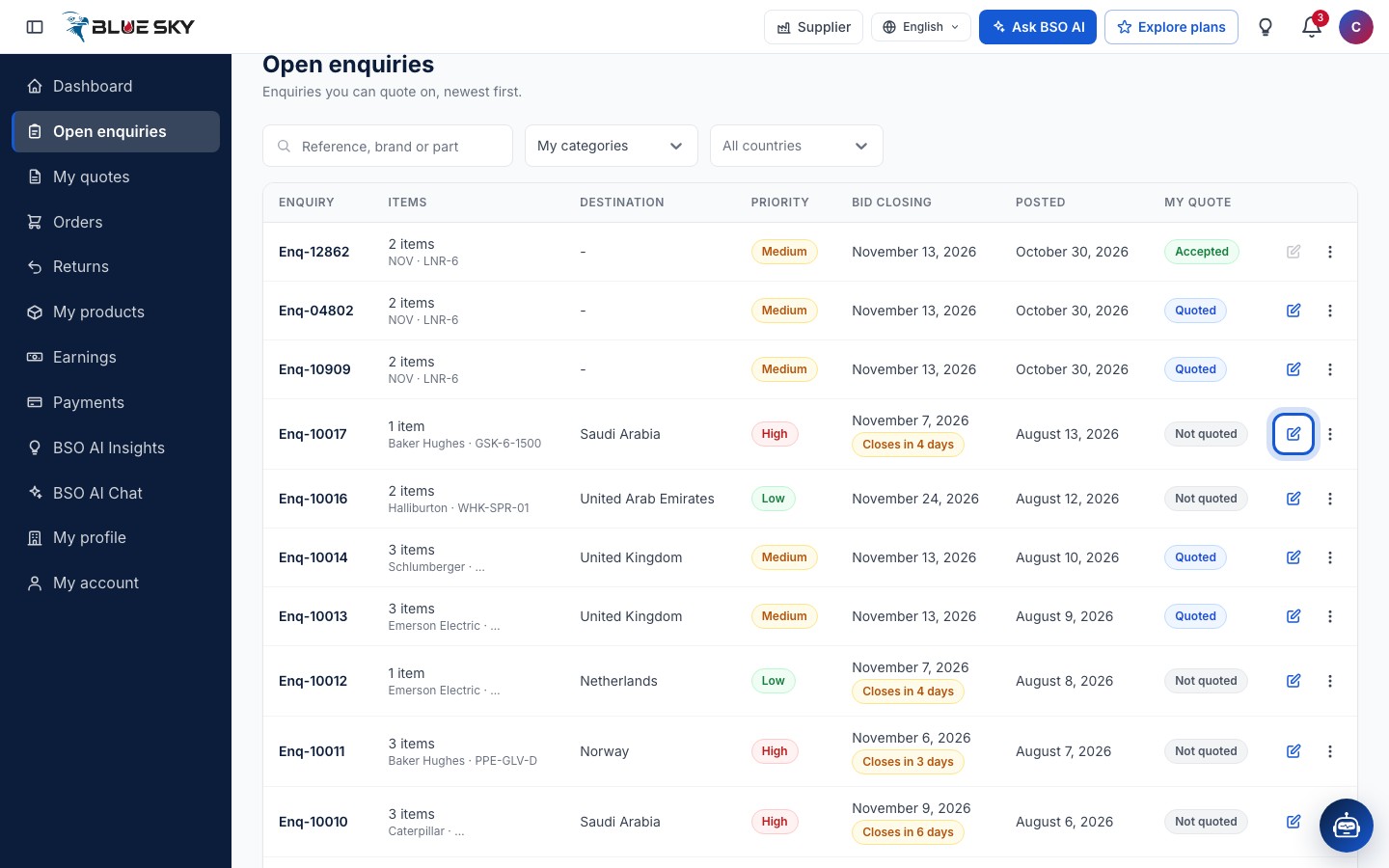
The pencil button at the end of a row reads Write quote on an enquiry you have not quoted, and Update quote once you have. It opens the quote form for that enquiry; see Write a quote. Clicking anywhere else on the row opens the same form.
The button is locked, with the reason shown when you hover it, when the buyer accepted your quote, when the buyer chose another supplier, or when bidding on the enquiry has closed.
Open the public page
The three dots on a row offer View (the quote form) and Open public page, which opens the enquiry as every visitor sees it, in a new tab.
Quote from the public page
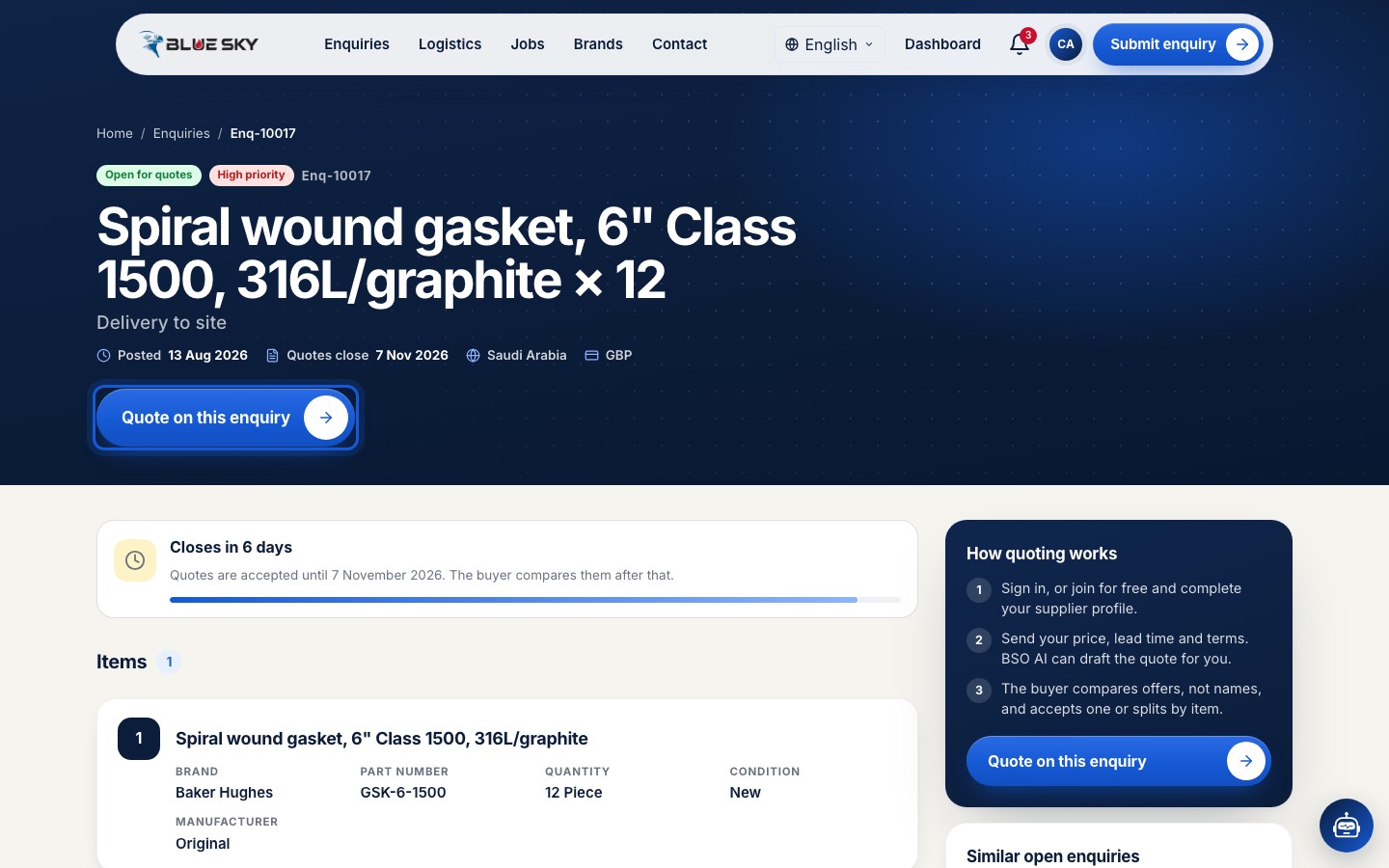
The public enquiry page shows the items with brand, part number, quantity, condition and manufacturer, when quotes close, the destination country and the currency. It never shows the buyer's name or address. Signed in as a supplier you get a Quote on this enquiry button at the top and in the How quoting works card; it opens the same quote form.
Good to know
- The board shows only enquiries BSO has approved, and only the destination, never who the buyer is. You learn the buyer's details once a buyer accepts your quote.
- Everything you have sent is in Your quotes.
- Questions about the board? Email support@bsoservices.ai, Monday to Friday 07:00 to 17:00 UK time.
Related guides
Still stuck? We are here.
Open BSO AI Chat inside the platform, or email the support team. Monday to Friday, 07:00 to 17:00 UK time.