

As a direct buyer you see every quote a supplier sends on your enquiry. Suppliers stay anonymous until you accept: each is Supplier A, Supplier B and so on. This guide shows where to read them, how BSO's recommendation compares them, and what Award by item does.
Indirect buyers see one quote from BSO instead; see Accept the final quote.
Before you start
- An enquiry with at least one quote. Open it from My enquiries.
Read the Supplier quotes card
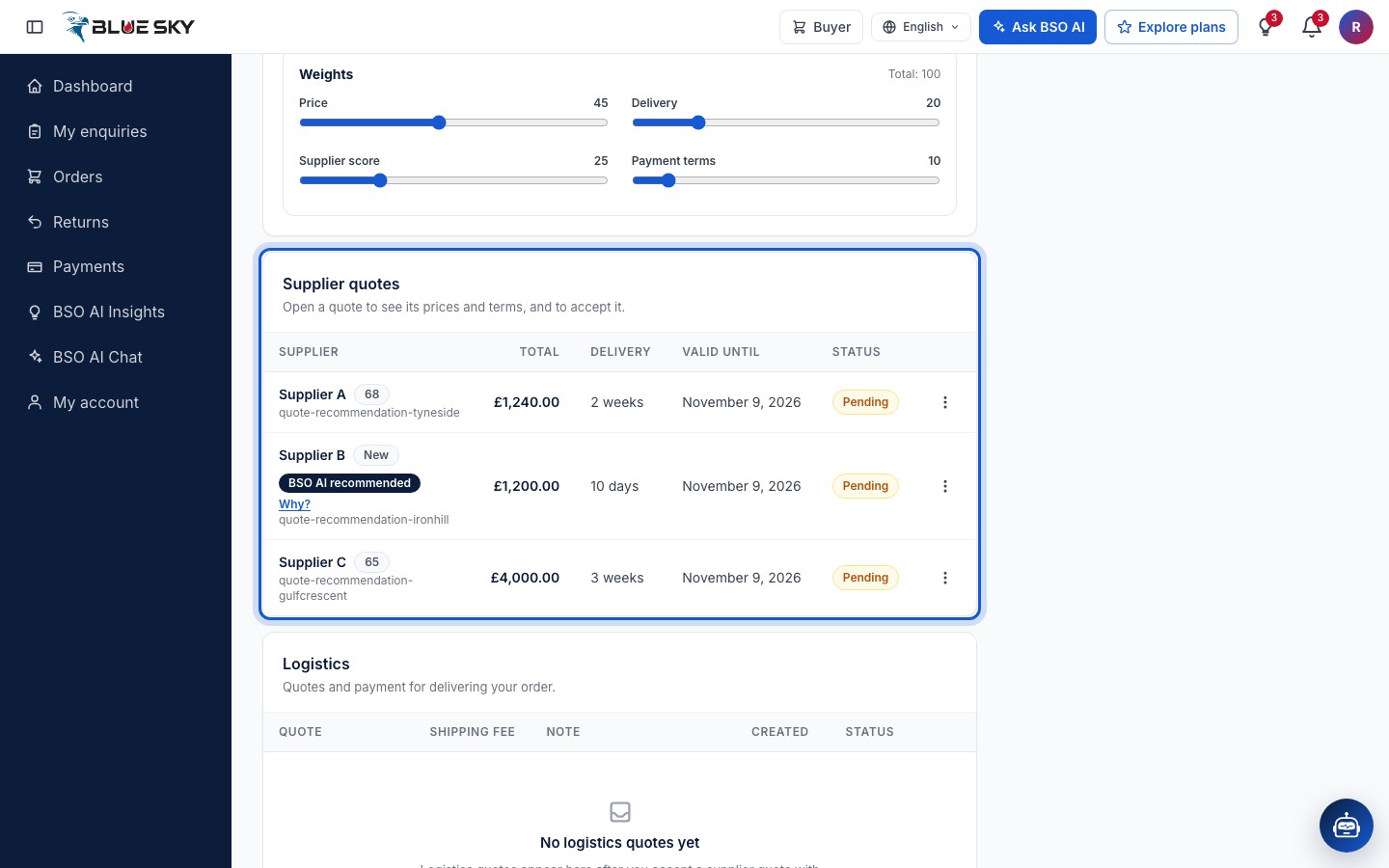
On the enquiry page, Supplier quotes lists one row per quote: Open a quote to see its prices and terms, and to accept it. The columns are Supplier, Total, Delivery, Valid until and Status; the quote reference sits under the supplier label.
Valid until is the date the supplier's price holds. Status is Pending until you decide; after you accept one quote it reads Accepted and the others Not selected. A BSO AI recommended badge with a Why? link marks the quote BSO AI prefers.
Check the supplier score
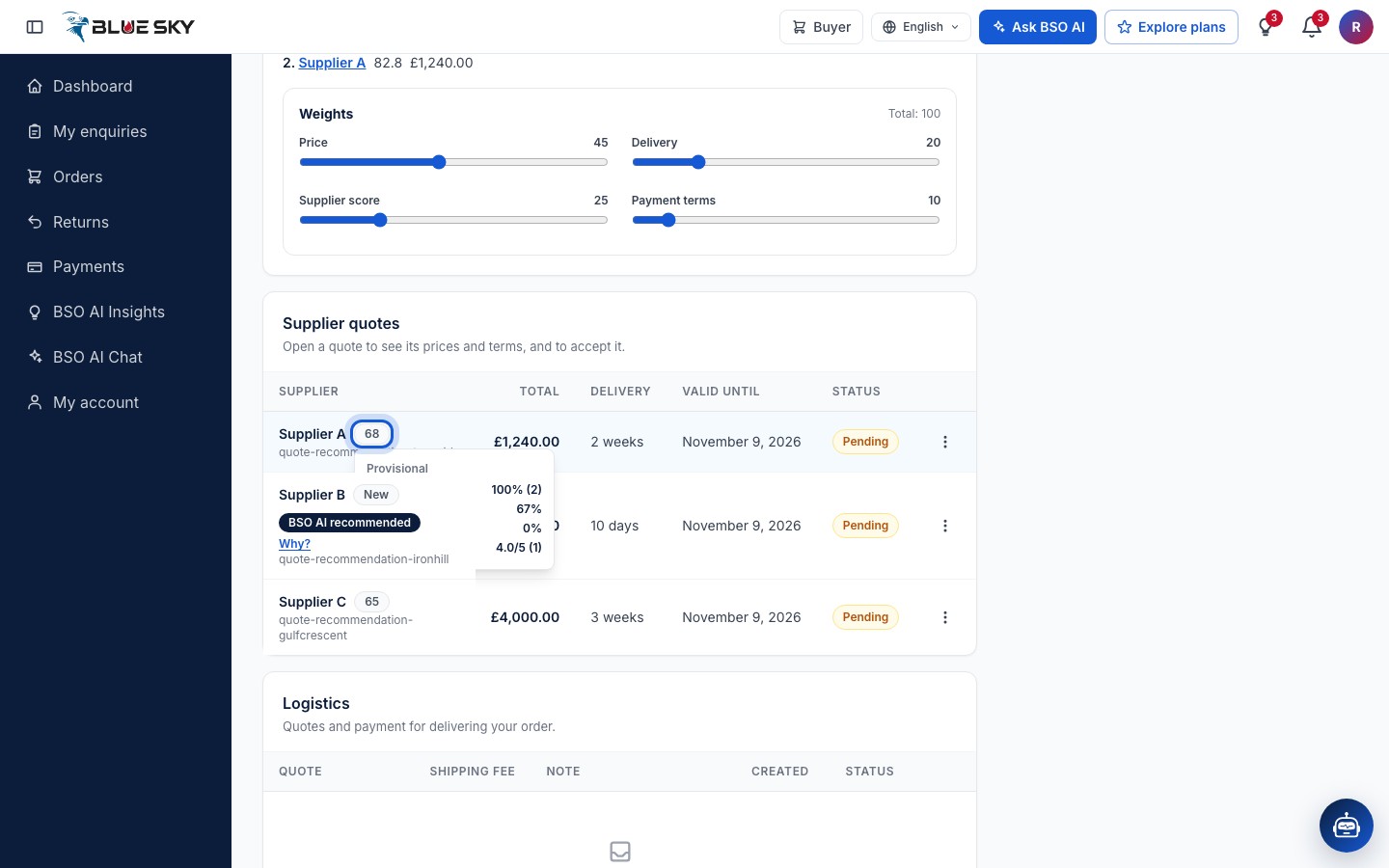
Next to each supplier is its BSO score, out of 100, built from on-time deliveries, buyer ratings, response rate, win rate and cancellations. A supplier without history shows New, with no breakdown yet. Hover a scored badge for the breakdown: On-time, Response rate, Win rate, Cancellations and Rating. A score marked Provisional belongs to a supplier that has not completed many orders yet.
Read the BSO recommendation
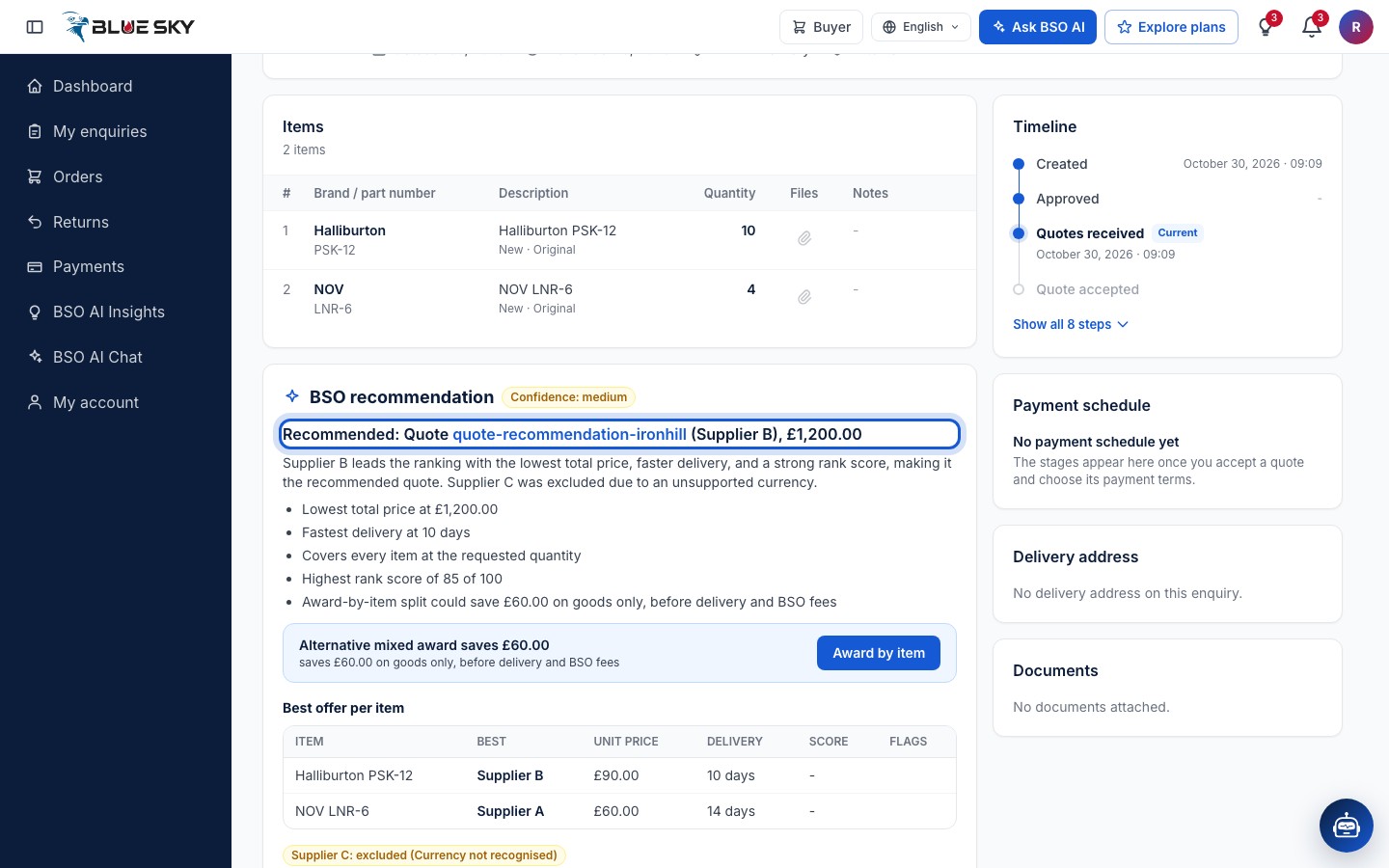
With two or more quotes the BSO recommendation panel sits above the quotes. Its headline names the recommended quote (Recommended: Quote, its reference and the supplier letter) with the total and a Confidence level, then the reasons in plain words.
Best offer per item lists, for each part, which supplier is best with the Unit price, Delivery and Score. Ranking with your weights lists the quotes in the running, each with its rank score and total; a quote that does not cover every item is flagged Does not cover every item. A quote whose currency is not recognised is left out of the ranking and listed under the table as excluded, with the reason. The panel never names a supplier.
Change what matters to you
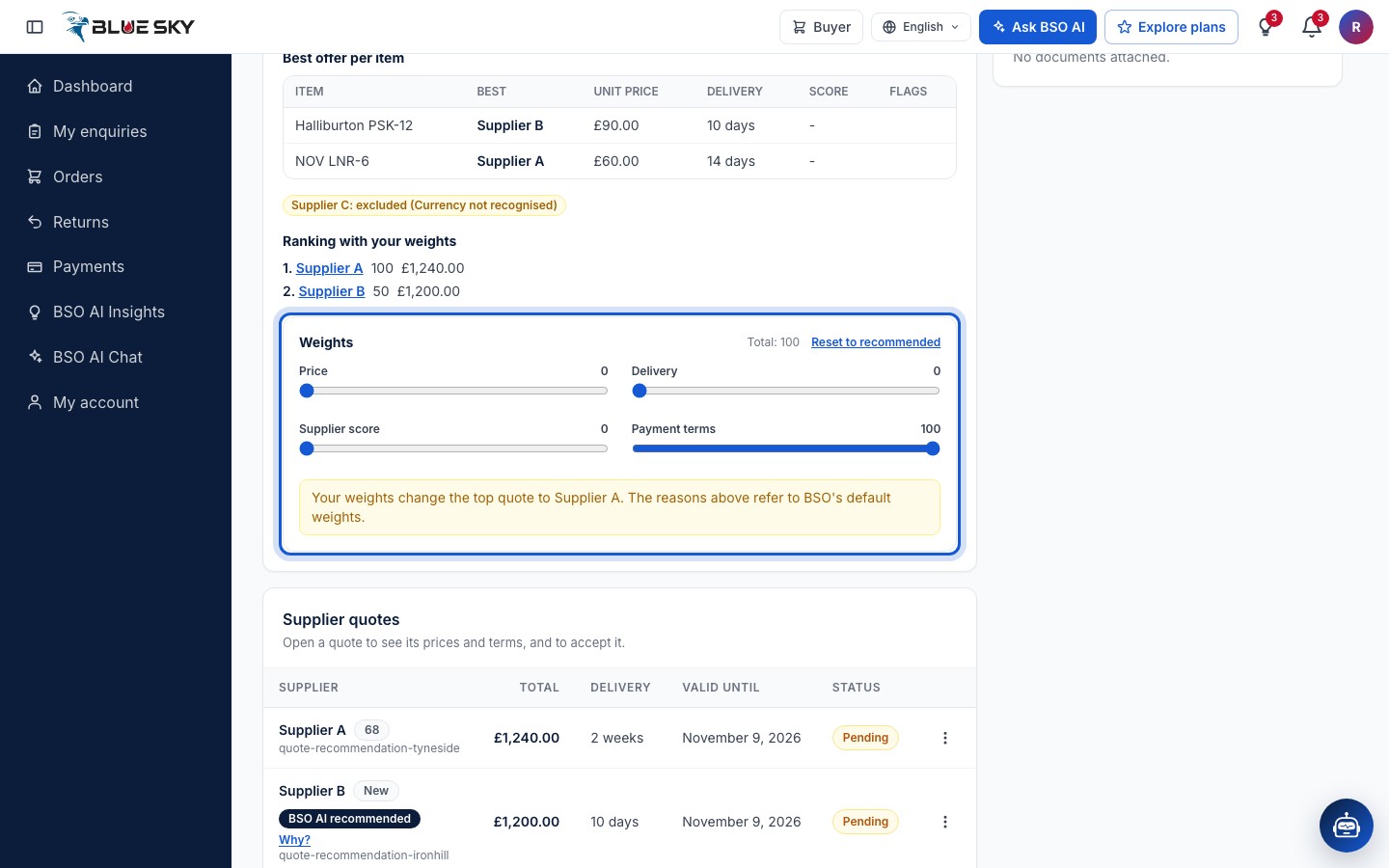
Under Weights four sliders, Price, Delivery, Supplier score and Payment terms, each run from 0 to 100; Total shows what they add up to. Move them and the ranking re-orders at once; a notice says when your weights change the top quote and that the reasons above refer to BSO's default weights. Reset to recommended puts the sliders back.
Award by item
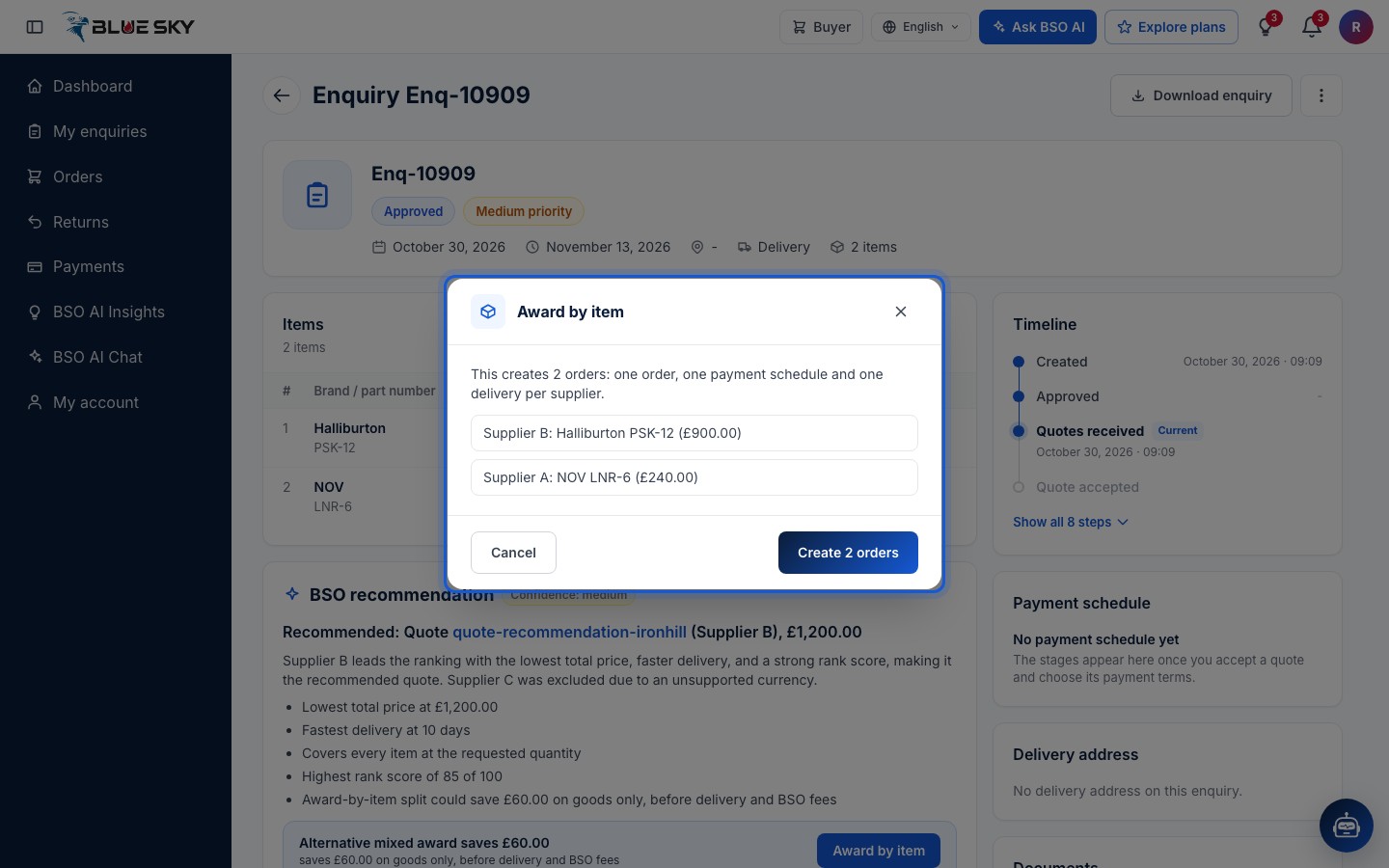
When a mix of suppliers is cheaper than any single quote, the panel shows Alternative mixed award saves and the amount, on goods only, before delivery and BSO fees, with an Award by item button. The dialog lists which supplier gets which items and explains: This creates 2 orders: one order, one payment schedule and one delivery per supplier. Create 2 orders confirms; Cancel closes it.
After a split the enquiry reads Split order and lists its parts, each Awaiting your acceptance. Open each part and accept it from its own page, as in the next guide. You cannot undo a split.
Open a quote
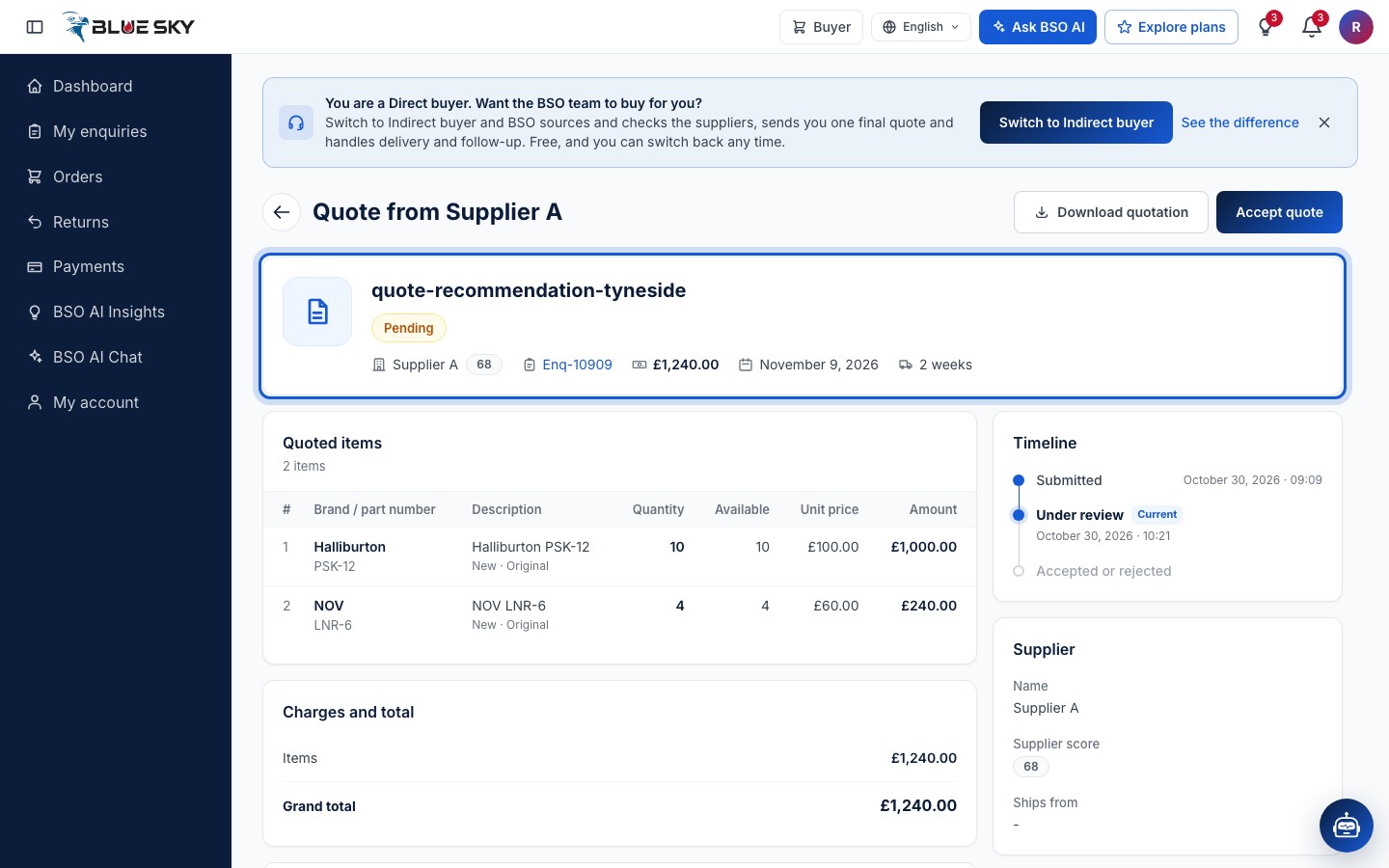
Click a row to open the quote. The page is Quote from Supplier A (or B, C) with Download quotation and Accept quote at the top. The summary shows the quote reference, its status, the supplier label and score, the enquiry, the total, the date it is valid until and the delivery time.
Below: Quoted items with the quantity, what is available, the unit price and the amount per line; Charges and total; Terms with the Payment terms offered and the Delivery time; Message and documents from the supplier; the Timeline; and the Supplier card with the Name, Supplier score and Ships from. The supplier's own name and email appear only after you accept. Ready? See Accept a quote.
Good to know
- The quote page offers Download quotation and Accept quote only: there is no counter offer to send. The supplier can send its quote again to update it while the enquiry is open.
- You can ask BSO AI which quote to pick; it answers with the supplier letters and the reasons, never a company name. See Ask BSO AI.
- The recommendation compares the quotes in pounds sterling. A quote in another currency is converted at BSO's rate for the ranking; when BSO has no rate for that currency, the quote is marked Currency not recognised and left out.
Related guides
Your enquiries
The list, the statuses, the closing date, deleting.
Accept a quote
Payment term, delivery choice, who moves the goods.
Accept the final quote (indirect buyers)
BSO's one final quote, its note, and accepting it.
Indirect or direct: the two ways to buy
Which buying mode to pick, and how to switch.
Still stuck? We are here.
Open BSO AI Chat inside the platform, or email the support team. Monday to Friday, 07:00 to 17:00 UK time.