

Every enquiry you send lands in My enquiries, newest first. This guide explains the list, what the statuses mean, the one closing date each enquiry has, and when you can delete one.
Before you start
- A buyer account you are signed in to, with at least one enquiry sent.
Open My enquiries
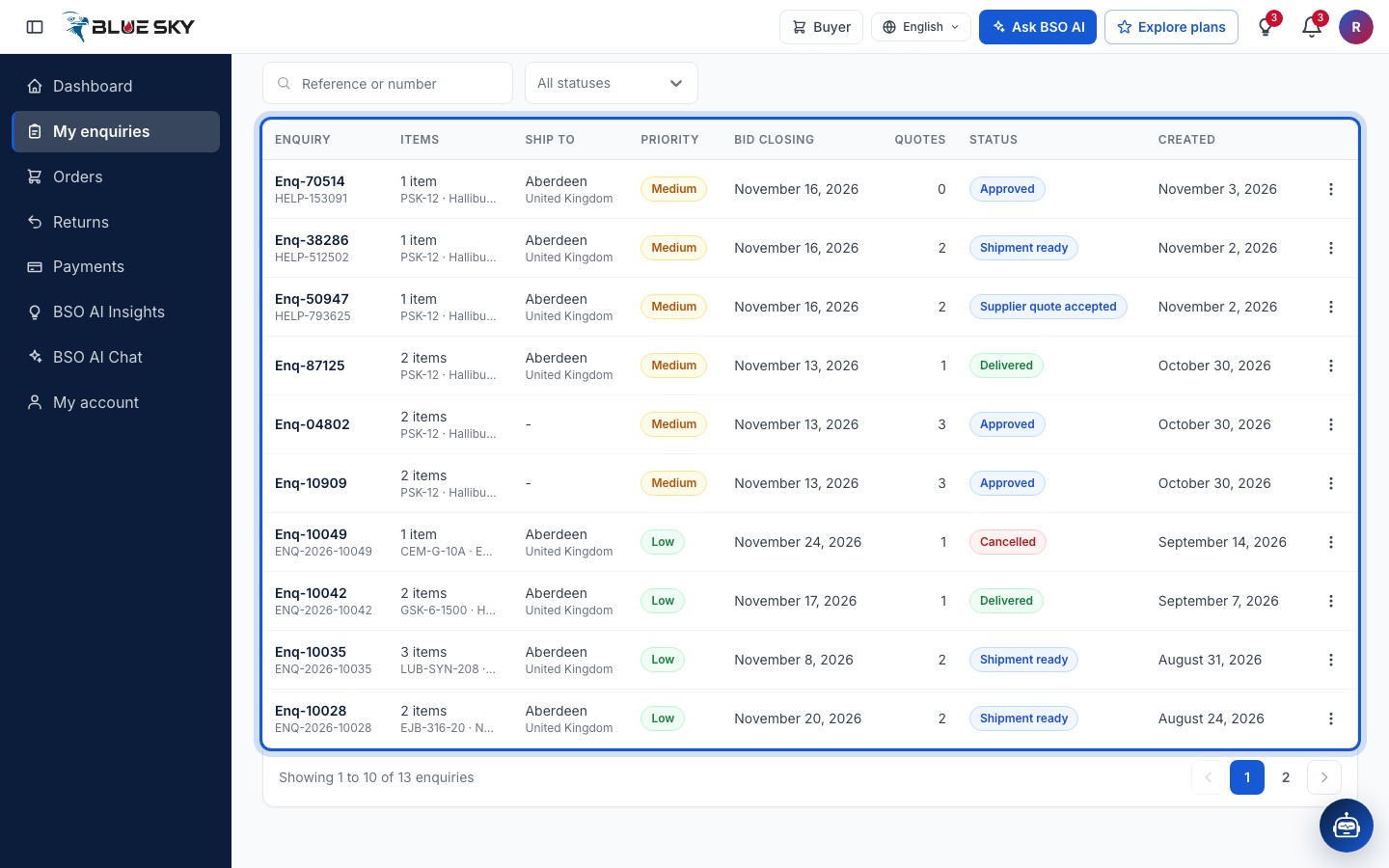
Click My enquiries in the left menu. The page is My enquiries: Every enquiry you have sent, newest first, with a New enquiry button at the top right.
Each row shows Enquiry (the reference, with your own number under it), Items (the count and the first part), Ship to, Priority, Quotes close, Quotes (how many have arrived), Status and Created. An enquiry BSO is still checking shows Pending BSO review. Ten rows show per page; the footer says for example Showing 1 to 10 of 11 enquiries. The search box takes a Reference or number.
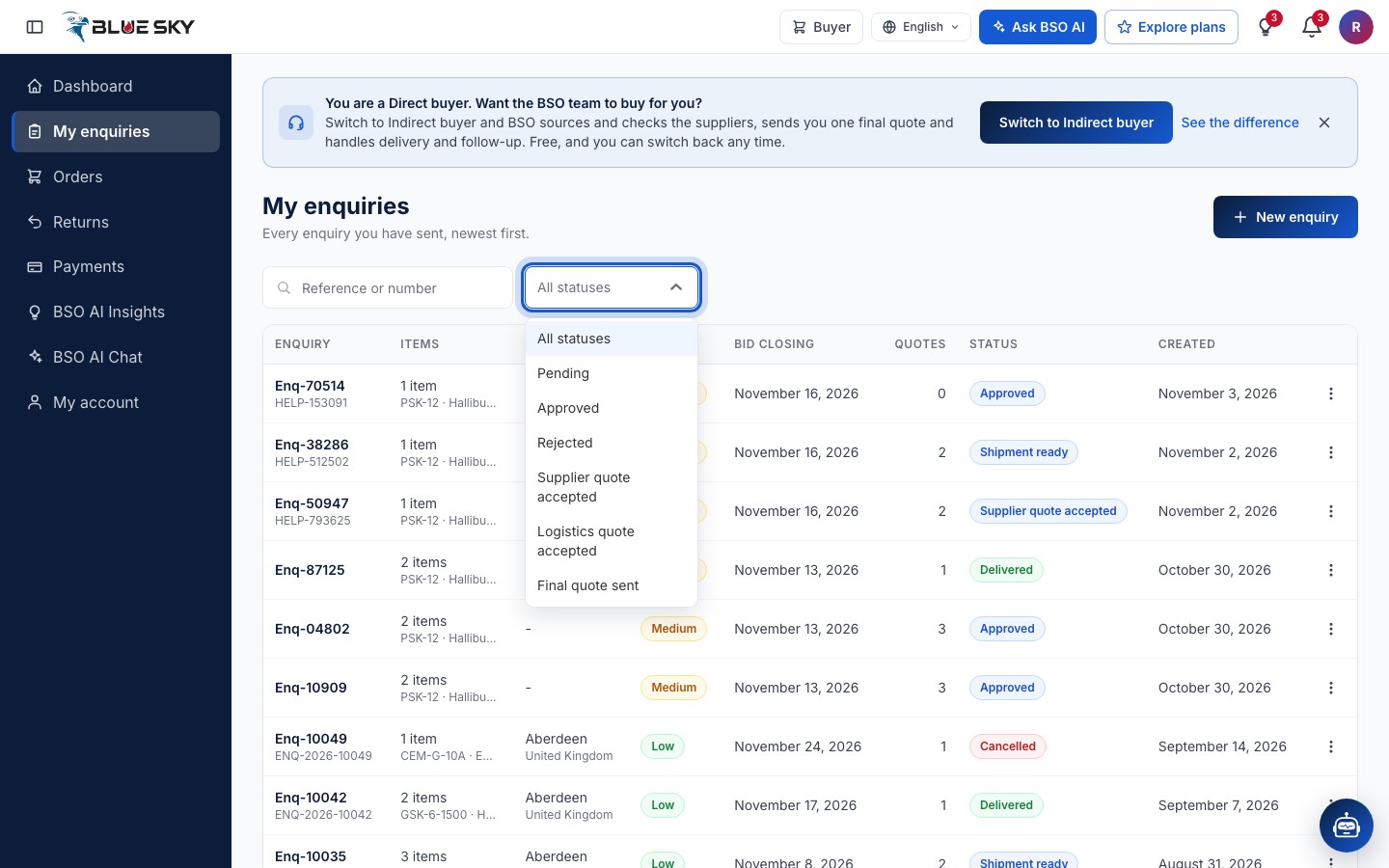
Filter by status
The status filter lists every status an enquiry can have. The ones you will meet most: Approved while the enquiry waits for quotes (an enquiry sent from the website is approved at once, so you will rarely see Pending); Supplier quote accepted once you accept a quote; Final quote sent when BSO has sent its final quote on an indirect enquiry; Payment received and Order confirmed once you have paid; Shipment ready when the supplier has packed the goods; Delivered at the end; Cancelled when the BSO team has cancelled the enquiry.
Split order marks an enquiry you awarded item by item: its parts are separate enquiries, one per supplier.
Read Quotes close
Each enquiry has one closing date, shown under Quotes close: the Quotes close on date you chose (tomorrow at the earliest, UK time), or an earlier date BSO set. After it the column reads Closed in red, an enquiry still waiting for quotes shows the status Closed, and suppliers can no longer quote. A quote you accepted before the date is not affected.
Use the row menu
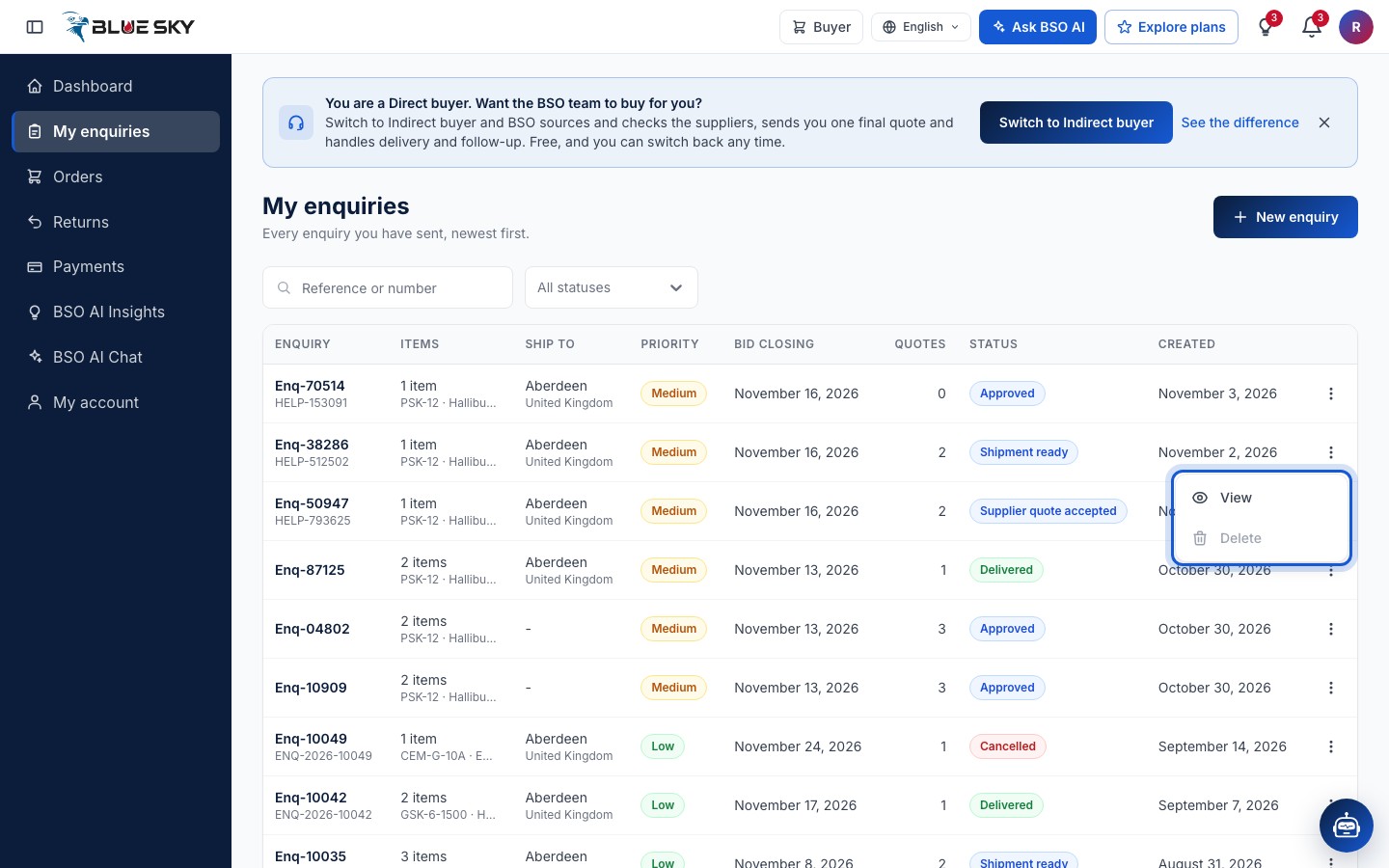
The three dots at the end of a row open View and Delete. Delete is greyed out as soon as the enquiry has a quote: Enquiries with quotes cannot be deleted. Clicking anywhere on the row opens the enquiry too.
Open an enquiry
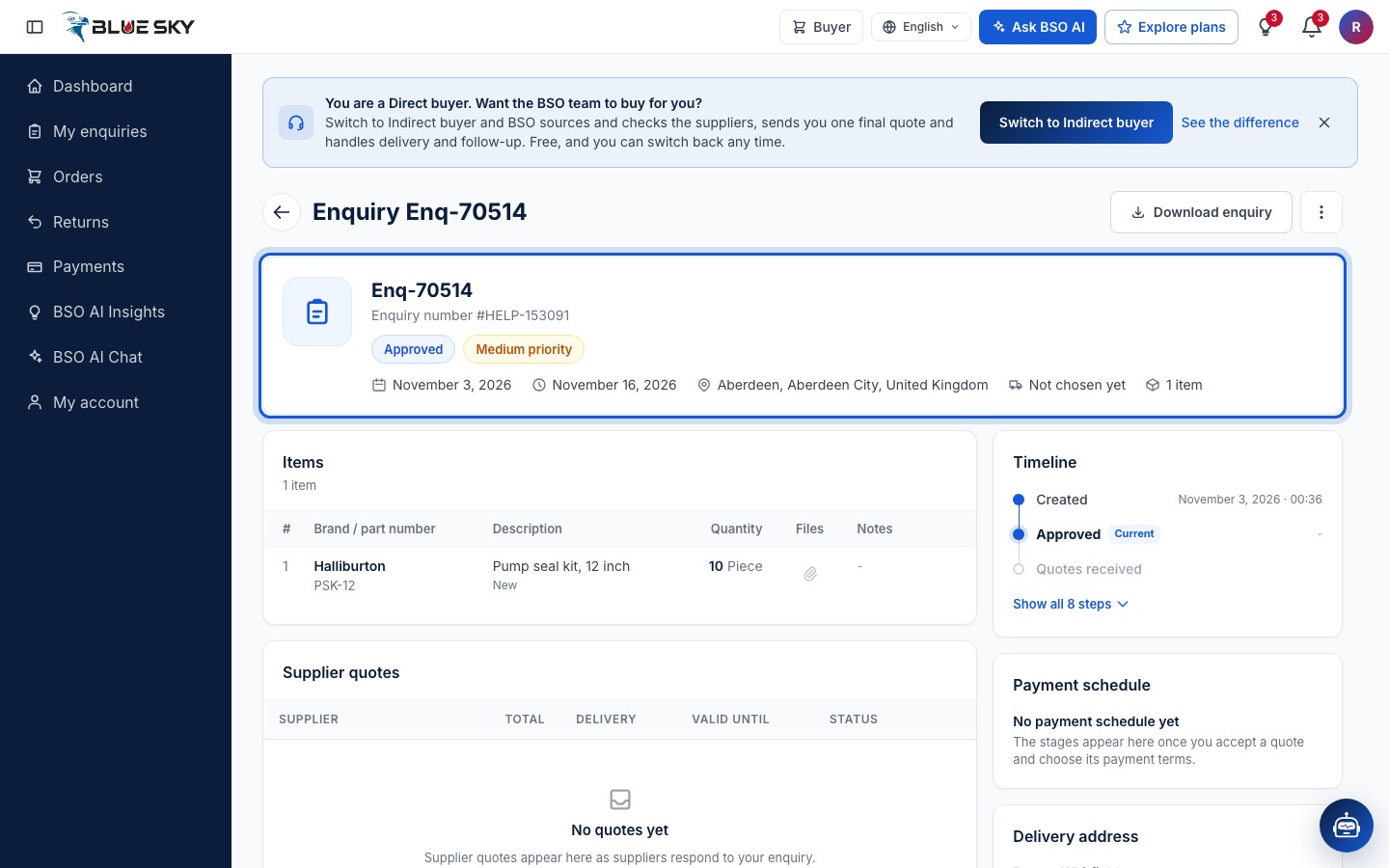
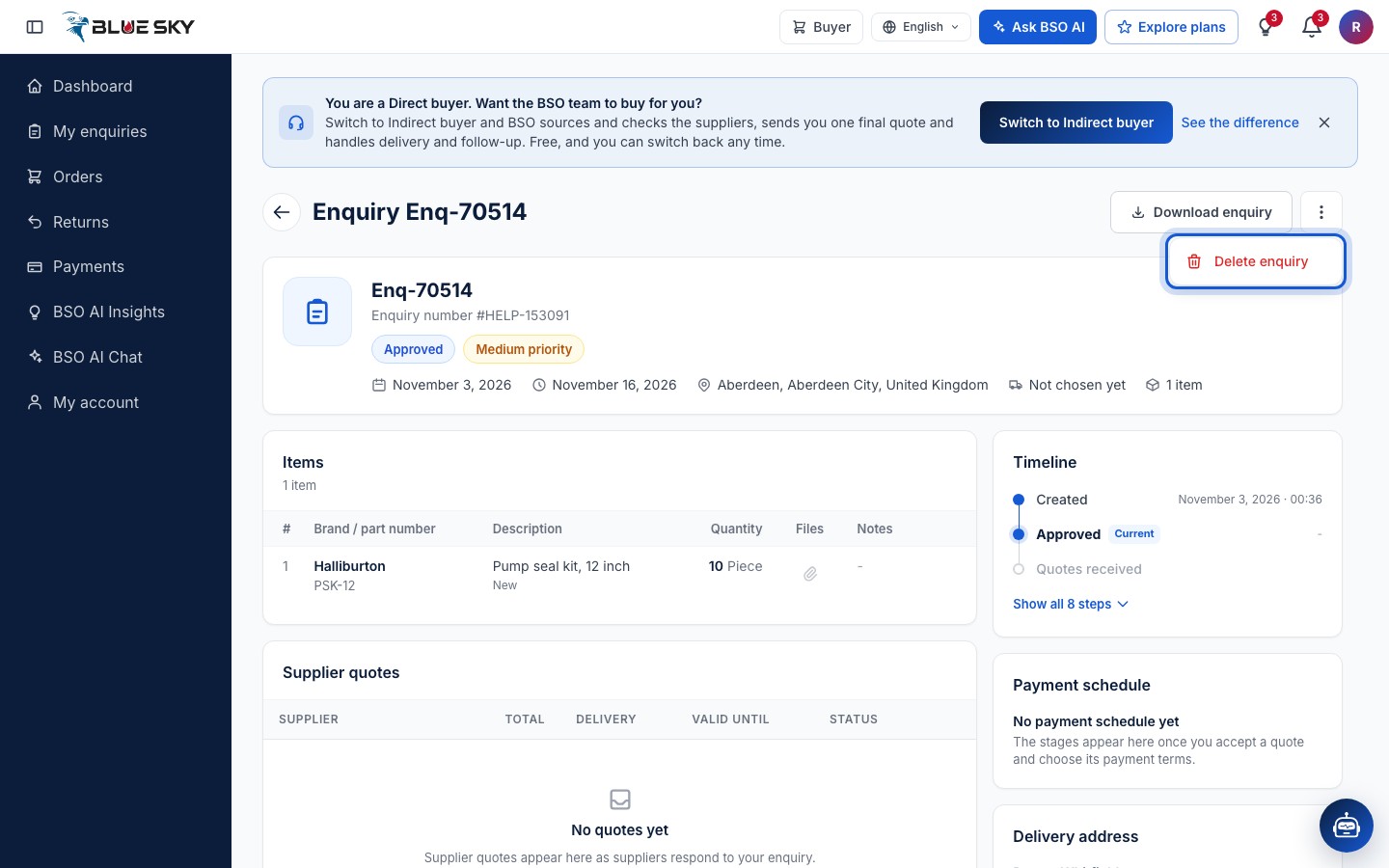
The enquiry page is headed Enquiry and the reference, with Download enquiry and, once a payment is due, Pay now. The summary card shows the reference, your Enquiry number, the status and priority, the created date, Quotes close, Ship to, Shipment (Delivery, Self pickup or Not chosen yet) and the item count.
Below it: Items, the BSO recommendation (direct buyers, with two or more quotes), Supplier quotes, Logistics, Final quotation and, on the right, Timeline, Payment schedule, Delivery address and Documents. What to do with the quotes is in Compare quotes, Accept a quote and, for indirect buyers, Accept the final quote.
Delete an enquiry
On the enquiry page the three dots next to Download enquiry open Delete enquiry. It asks Delete this enquiry? and warns that this cannot be undone. The option is only available while the enquiry has no quotes; after that, ask BSO at support@bsoservices.ai if an enquiry must be cancelled.
Good to know
- The Timeline on the enquiry page shows the steps from Created to Delivered with their dates; Show all 8 steps opens the full list.
- Once you accept a quote and pay, the order gets its own page under Orders; see Pay by card and Track your order.
- Download enquiry saves the enquiry as a document you can keep or send on.
Related guides
Still stuck? We are here.
Open BSO AI Chat inside the platform, or email the support team. Monday to Friday, 07:00 to 17:00 UK time.