

An enquiry is your list of parts, with the date you want quotes by and where the goods should go. Suppliers quote on it (or the BSO team does, if you are an indirect buyer). The form has three ways to add the items: write them one by one, upload a file, or describe what you need and let BSO AI fill the items in (Submit an enquiry with BSO AI).
This guide walks through Write it, the one most people use.
Before you start
- A buyer account you are signed in to. Visitors can fill the form, but sending it needs an account.
- The part numbers, brands and quantities you need, and the address the goods go to.
Open Send an enquiry
Click My enquiries in the left menu, then New enquiry, or click Submit an enquiry under Quick actions on your dashboard. Both open bsoservices.ai/send-enquiry. If the menu is new to you, see Find your way around.
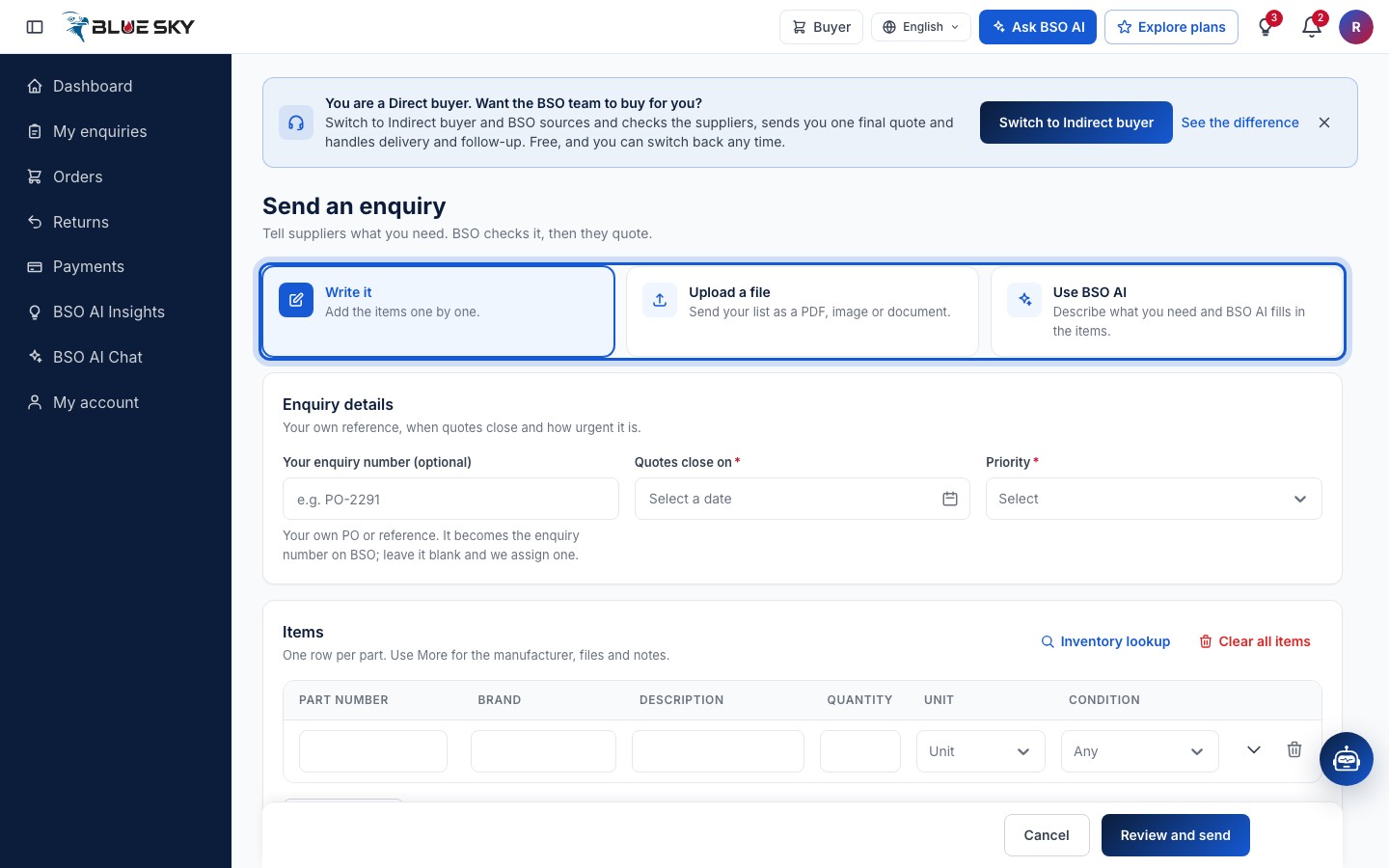
The page is Send an enquiry: Tell suppliers what you need. A direct enquiry goes live to suppliers as soon as you send it; an enquiry BSO sources for you (Indirect and All-in-One plans) is checked by the BSO team first and shows Pending BSO review until then. The three cards at the top are the ways to send it: Write it (Add the items one by one), Upload a file (Send your list as a PDF, image or document) and Use BSO AI (Describe what you need and BSO AI fills in the items). Keep Write it.
Fill in Enquiry details
Your enquiry number (optional) is your own PO or reference. It becomes the enquiry number on BSO; leave it blank and we assign one.
Quotes close on is the date after which suppliers can no longer quote: pick it from the calendar. Priority is Low, Medium or High. Both are required.
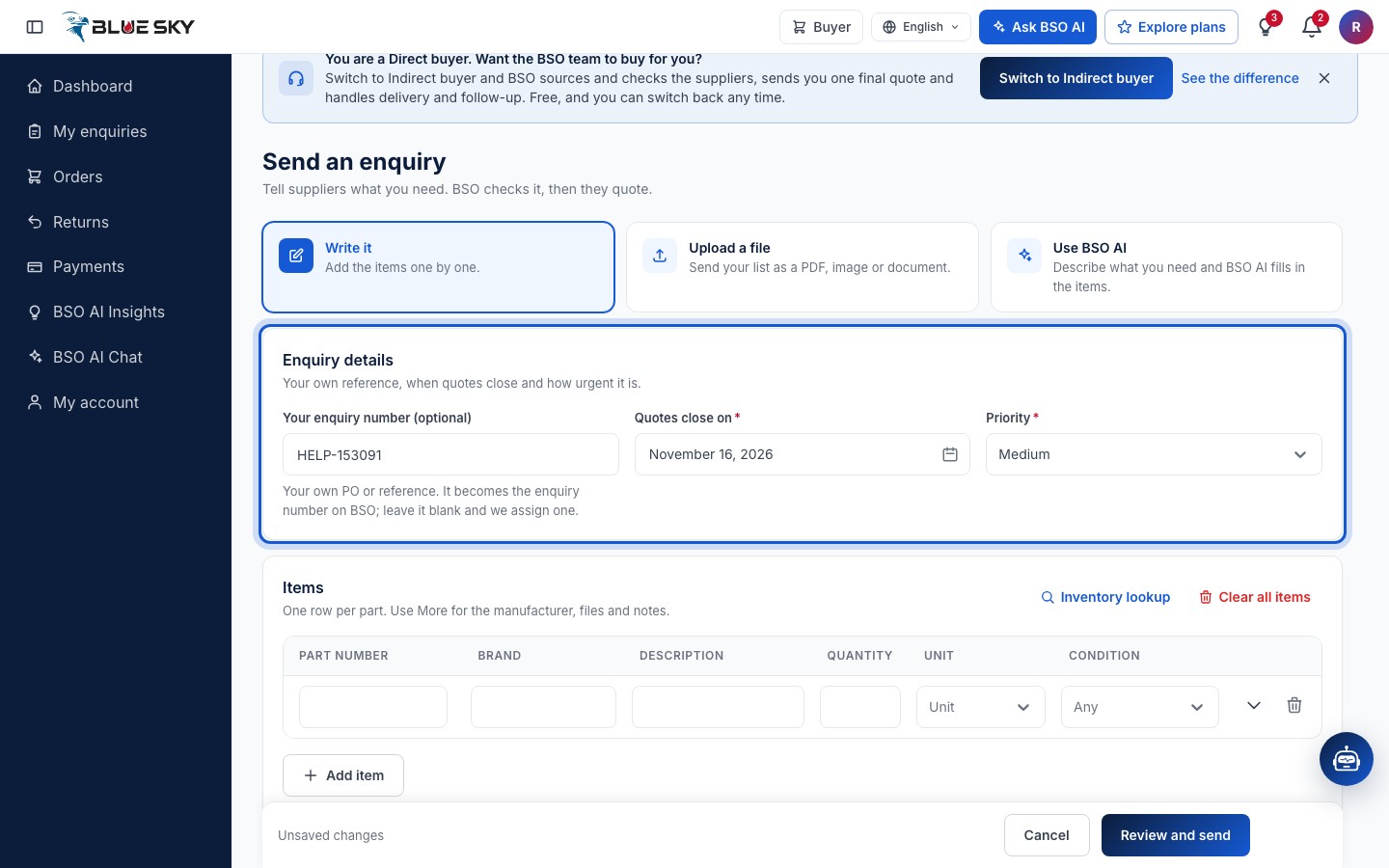
A week or two for Quotes close on gives suppliers time to respond; the date is the one they see on the enquiry.
Add the items
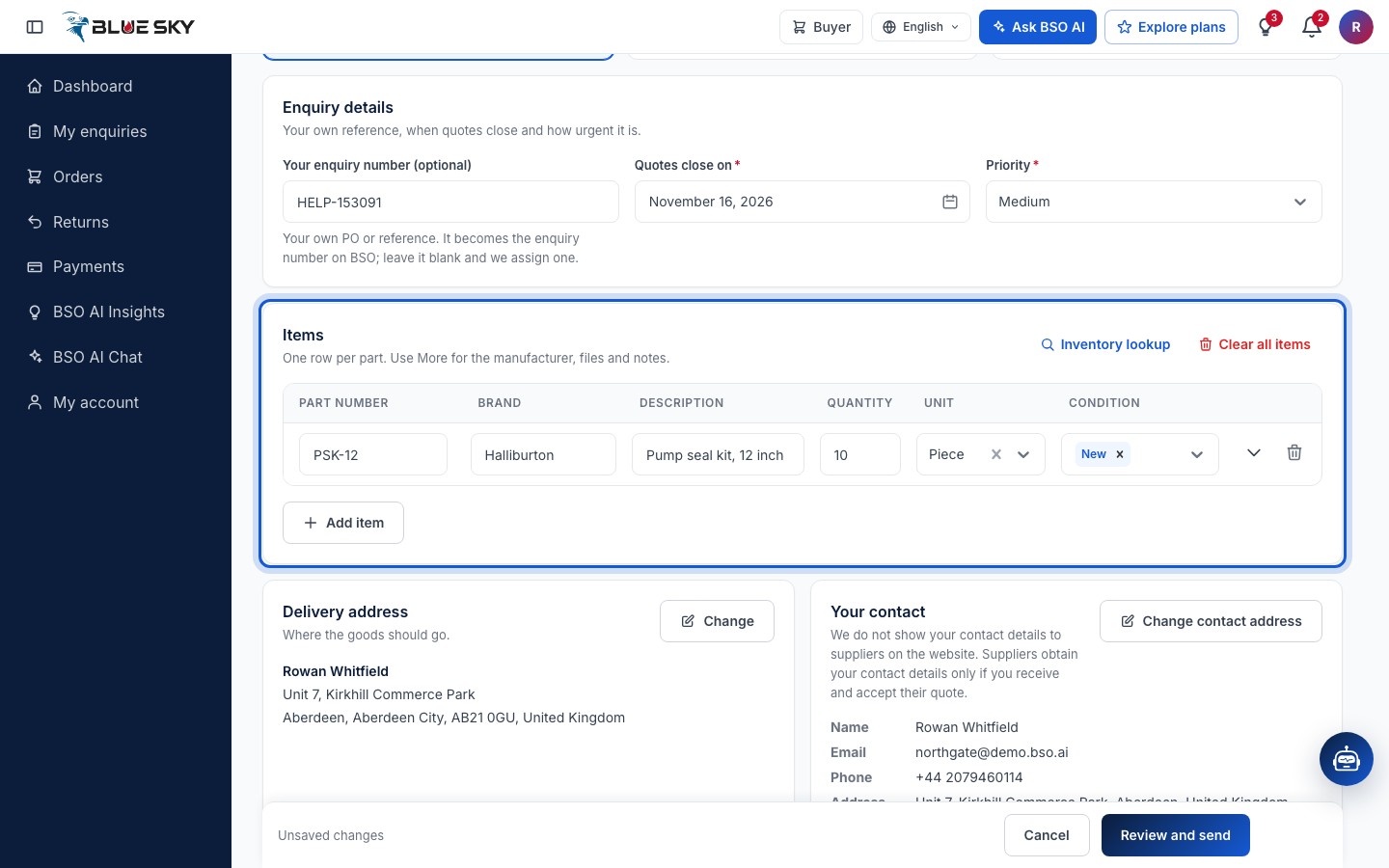
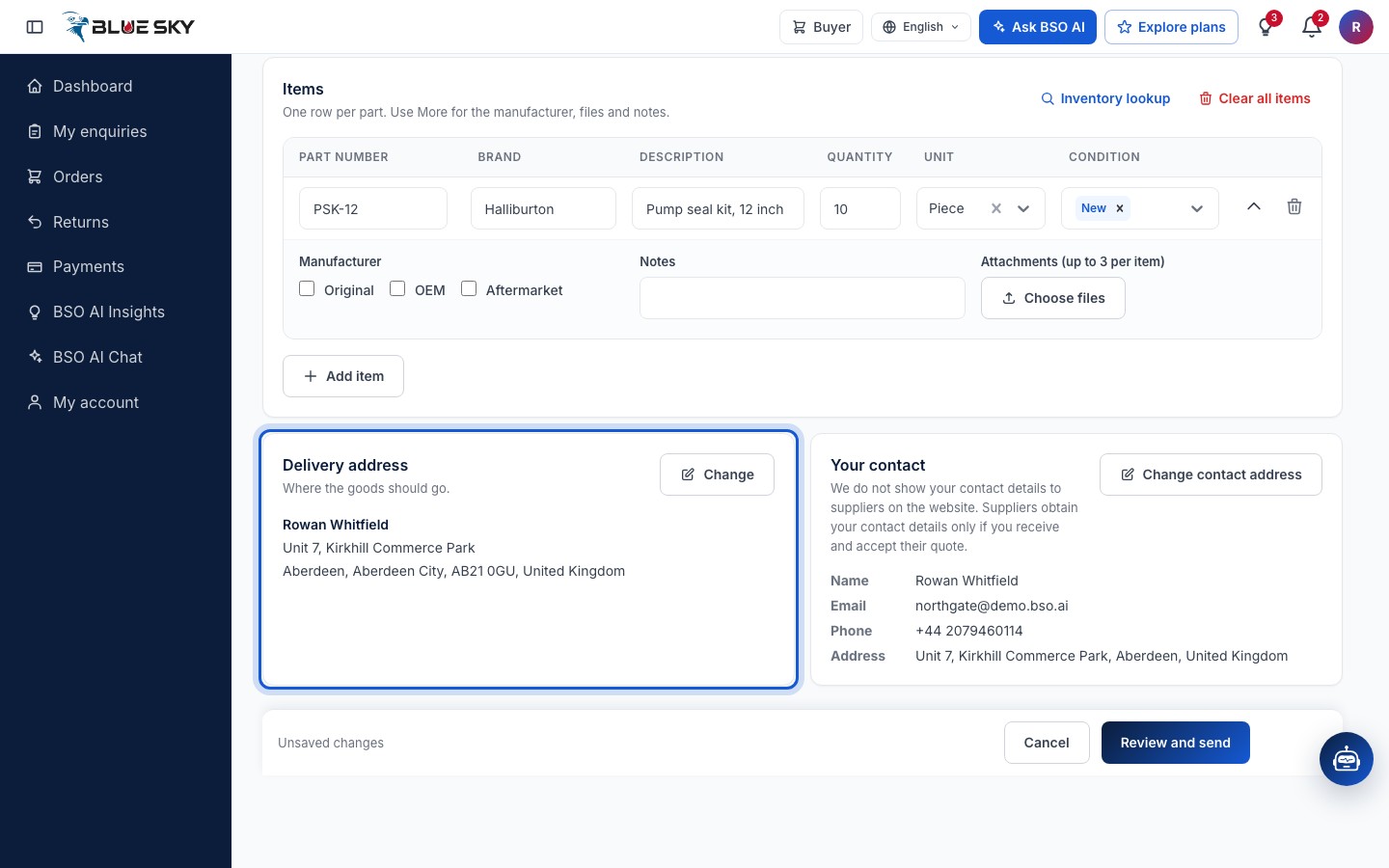
Items has one row per part: Description, Quantity, Unit and Condition (New, Used or Reconditioned; it reads Any until you choose one), plus Part number and Brand when you know them (both optional). Add item adds a row; the bin icon removes one; Clear all items empties the list.
Inventory lookup, at the top of the card, lets you pick products from the catalogue instead of typing them.
Add the manufacturer, notes and files
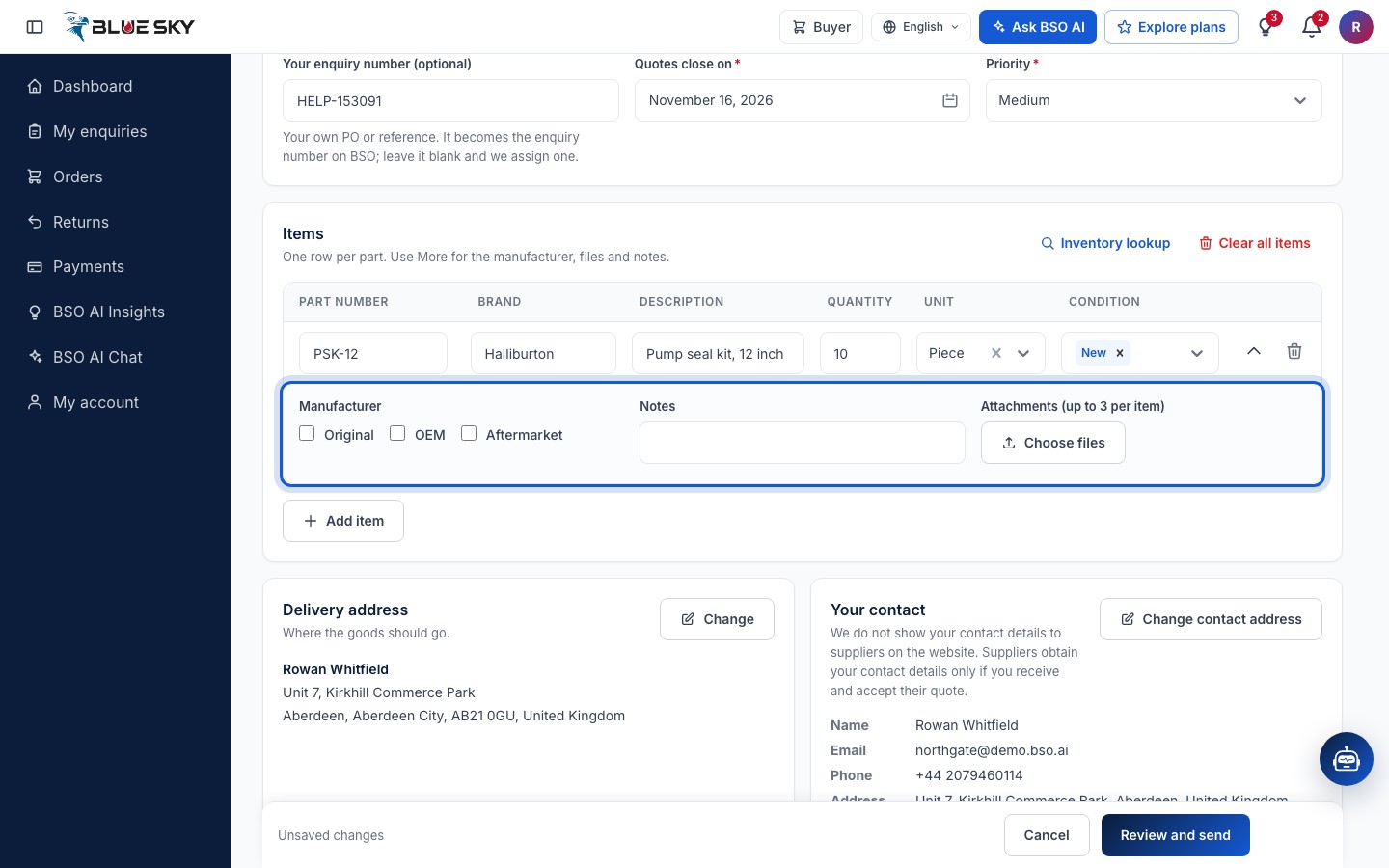
The arrow at the end of a row opens More details: Manufacturer (Original, OEM or Aftermarket), Notes for the supplier, and Attachments (up to 3 per item) with Choose files for drawings or photos. The same arrow, now Fewer details, closes it.
Check the delivery address and your contact
Delivery address shows your default saved address: Where the goods should go. Change opens the list of your saved addresses and lets you add one; see Saved addresses.
Your contact shows the name, email, phone and address on your account. We do not show your contact details to suppliers on the website. Suppliers obtain your contact details only if you receive and accept their quote.
Review and send
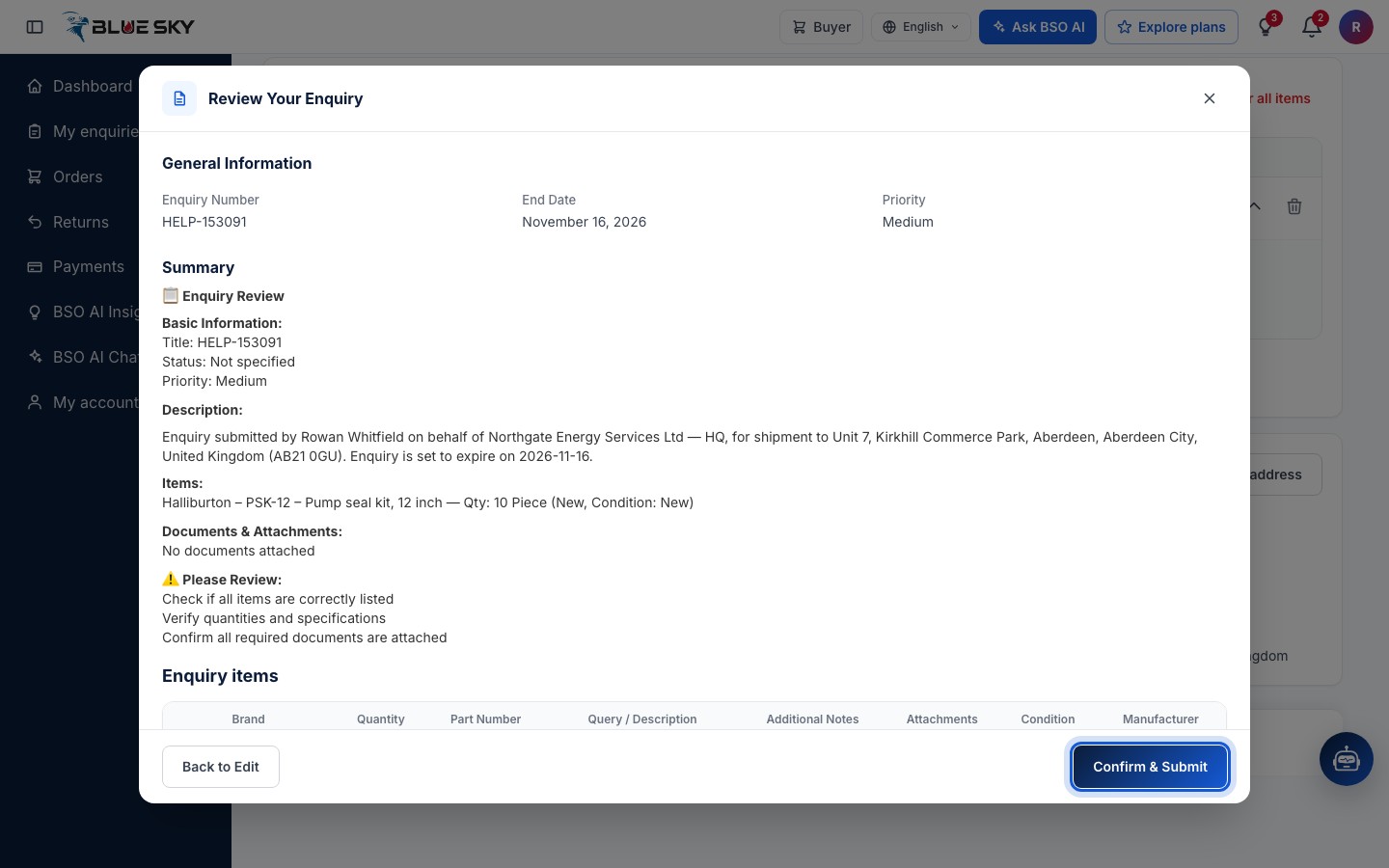
Click Review and send in the bar at the bottom. The Review Your Enquiry sheet shows your General Information, a summary and the Enquiry items. Back to Edit returns to the form; Confirm & Submit sends the enquiry.
Note the reference
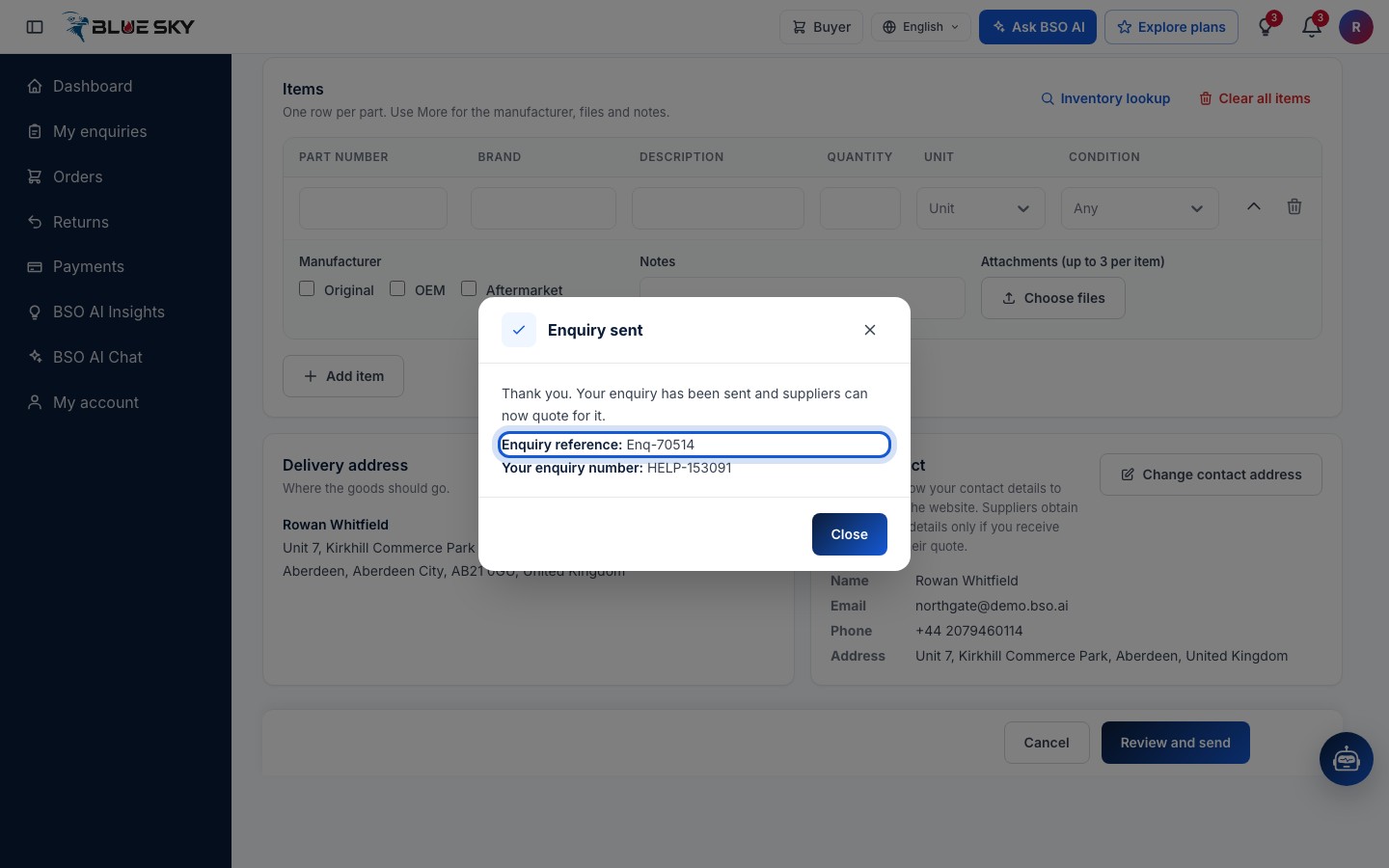
Enquiry sent: Thank you. For a direct enquiry suppliers can quote straight away; a BSO-sourced enquiry says BSO checks it first, and suppliers are told once it is approved. The box shows the Enquiry reference (like Enq-38286) and, if you gave one, Your enquiry number. The reference is how the enquiry is named in My enquiries and on its own page.
Find it in My enquiries
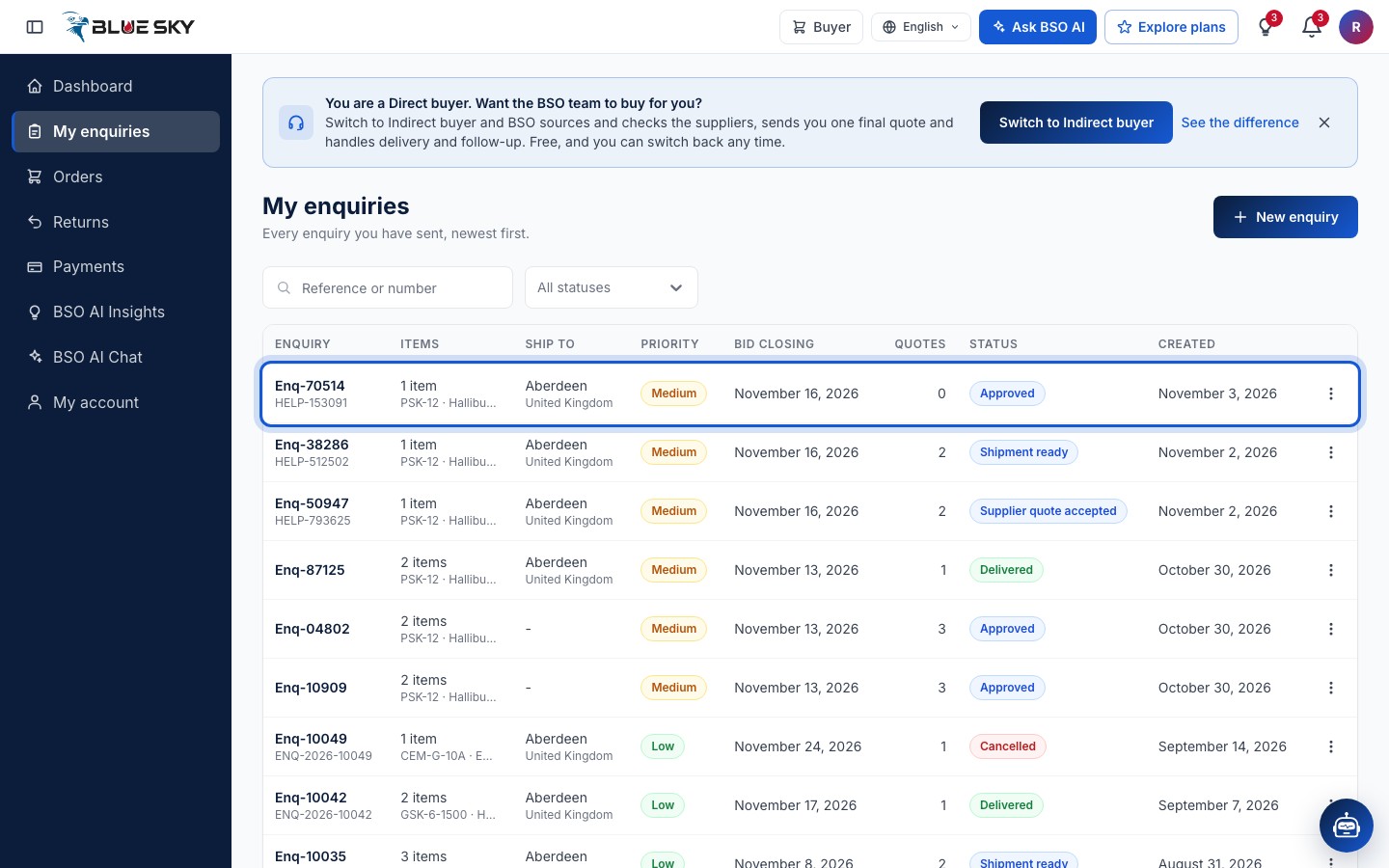
The new enquiry is at the top of My enquiries (in the left menu) with the status Approved and 0 quotes. Open it to follow the quotes as they arrive; see Your enquiries and Compare quotes.
Good to know
- Upload a file sends your list as a PDF, image or document: Up to 5 files. BSO AI reads them and lists the items for you. Check the items it found before you send.
- On the public Enquiries board suppliers see the items and the destination country, region and city only: never your name, your site address, your notes or any prices.
- An enquiry has one closing date. After it the enquiry shows Closed and suppliers can no longer quote. You can delete an enquiry only while it has no quotes.
- Next: Your enquiries.
Related guides
Still stuck? We are here.
Open BSO AI Chat inside the platform, or email the support team. Monday to Friday, 07:00 to 17:00 UK time.