

Your order is created with your first payment. From then on it has its own page under Orders, with a timeline, the delivery details and, once delivered, the rating and return options. When you chose Platform logistics while accepting the quote, BSO's logistics providers quote for the shipment as soon as the supplier has packed the goods, and you pick one.
Before you start
- An order (a quote you accepted and paid the first stage of).
Open Orders
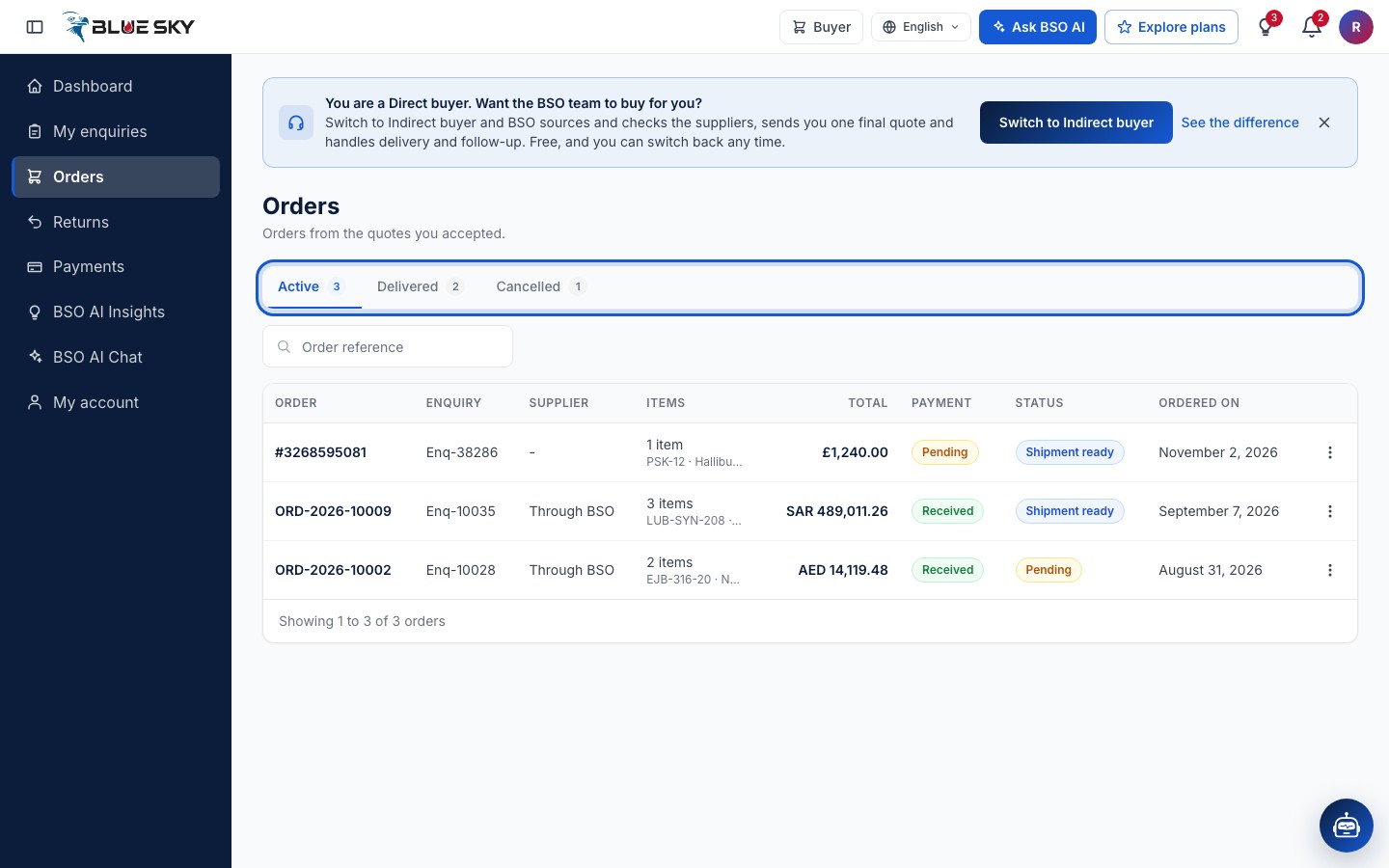
Click Orders in the left menu, or go to bsoservices.ai/order-management: Orders from the quotes you accepted. Three tabs with counts sort them: Active, Delivered and Cancelled. Each row shows the Order number, the Enquiry, the Supplier (Through BSO on an indirect order), the Items, the Total, the Payment state, the Status and Ordered on. The search box takes an Order reference.
Read the order page
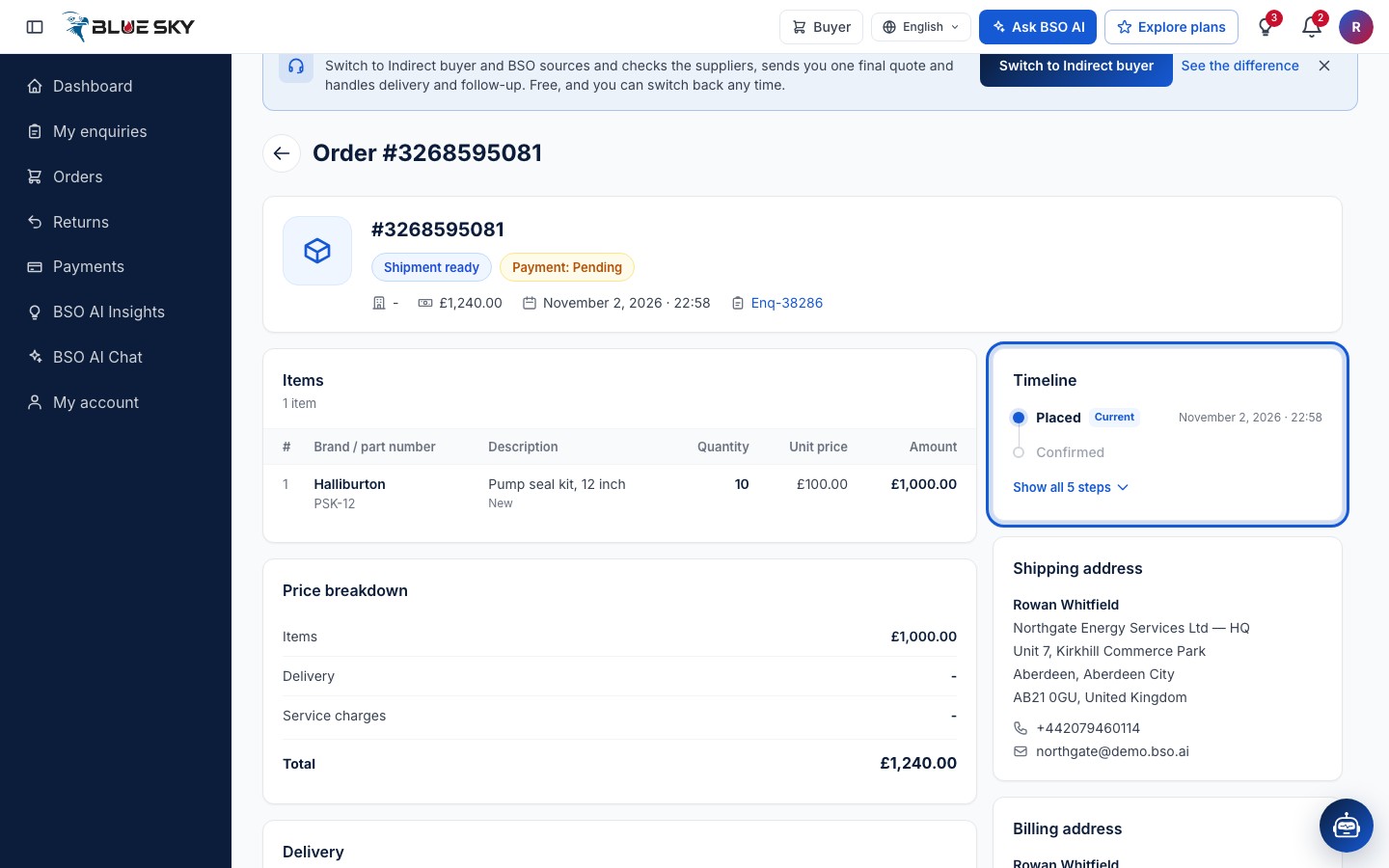
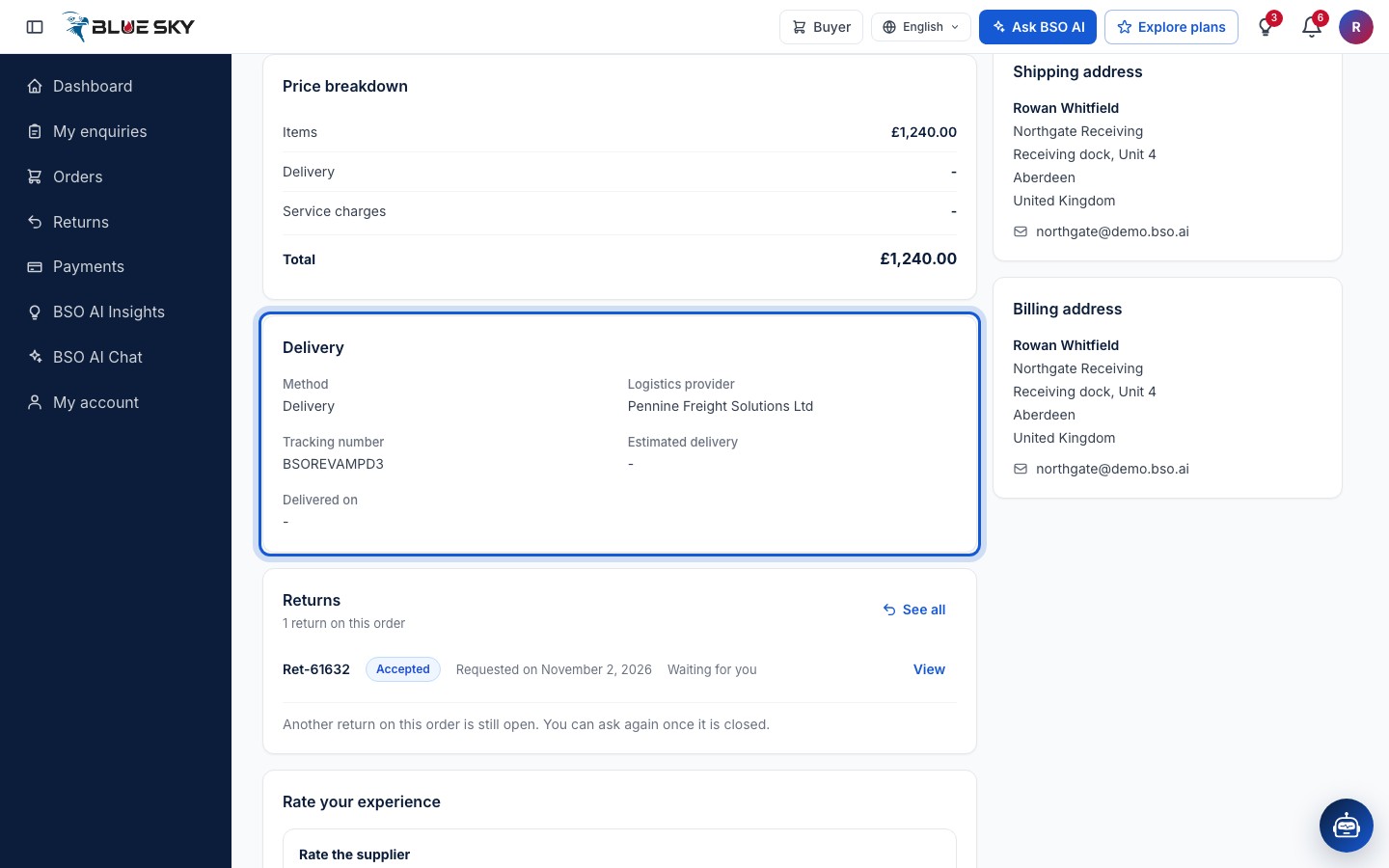
Click a row. The page is headed Order and its number (Request a return joins the top right once the order is delivered). The summary shows the status and the payment state, the supplier, the total, the date and a link to the enquiry. Below: Items with the unit prices and amounts, the Price breakdown (Items, Delivery, Service charges, Total), Delivery, Returns and, once delivered, Rate your experience.
The Timeline on the right runs Placed, Confirmed, Dispatched, Out for delivery, Delivered (Ready for collection and Collected for a self pickup), with the date of each step reached. Shipping address and Billing address are under it.
Shipment ready: the logistics providers quote
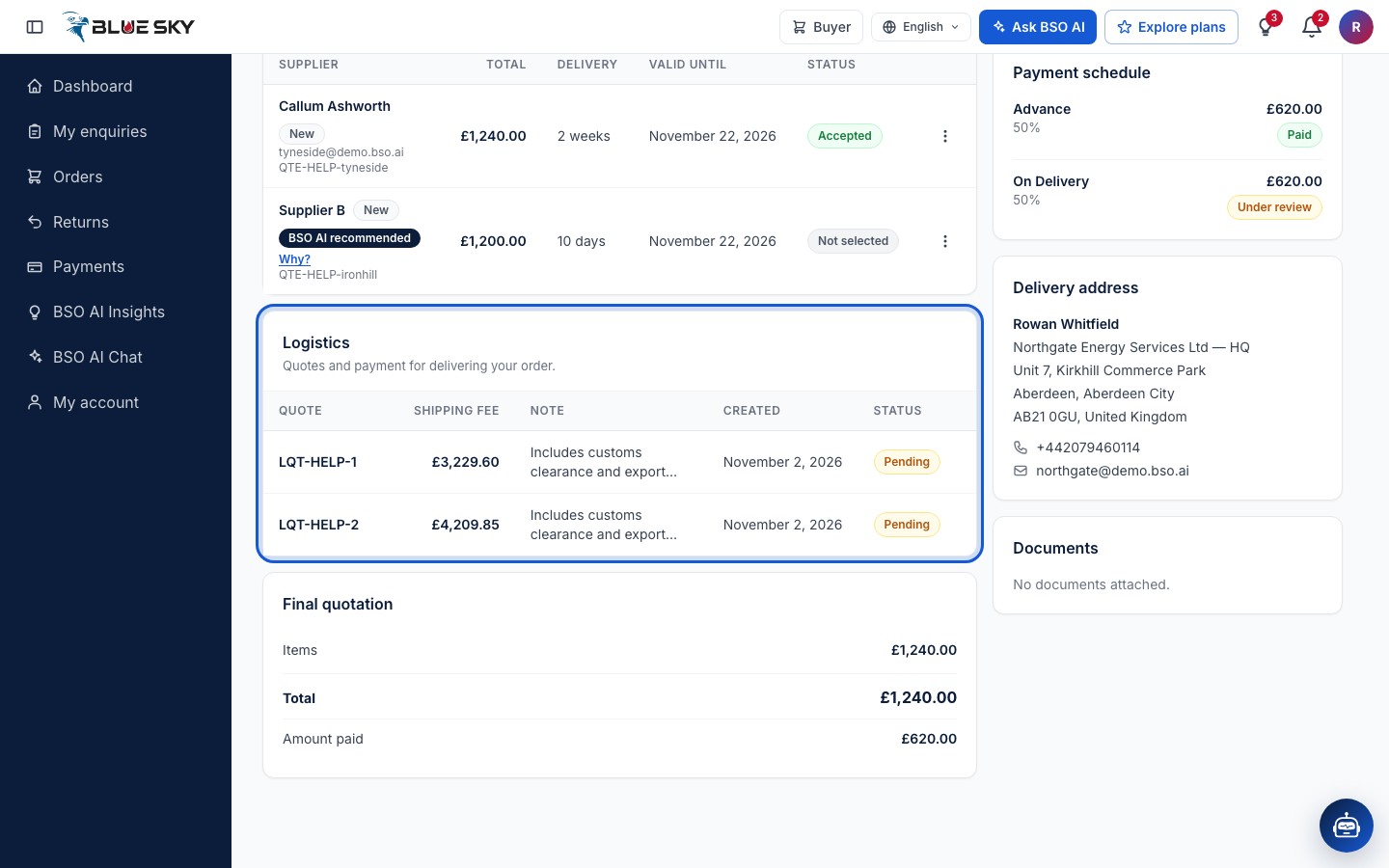
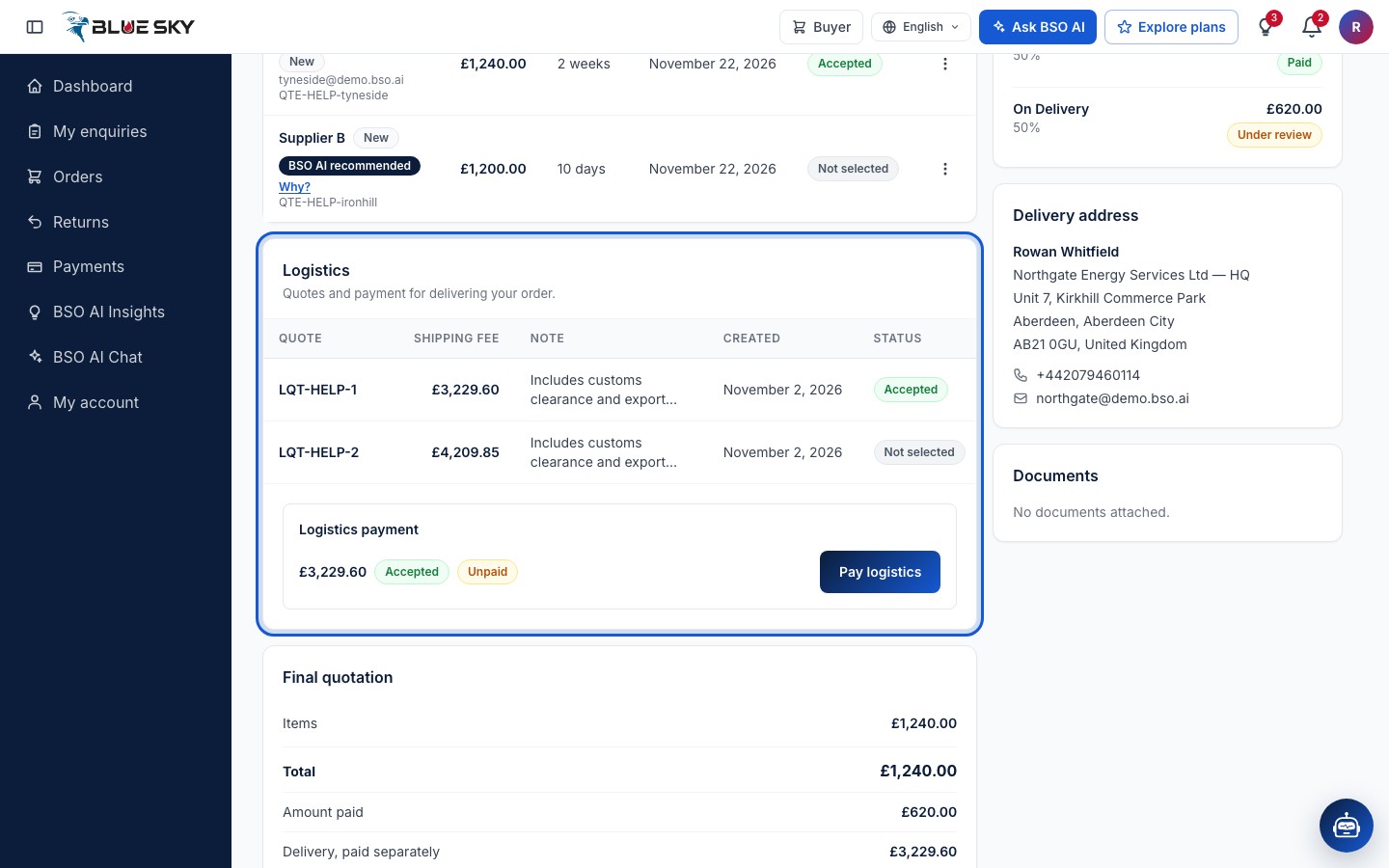
When the supplier has packed the goods and confirmed the package, weight, size and collection address (When your quote is accepted), the order and the enquiry read Shipment ready. With Platform logistics the shipment goes on BSO's Logistics board and the logistics providers' quotes appear in the Logistics card of your enquiry page: Quotes and payment for delivering your order, one row per logistics provider with the Quote reference, the Shipping fee, a Note, the date and the Status.
Open a logistics provider's quote
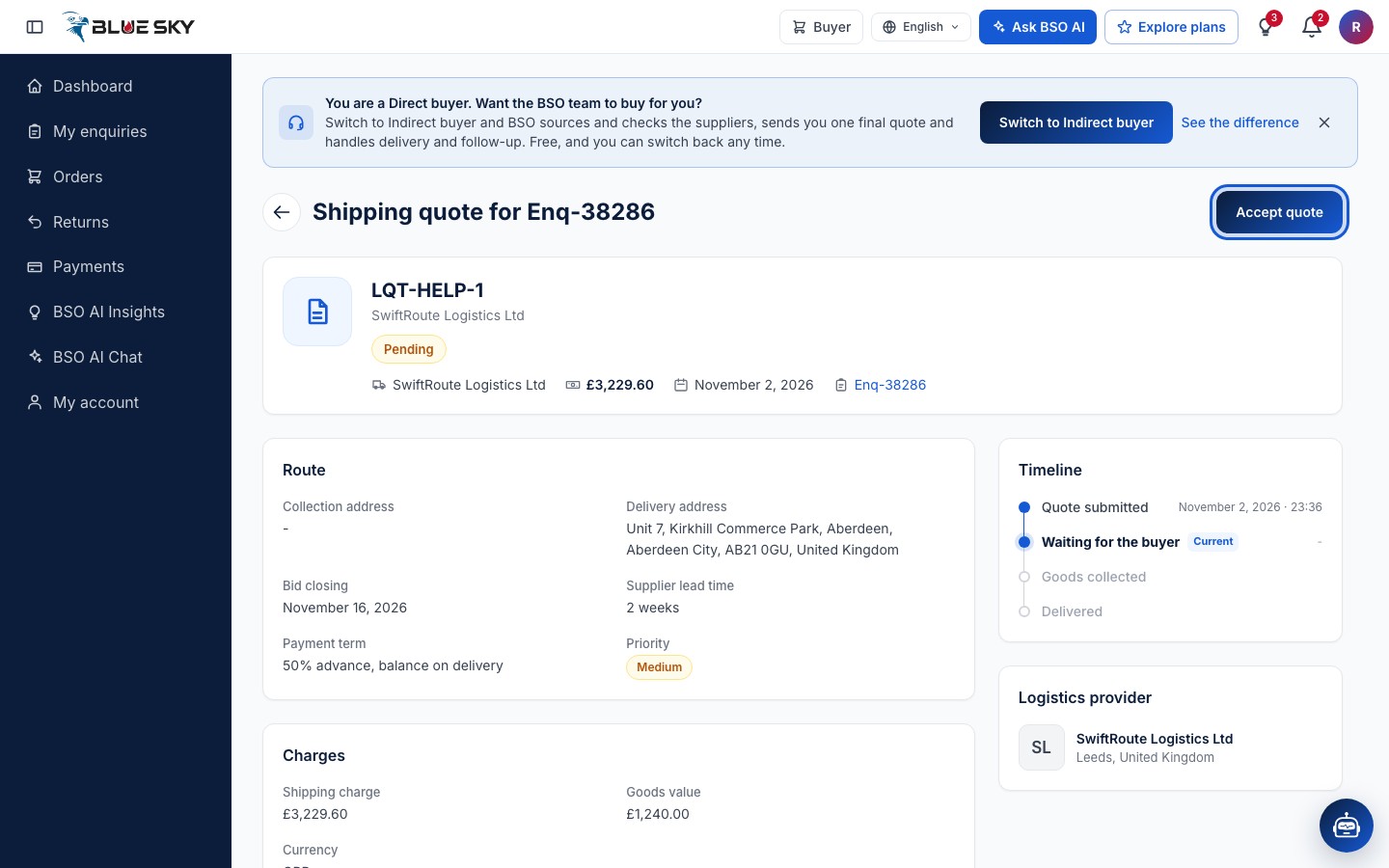
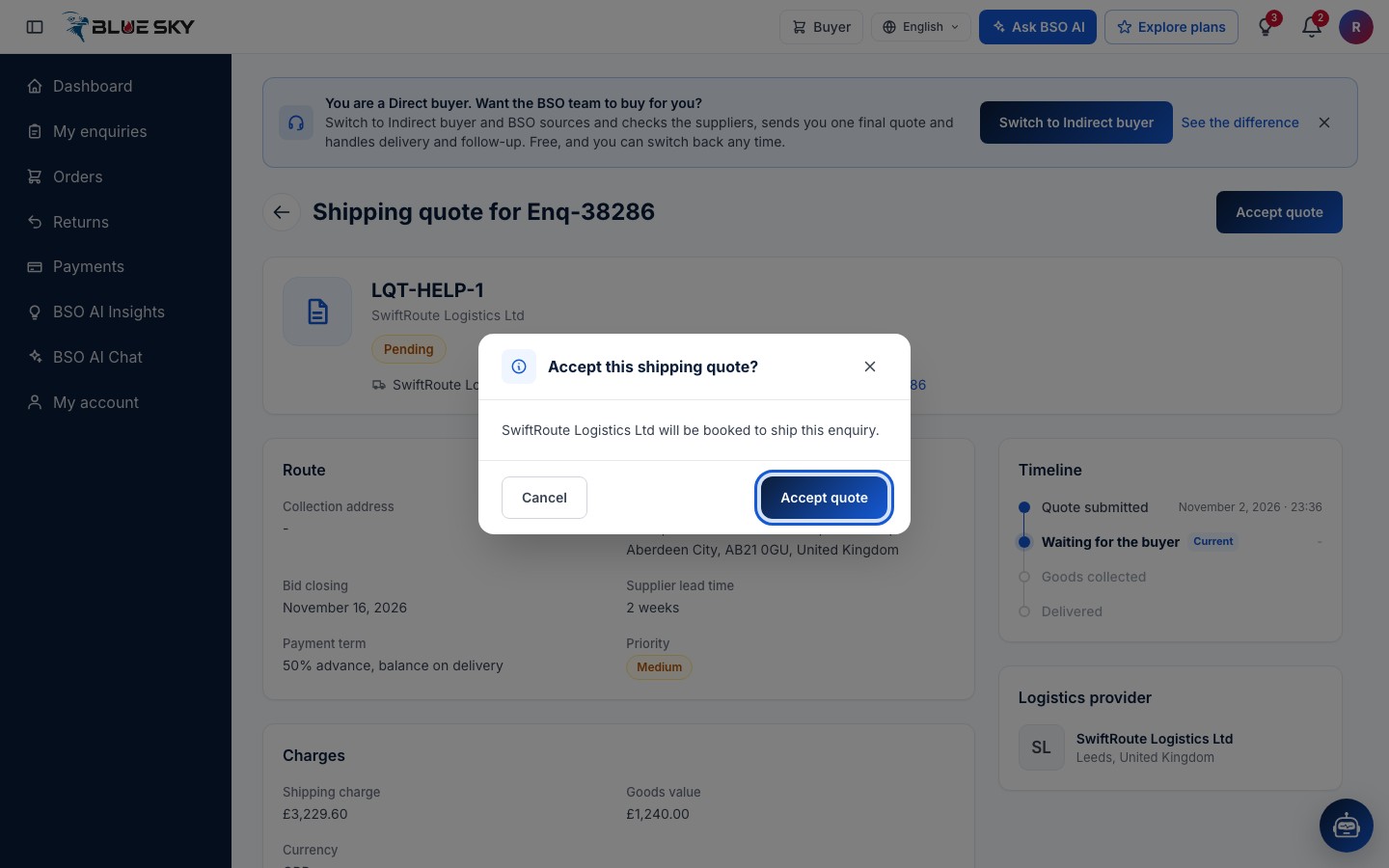
Click a row. The page is Shipping quote for your enquiry, with the logistics provider's name, the charge and the date it was sent. Route shows the Collection address, the Delivery address, the Bid closing date, the Supplier lead time, the Payment term and the Priority; Charges shows the Shipping charge and the Goods value; the Logistics provider card names the logistics provider. Accept quote is at the top right.
Confirm the logistics provider
Accept this shipping quote? says which provider will be booked to ship this enquiry. Click Accept quote (Cancel keeps looking). You can book one logistics provider per order, so compare the quotes first; the one you pick reads Accepted, and the others stay as they were until the BSO team awards the shipment.
Pay the shipping stage
Back on the enquiry page the Logistics card shows the chosen quote Accepted and a Logistics payment block with the charge, marked Unpaid, and a Pay logistics button. Shipping is its own stage, paid the same way as the goods (card or bank transfer). The Final quotation card lists it as Delivery, paid separately.
The logistics provider confirms the collection with a code the supplier receives; see Pickup, document and delivery. The order then reads Dispatched (Picked up on the enquiry's timeline). Out for delivery is set by the BSO team while the goods are on their way.
Delivered
The deliverer confirms the delivery with a one-time code sent to you; see Delivery code and rating. The order then reads Delivered, and the Delivery card shows the Method, the Logistics provider, the Tracking number, the Estimated delivery, Delivered on and, when there is one, the Delivery note. From here you can rate the supplier and the logistics provider and, if something is wrong, request a return.
Good to know
- Self logistics (your own logistics provider): add its tracking details from the quote page, under Delivery choice, with Add logistics details; they then show in the Logistics card as Your own logistics.
- On an indirect order BSO arranges the delivery and the Logistics card says so; there are no logistics provider quotes to pick.
- You are told in the bell and by email when the goods are ready and when the order is delivered.
- There is no cancel button for buyers. To cancel an order, email support@bsoservices.ai.
Related guides
Still stuck? We are here.
Open BSO AI Chat inside the platform, or email the support team. Monday to Friday, 07:00 to 17:00 UK time.