

Once you have compared the quotes, accepting one takes a minute. You confirm the summary, pick one of the payment terms the supplier offers, choose Delivery or Self pickup and, for a delivery, who moves the goods. The other quotes become Not selected and Pay now appears on the enquiry.
This guide is for direct buyers. Indirect buyers accept BSO's final quote instead; see Accept the final quote.
Before you start
- An enquiry with the quote you want to accept.
- To know whether you will collect the goods, use your own transport, or want BSO's logistics providers to quote for the delivery.
Open the quote
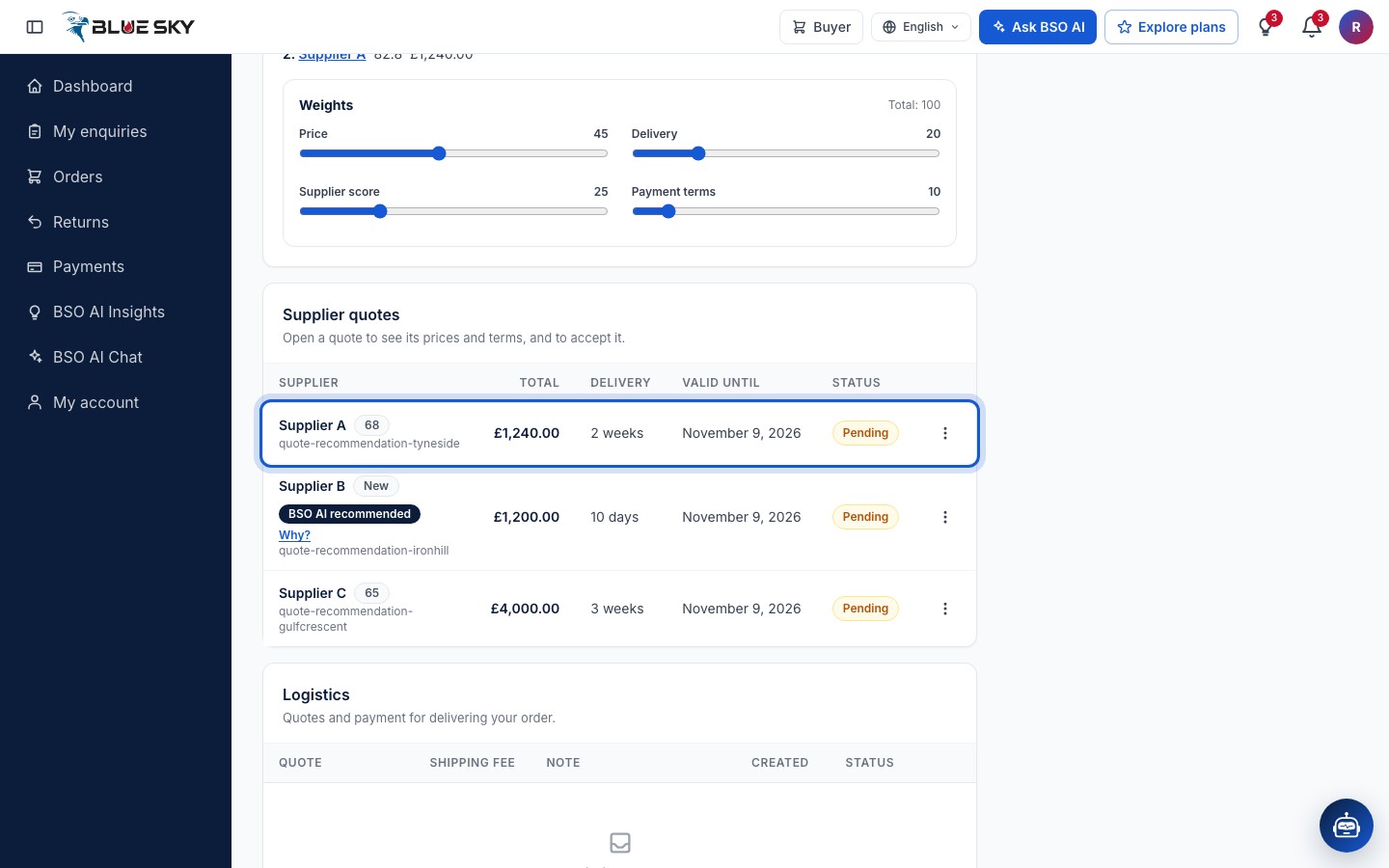
On the enquiry page, in Supplier quotes, click the row of the quote you want. Clicking the row opens the quote page.
Click Accept quote
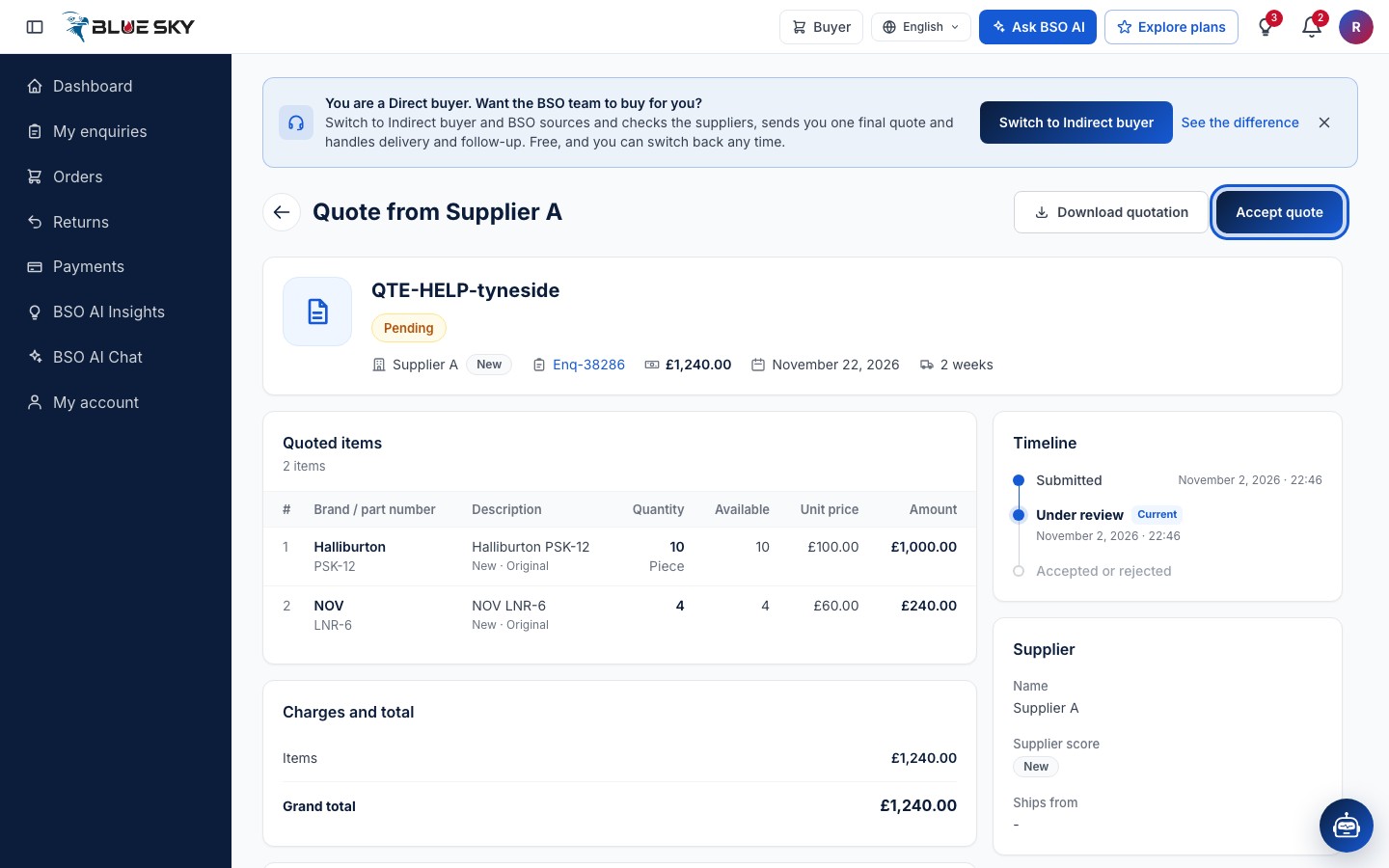
At the top right of the quote page, next to Download quotation, click Accept quote. Nothing is accepted yet: the button opens the steps below.
Check the summary
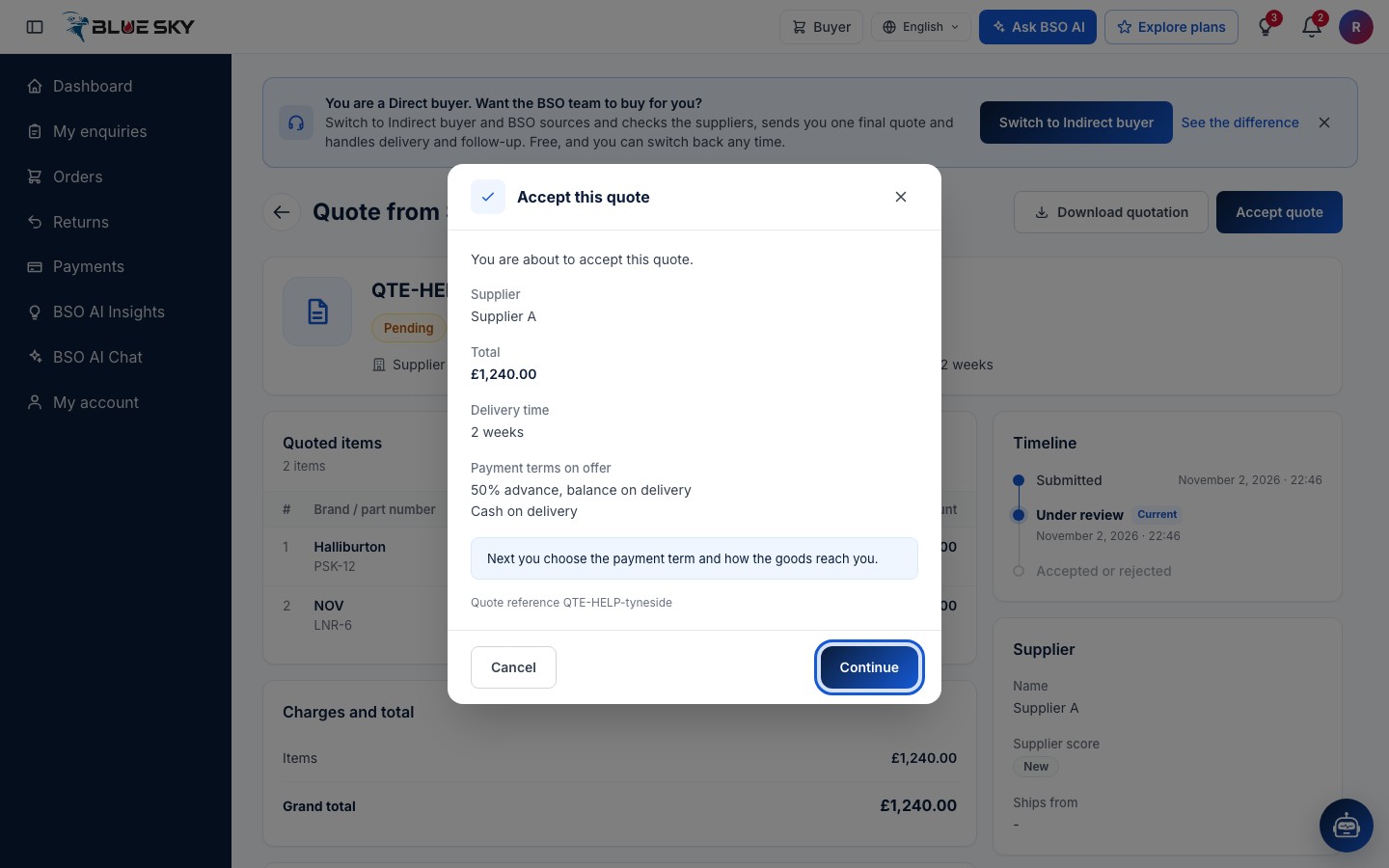
Accept this quote shows the Supplier, the Total, the Delivery time and the Payment terms on offer, with the Quote reference under it. Next you choose the payment term and how the goods reach you. Click Continue.
Choose a payment term
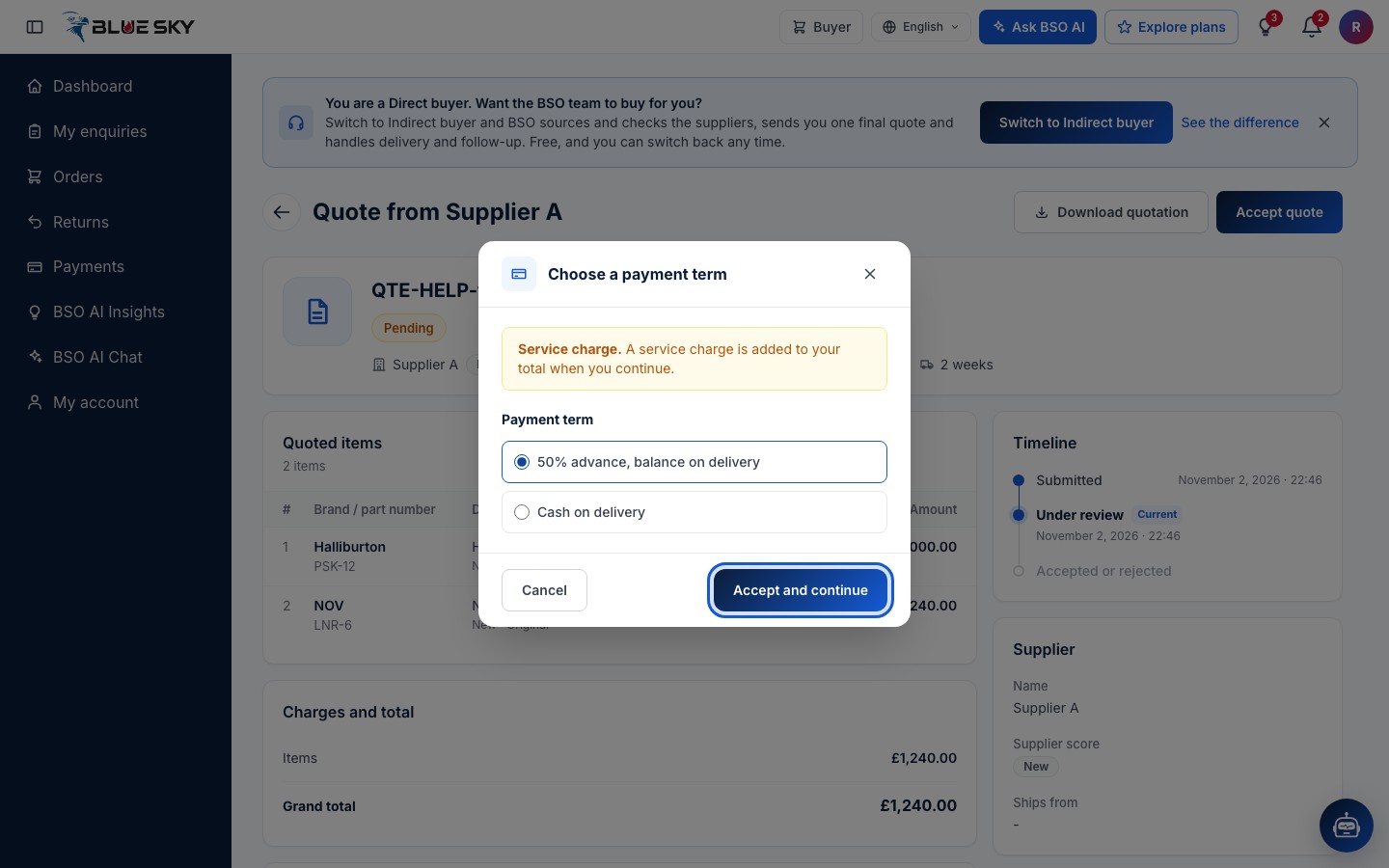
Choose a payment term lists the terms this supplier offers, for example 50% advance, balance on delivery or Cash on delivery. The term you pick sets your payment stages: an advance, a stage when the goods are ready, a stage on delivery, or everything at once.
A yellow note reminds you that a service charge is added to your total when you continue. Pick a term and click Accept and continue.
Say how you want the goods
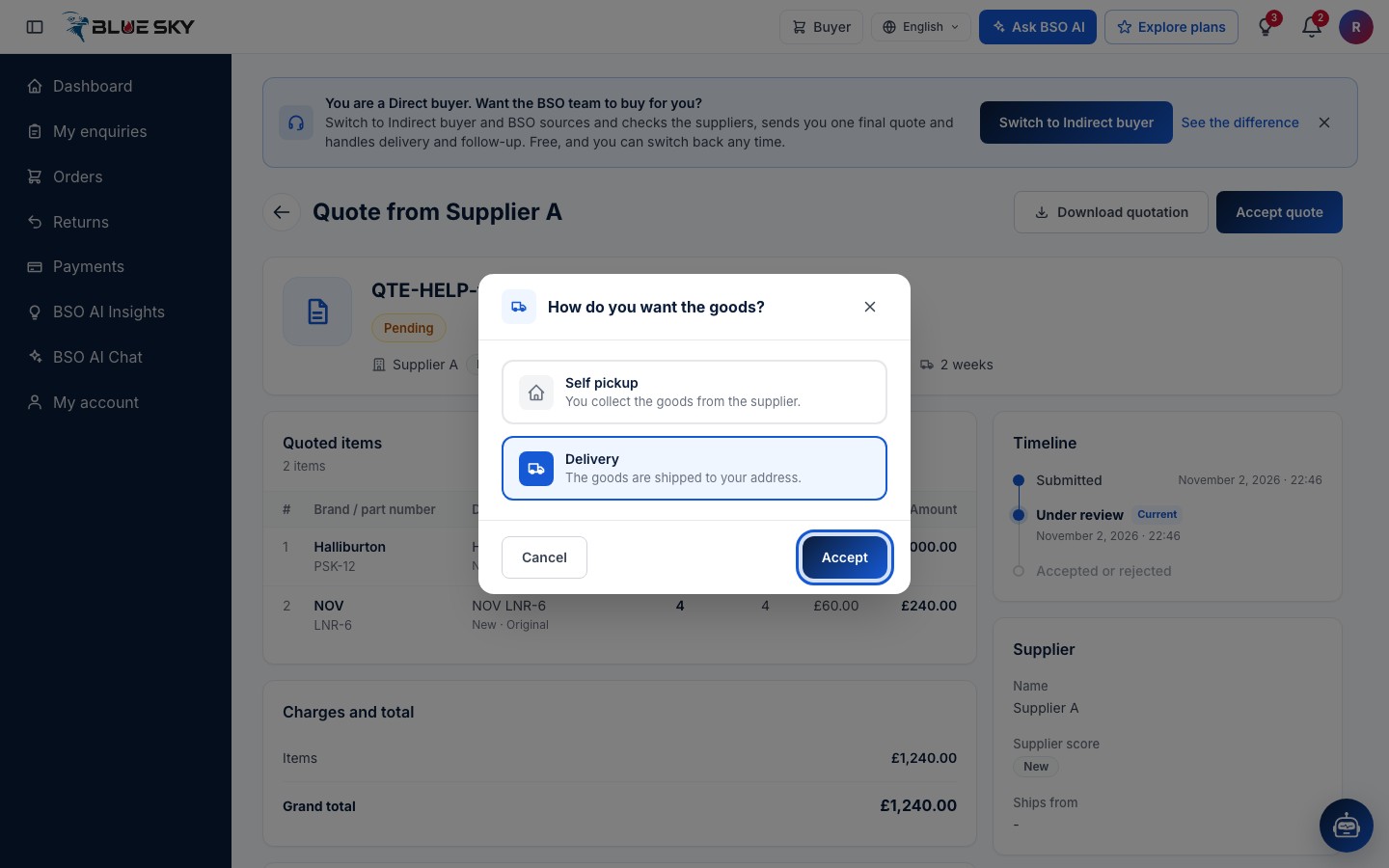
How do you want the goods? offers Self pickup (You collect the goods from the supplier) and Delivery (The goods are shipped to your address). Pick one and click Accept. With Self pickup the quote is accepted here; with Delivery there is one more question.
Say who moves the goods
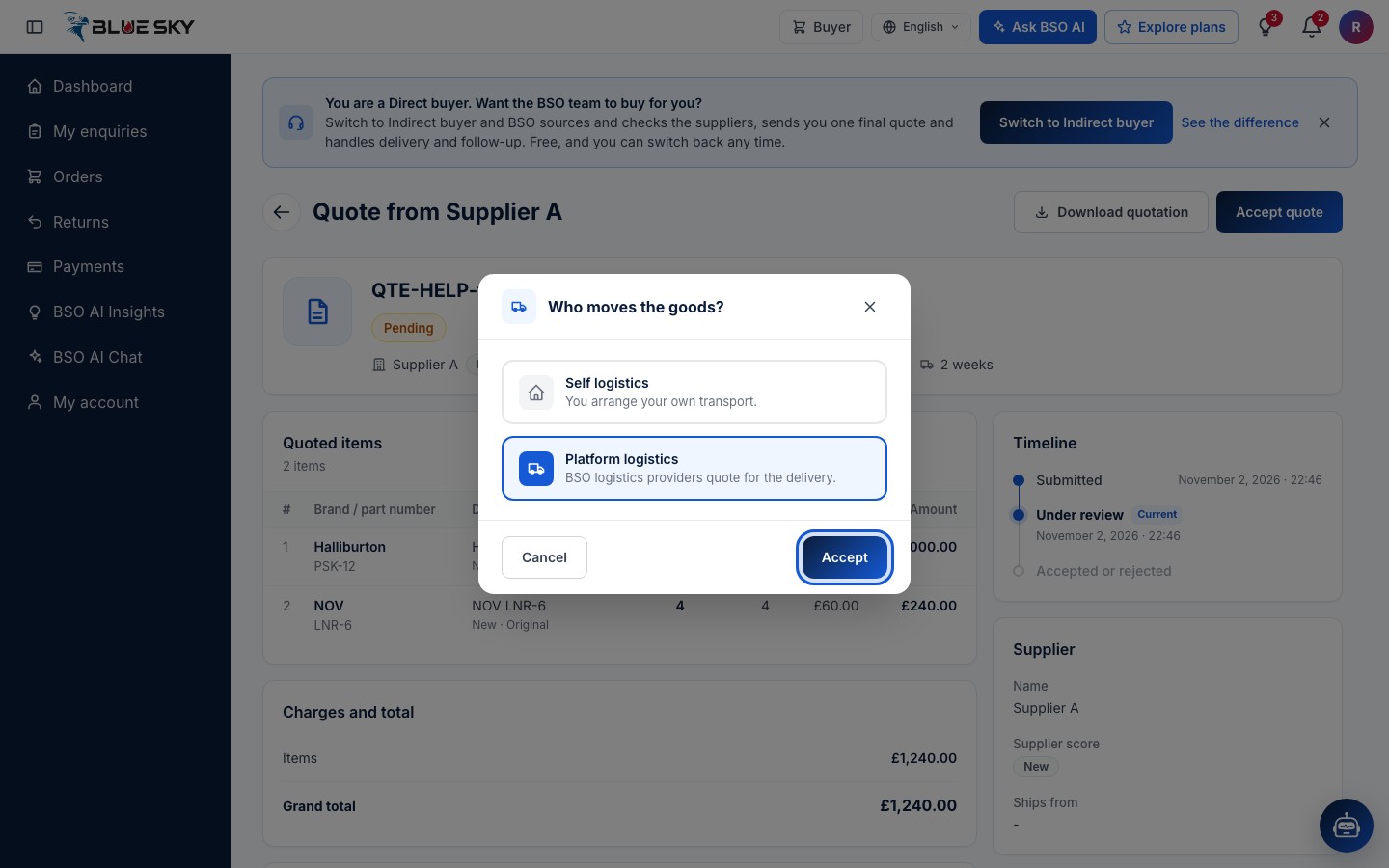
Who moves the goods? offers Self logistics (You arrange your own transport) and Platform logistics (BSO logistics providers quote for the delivery). When the supplier has quoted a delivery charge, Supplier delivery (The supplier delivers the goods) is offered too. Pick one and click Accept.
The quote is accepted
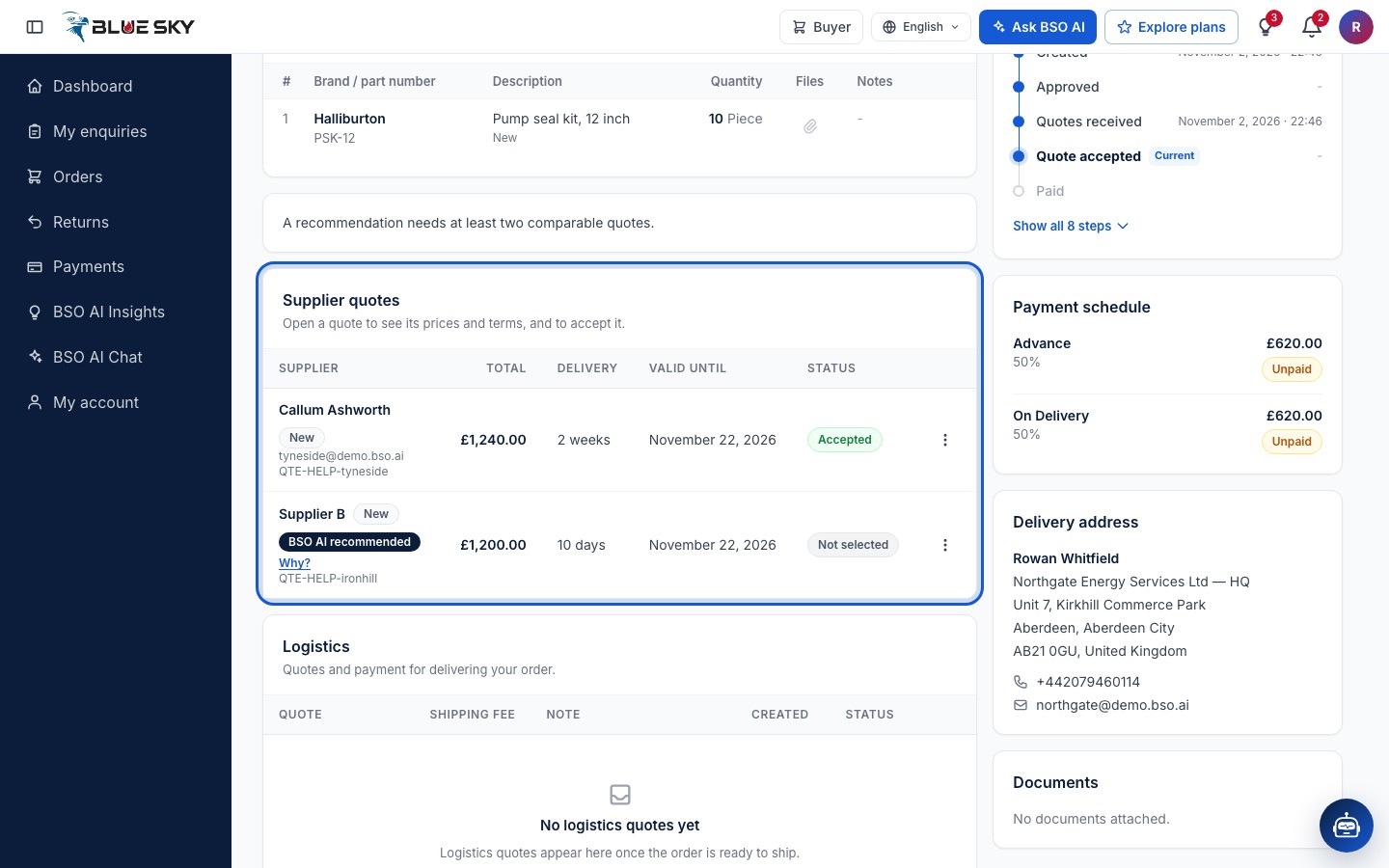
The enquiry page opens again with Quote accepted successfully. The enquiry now reads Supplier quote accepted; in Supplier quotes the quote you chose reads Accepted and shows the supplier's name and email, and the other quotes read Not selected. Pay now appears at the top and the Payment schedule on the right lists the stages of the term you chose, each Unpaid.
The first stage is paid next: Pay by card or Pay by bank transfer. Your order is created with that first payment. The supplier packs the goods after that; see Track your order.
Good to know
- You can accept one quote per enquiry. To give different items to different suppliers, use Award by item on the recommendation panel first, then accept each part from its own page.
- Self logistics means you add your own logistics provider's tracking details later: on the quote page, under Delivery choice, Add logistics details appears once the enquiry is Shipment ready. Platform logistics puts the shipment on BSO's Logistics board once the goods are ready, and you pick a logistics provider from the quotes.
- What the supplier sees and does next is in When your quote is accepted.
- Accepting is final: there is no cancel button for buyers. To cancel an order, email support@bsoservices.ai.
Related guides
Still stuck? We are here.
Open BSO AI Chat inside the platform, or email the support team. Monday to Friday, 07:00 to 17:00 UK time.