

Two one-time codes protect every delivery on BSO. The supplier receives a code the logistics provider enters when it collects the goods; you receive a code the deliverer enters when the goods reach you. Your code is what turns the order to Delivered, and Delivered is what opens the ratings and the return window. This guide covers your side.
Before you start
- An order on its way to you (Track your order).
- Access to the email address and mobile number on your account: the code is sent to both.
Give the deliverer your code
When the goods arrive, the deliverer asks BSO to send you a delivery code. A 6-digit code reaches you by email and by text message. Read it out, or show it, to the person delivering; they enter it on their side and the order becomes Delivered. Do not share the code before the goods are with you.
If you collect the goods yourself, it works the other way round: the supplier sends you a code when you arrive and enters it to confirm the collection. What the logistics provider does with the codes is in Pickup, document and delivery.
The order is Delivered
The order page now reads Delivered, the Timeline shows the delivery date, and the Delivery card shows the logistics provider and tracking number. Two things open at this point: the Rate your experience card at the bottom of the page, and Request a return at the top. The delivery date is also when the return window starts and when the supplier's payment for the stages due on delivery is released (an advance or readiness stage is released when you pay it).
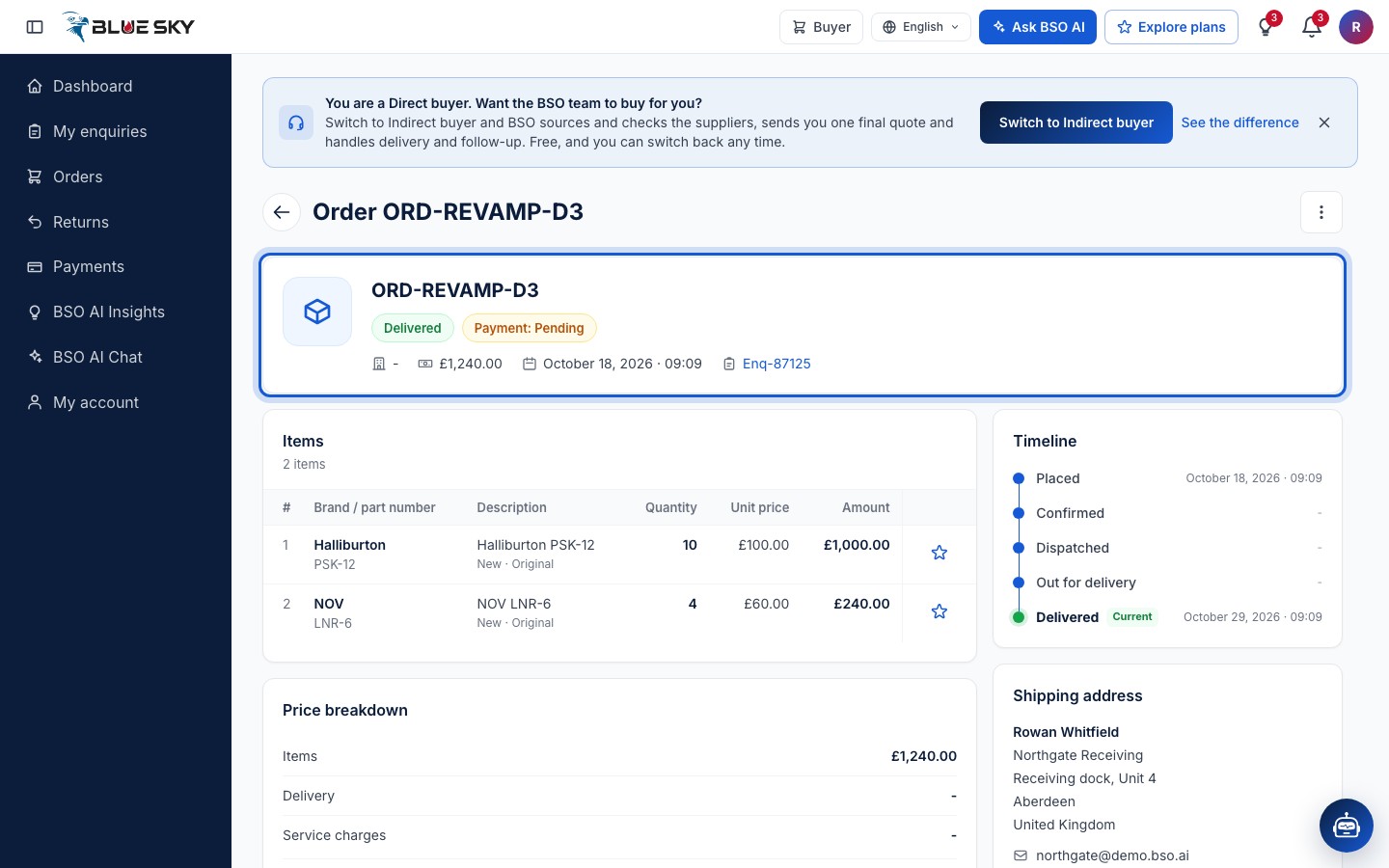
Find Rate your experience
Scroll to Rate your experience. It has two blocks: Rate the supplier and Rate the logistics provider (the second only when a logistics provider delivered). Each has five stars, a comment box (Add a comment, optional) and Submit.
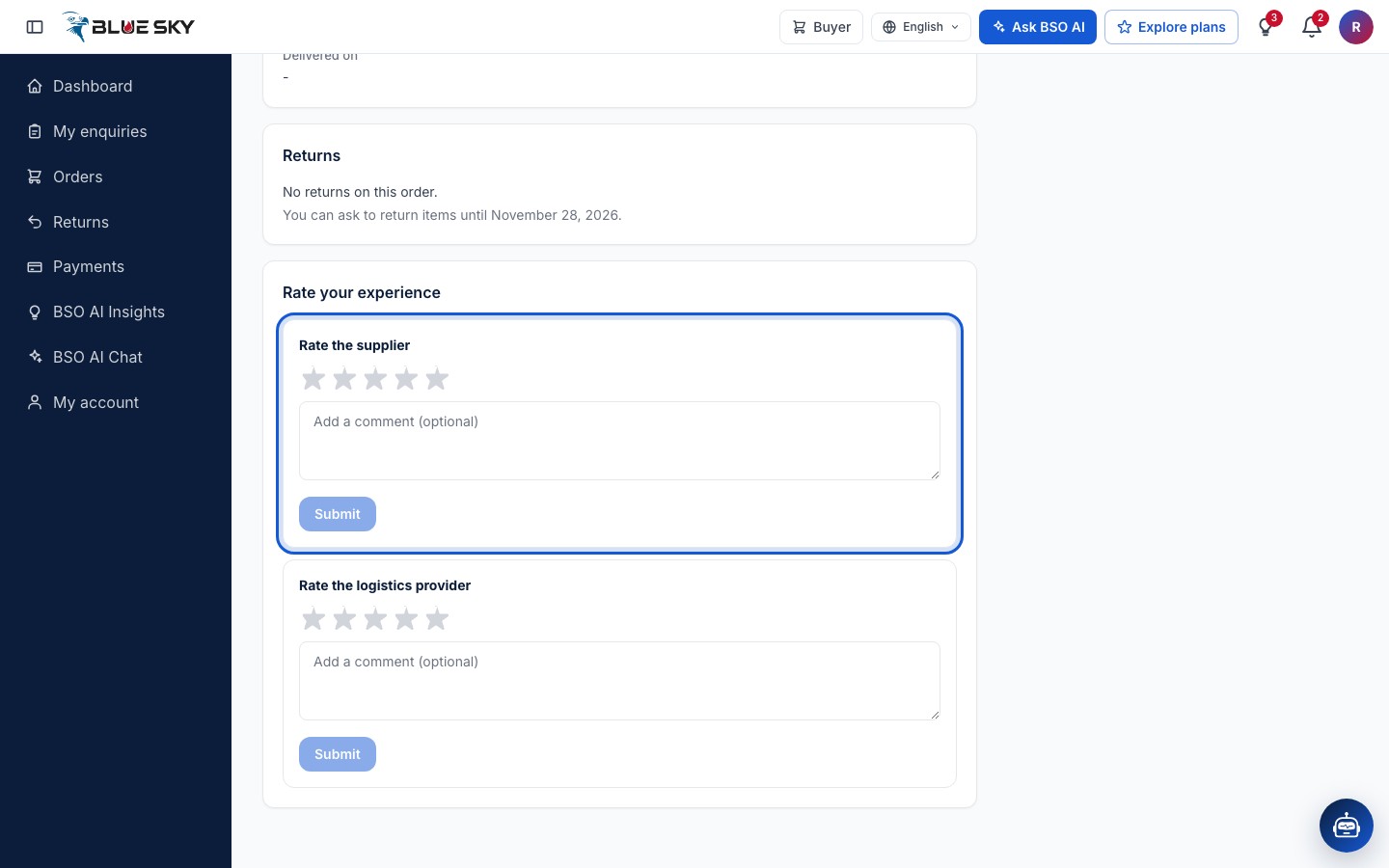
Rate the supplier and the logistics provider
Click a star from 1 to 5, add a comment if you like and click Submit. The block changes to You rated and your score out of 5, with your comment and an Edit link to change it later. Do the same for the logistics provider. Your ratings feed the supplier's and the logistics provider's BSO score, which other buyers see on their quotes.
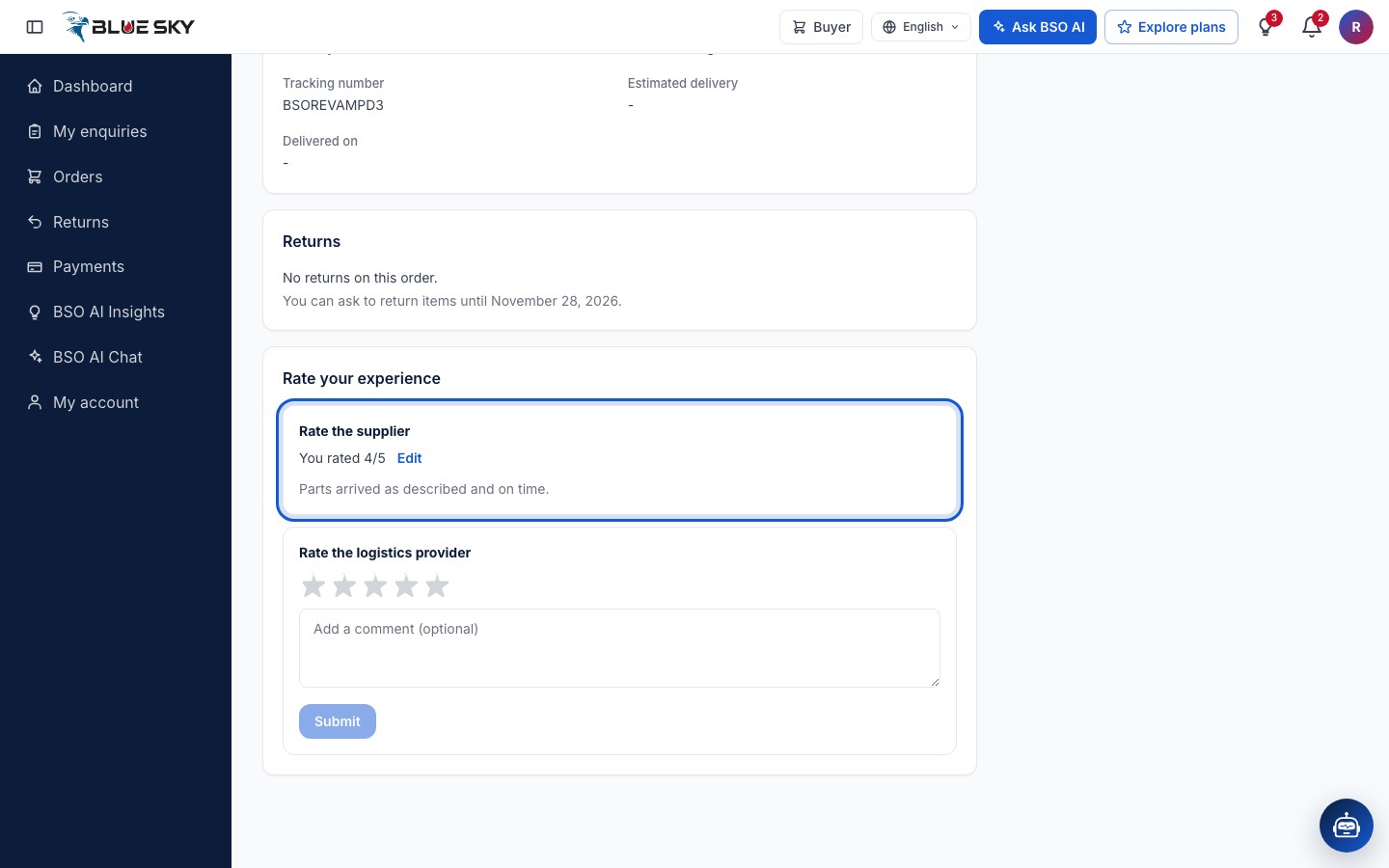
Review a product
In the Items table of a delivered order, the star at the end of a row is Rate and review product. It opens Write a review: a Rating of 1 to 5 stars, a Title, your Review and optional Product photos. Submit saves the review with the product; Cancel closes without saving.
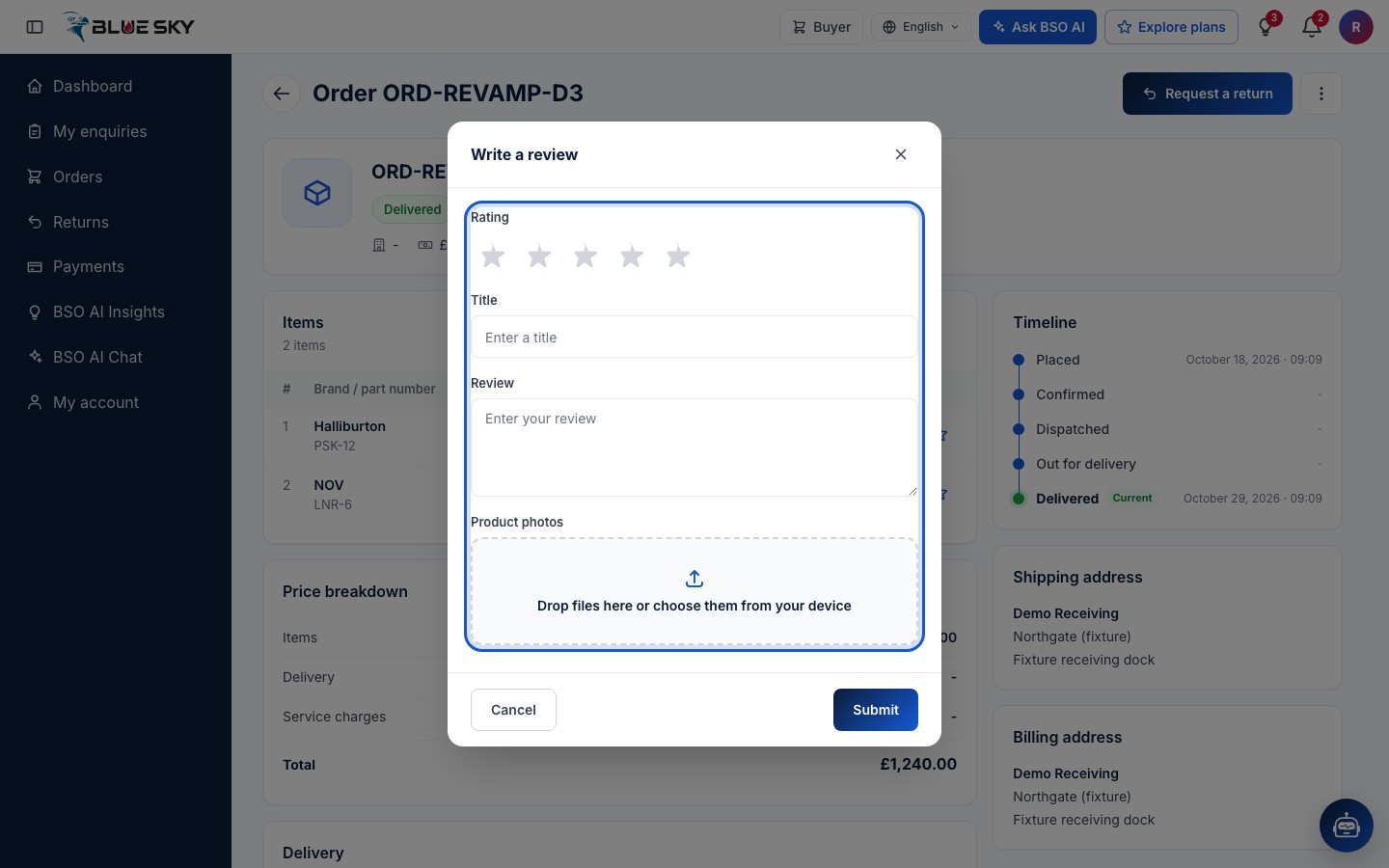
Good to know
- Something wrong with the goods? Rate as you see fit, then use Request a return; see Request a return.
- Ratings are per order: you can rate the same supplier again on the next order, and Edit changes a rating you already gave.
- The code is only ever asked for at the delivery itself. BSO never asks you for it by phone or email, and you never need to type it into the website.
Related guides
Still stuck? We are here.
Open BSO AI Chat inside the platform, or email the support team. Monday to Friday, 07:00 to 17:00 UK time.