

BSO pays you itself, to the bank details on your profile, and marks each payout Paid with the date and a payment reference. Earnings in the left menu lists what BSO owes you and what it has paid: one row for each shipping stage a buyer paid on a shipment you were booked for. A row waits as Pending until the delivery is confirmed (Pickup, document and delivery) and is then Ready to pay.
Before you start
- The logistics role, and your bank details on your profile: you cannot type them in yourself, email support@bsoservices.ai to have them added (Become a logistics provider).
Open Earnings
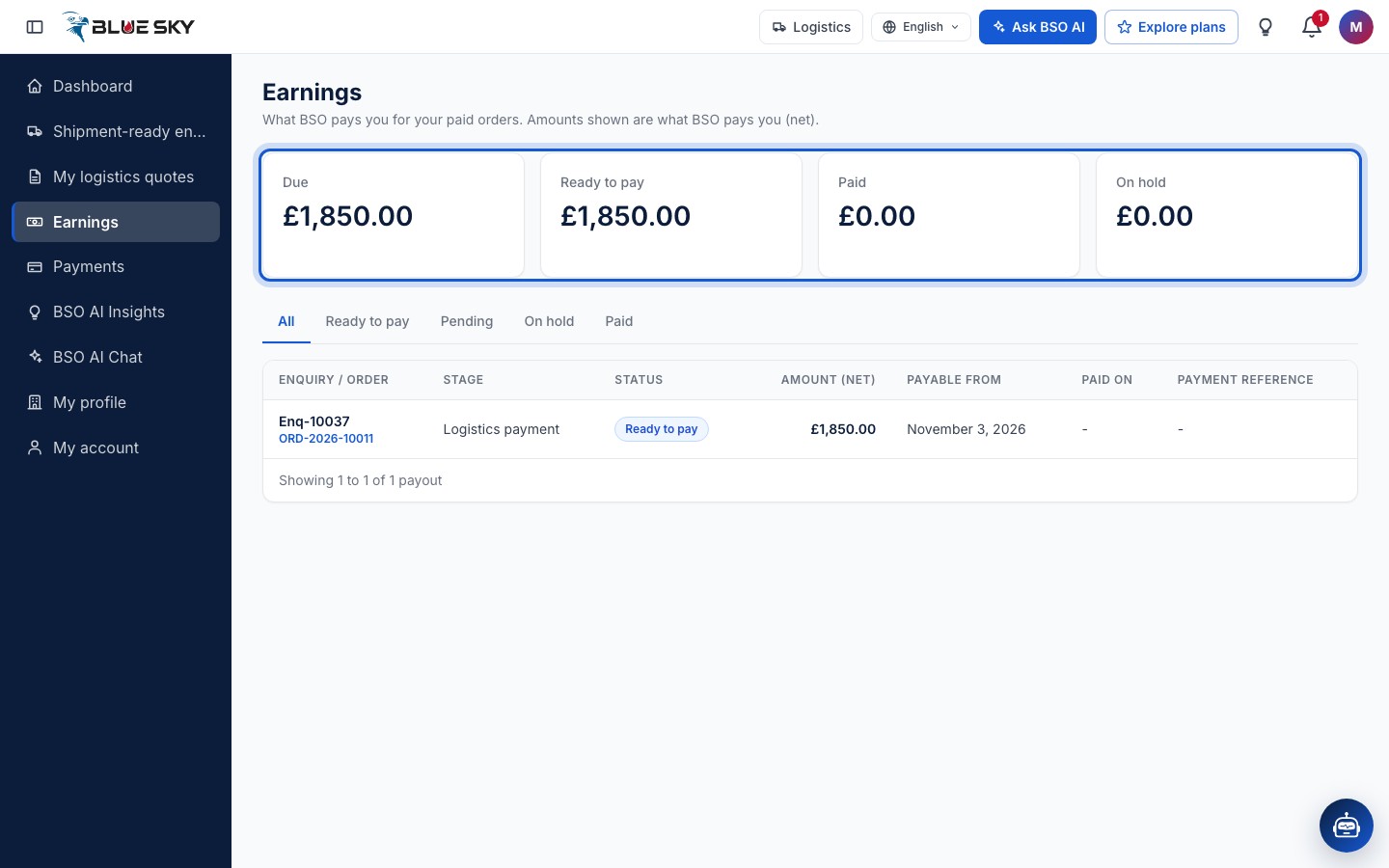
Click Earnings in the left menu, or go to bsoservices.ai/earnings: What BSO pays you for your paid orders. Amounts shown are what BSO pays you (net). Four totals sit at the top: Due (everything not paid yet, Pending and Ready to pay together), Ready to pay, Paid and On hold.
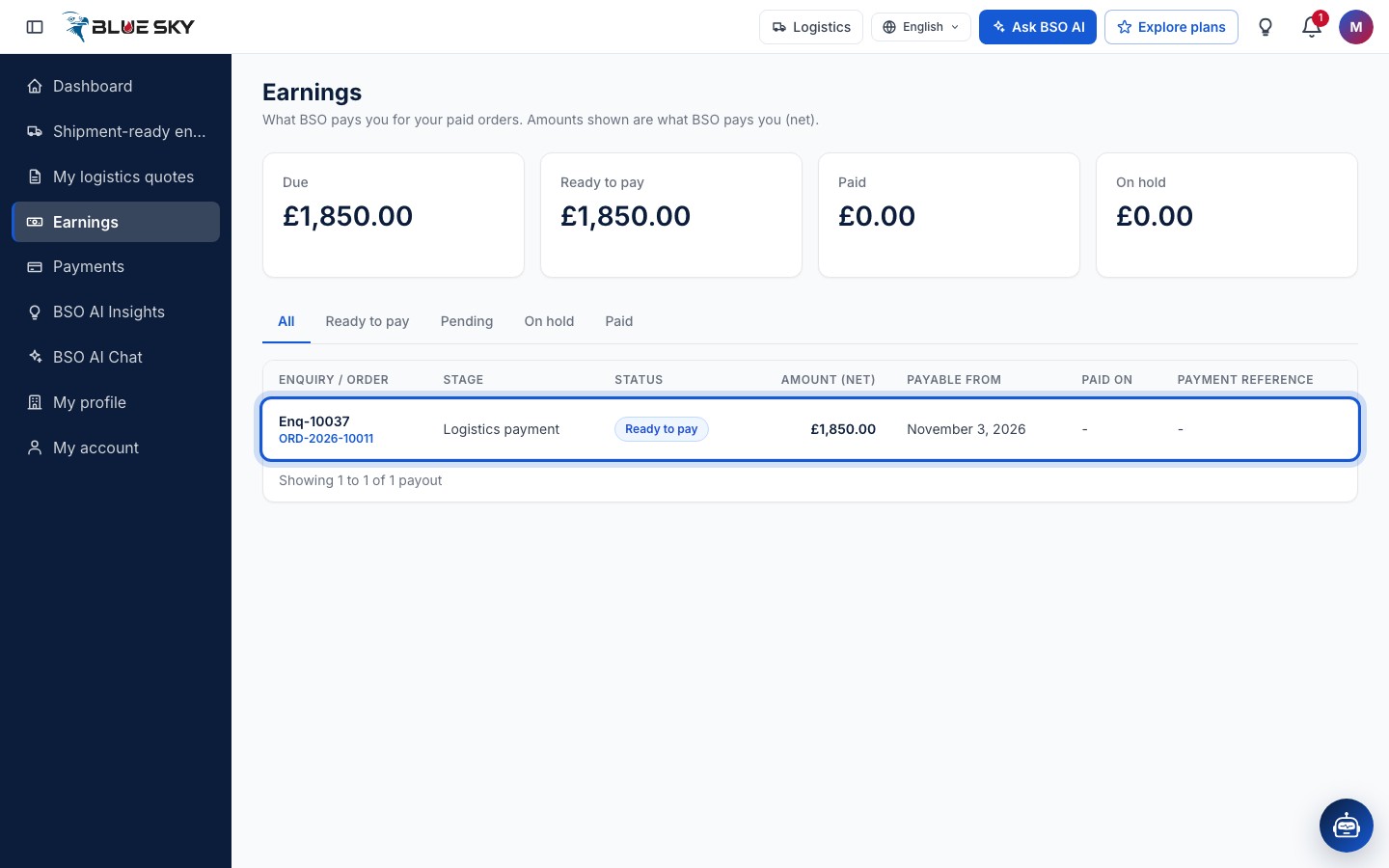
Below them, the tabs All, Ready to pay, Pending, On hold and Paid filter the list. The columns are Enquiry / order (the enquiry reference, with the order number as a link to the order), Stage, Status, Amount (net), Payable from, Paid on and Payment reference. A shipping stage reads Logistics payment in the Stage column.
Read a payout row
A row appears as soon as the buyer pays the stage that includes your shipping charge; it reads Pending while the goods are on their way. When you confirm the delivery, the status becomes Ready to pay and Payable from shows the delivery date. When BSO makes the transfer, the status becomes Paid, with the date under Paid on and BSO's Payment reference for your bank statement.
The amount is the net figure BSO pays you. You are told in the bell when a row is created and when it is paid, and by email when it is paid.
Use the tabs
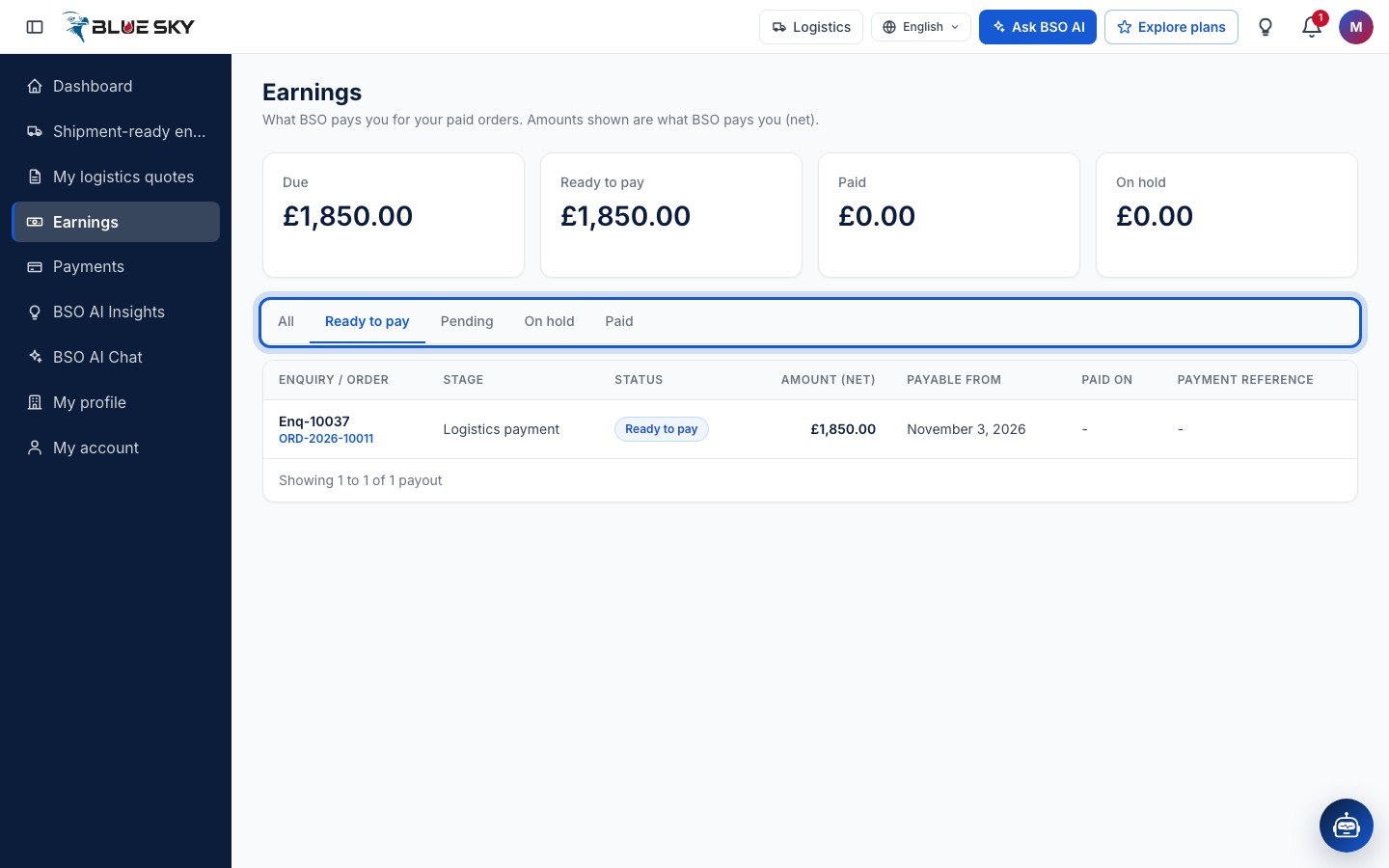
Ready to pay shows only the rows a confirmed delivery has released; Pending the rows still waiting for a delivery; Paid what BSO has already transferred. On hold lists rows BSO has stopped for a check; a held row cannot be paid until BSO releases it, and the row says why when a reason is shown. Nothing in this view appears when a tab is empty.
Good to know
- Keep the bank details on your profile up to date; they are shown to you only, and BSO adds or changes them when you email support (Edit your profile and company).
- A row is tied to one shipment. The shipment itself, with its route and timeline, is under Your logistics quotes.
- Suppliers have the same page for their own payouts: Earnings and payouts.
- A payout you expected but cannot see, or a transfer that has not arrived: email support@bsoservices.ai, Monday to Friday 07:00 to 17:00 UK time, with the enquiry reference.
Related guides
Pickup, document and delivery
Pickup code, shipping document, delivery code.
Your logistics quotes
The list, the statuses and the quote page.
Become a logistics provider
Add the logistics role, set up your profile, pick a plan.
Edit your profile and company details
Change your name, phone, photo and company details.
Still stuck? We are here.
Open BSO AI Chat inside the platform, or email the support team. Monday to Friday, 07:00 to 17:00 UK time.