

A shipping quote on BSO is one charge, in the enquiry's currency, that covers collection, transport and delivery, plus an optional note to the buyer about transit time and service. The buyer compares the charges and notes of every logistics provider and picks one (on a delivery the supplier arranges, the supplier picks); what the buyer sees is in Track your order.
Before you start
- The logistics role, a completed profile and an active logistics plan (Become a logistics provider).
- A shipment on the board that you have not been awarded or lost yet (Find shipments to quote).
Click Write quote on a shipment
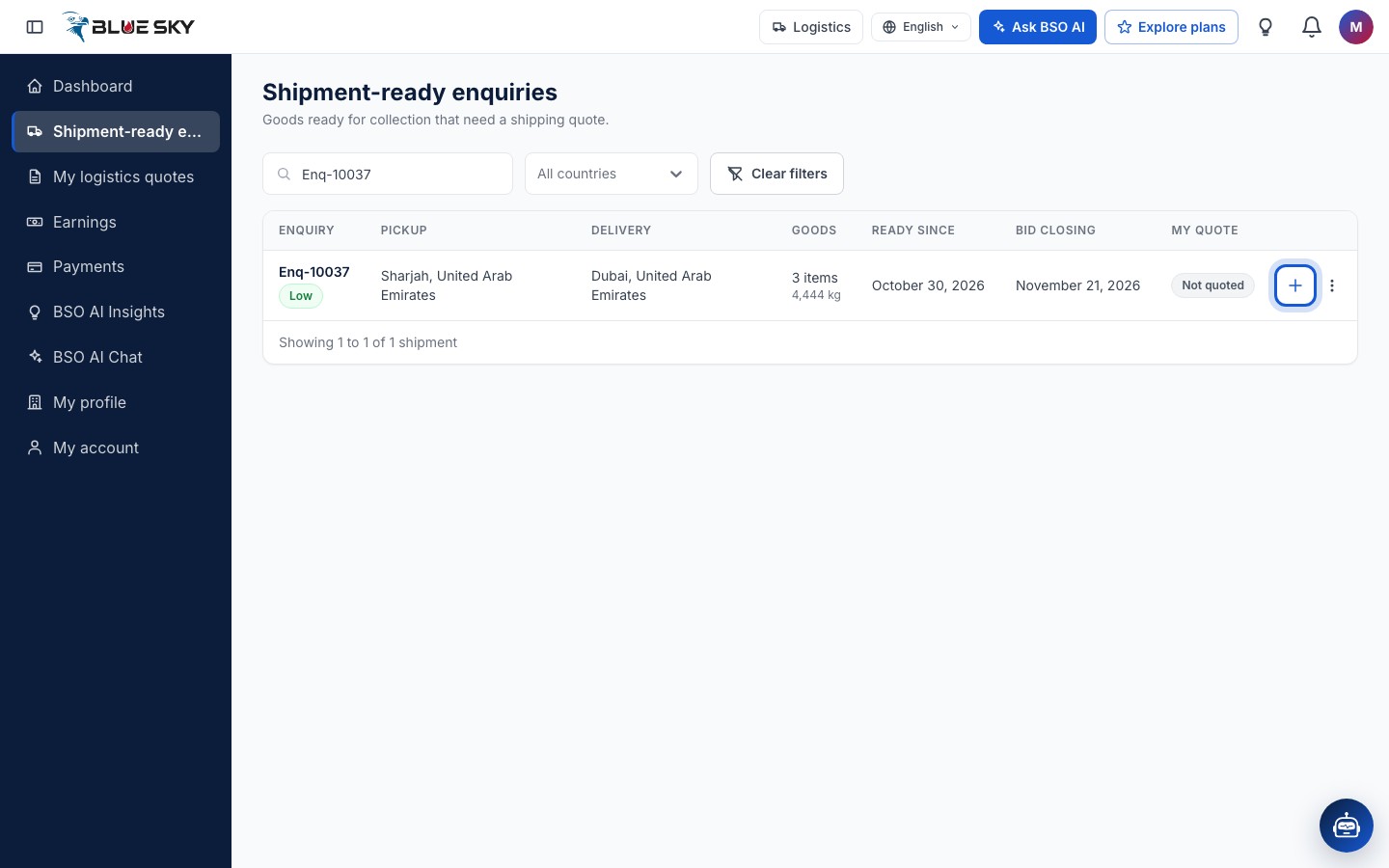
On Shipment-ready enquiries, click the plus icon at the end of the row (Write quote), or click the row itself. Shipment details also has a Write quote button. The quote form opens at quote-view-page-logistics/:id.
Read the shipment
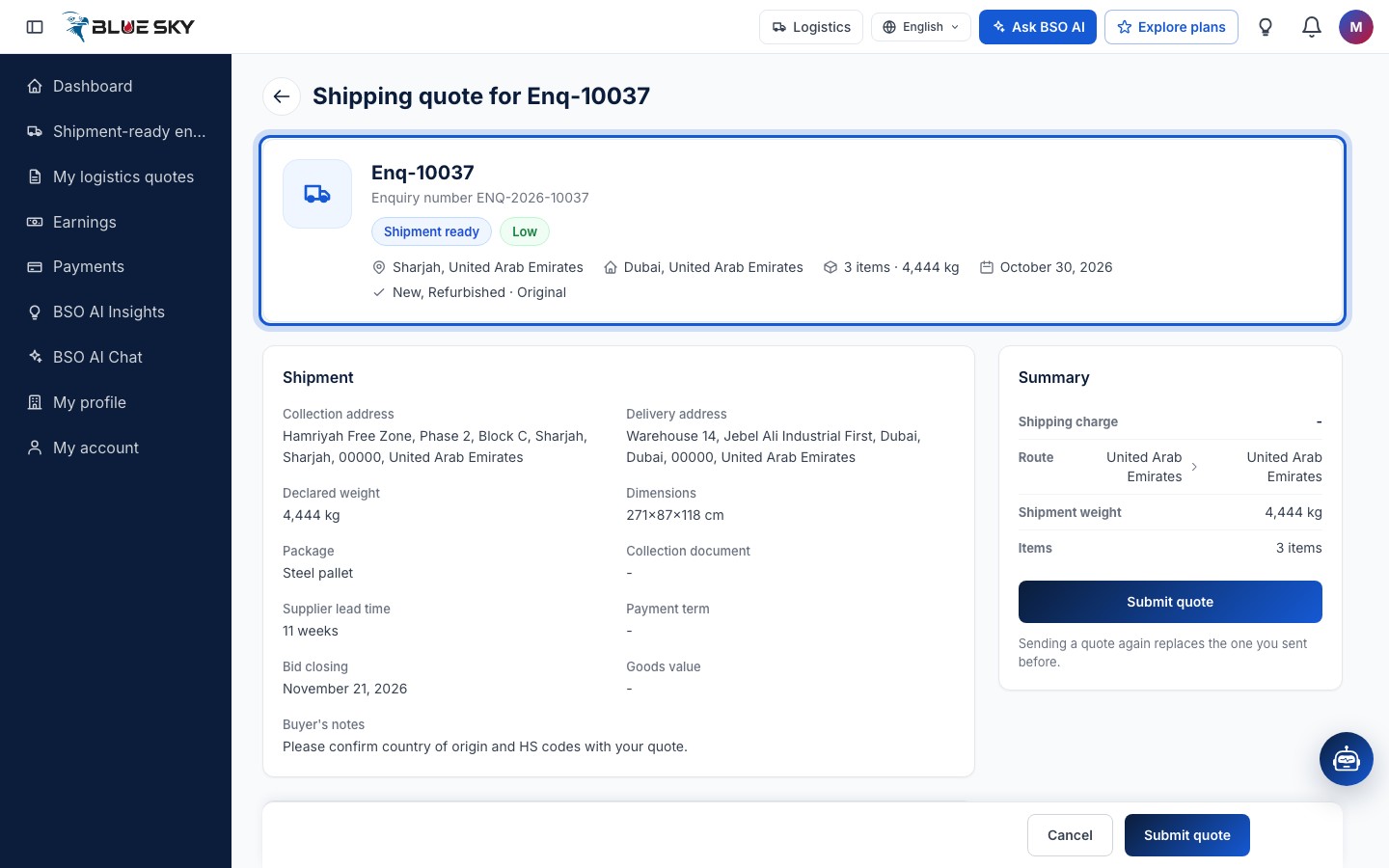
The page is headed Shipping quote for the enquiry reference. The summary card repeats the reference and Enquiry number with the enquiry's status and priority, the pickup and delivery cities, the number of items and the weight, Ready since and the condition of the goods.
The Shipment card gives the full Collection address and Delivery address, the Declared weight, Dimensions and Package the supplier entered, a Collection document when the supplier attached one (View document), the Supplier lead time, the Payment term, Supplier bid closing, the Goods value and Buyer's notes. Goods lists every item with its brand and part number, description, condition, quantity, unit weight and total weight, the files on the line and the supplier's notes. Enquiry documents, when the buyer attached files, is listed too.
Enter your charge and a note
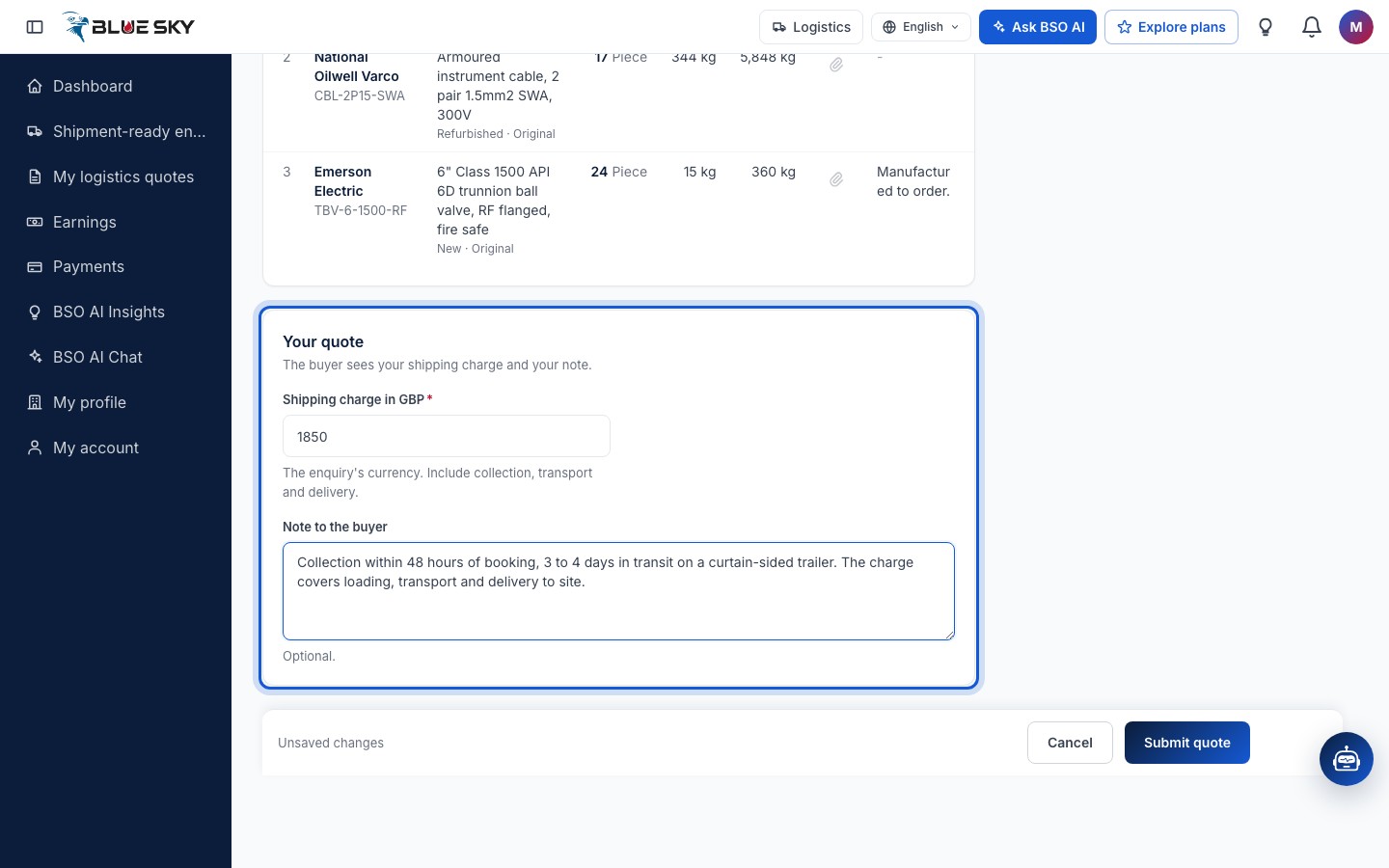
Scroll to Your quote: The buyer sees your shipping charge and your note. Shipping charge in GBP (or the enquiry's currency) is required and must be above zero; include collection, transport and delivery. Note to the buyer is optional: transit time, service level and what the charge includes.
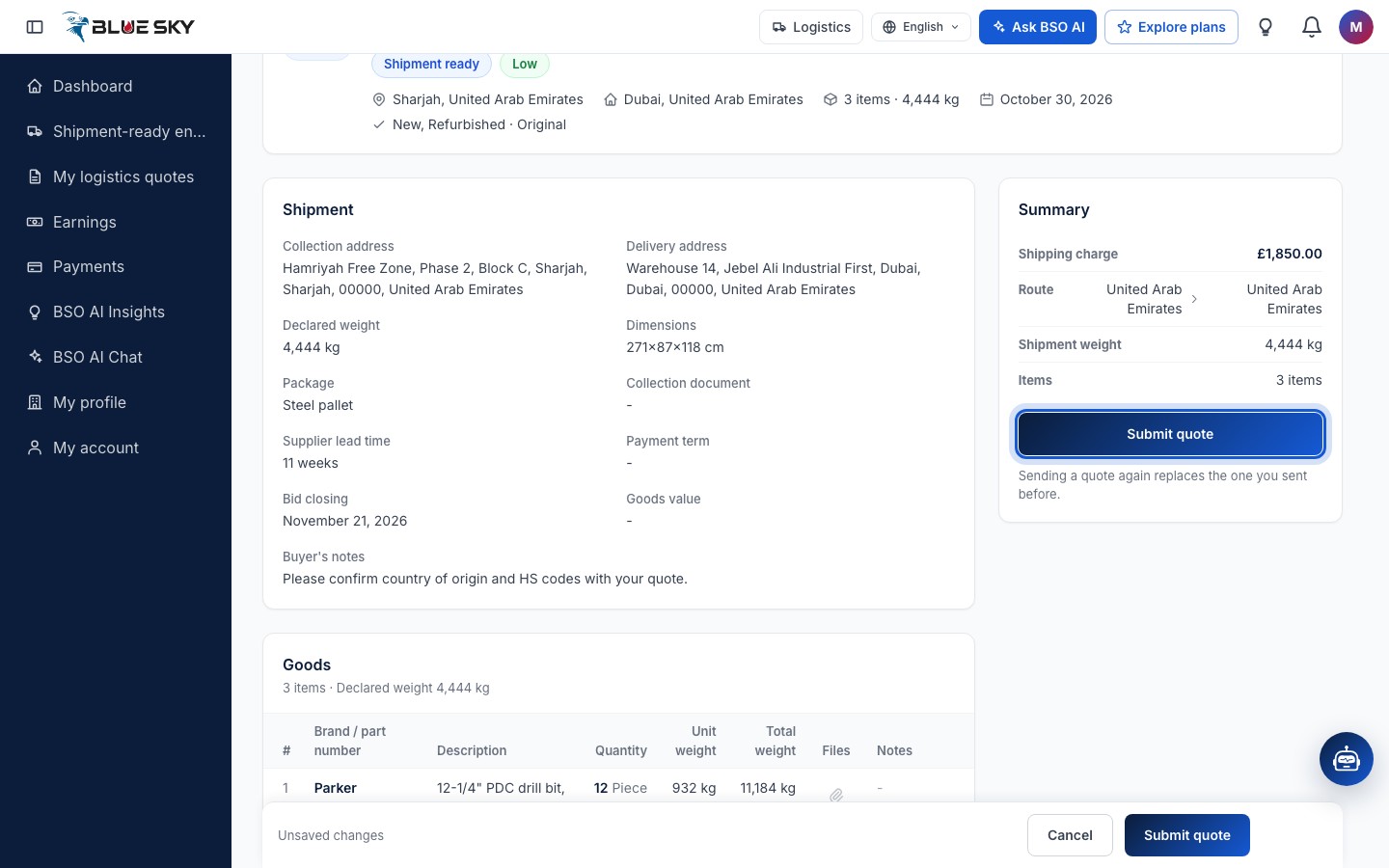
The charge you type shows at once in the Summary card on the right, with the Route, the Shipment weight and the Items.
Submit the quote
Click Submit quote in the Summary card, or in the bar at the bottom of the page (Cancel there returns to the board without sending). Sending a quote again replaces the one you sent before, so you can correct a charge by opening the same shipment and submitting once more.
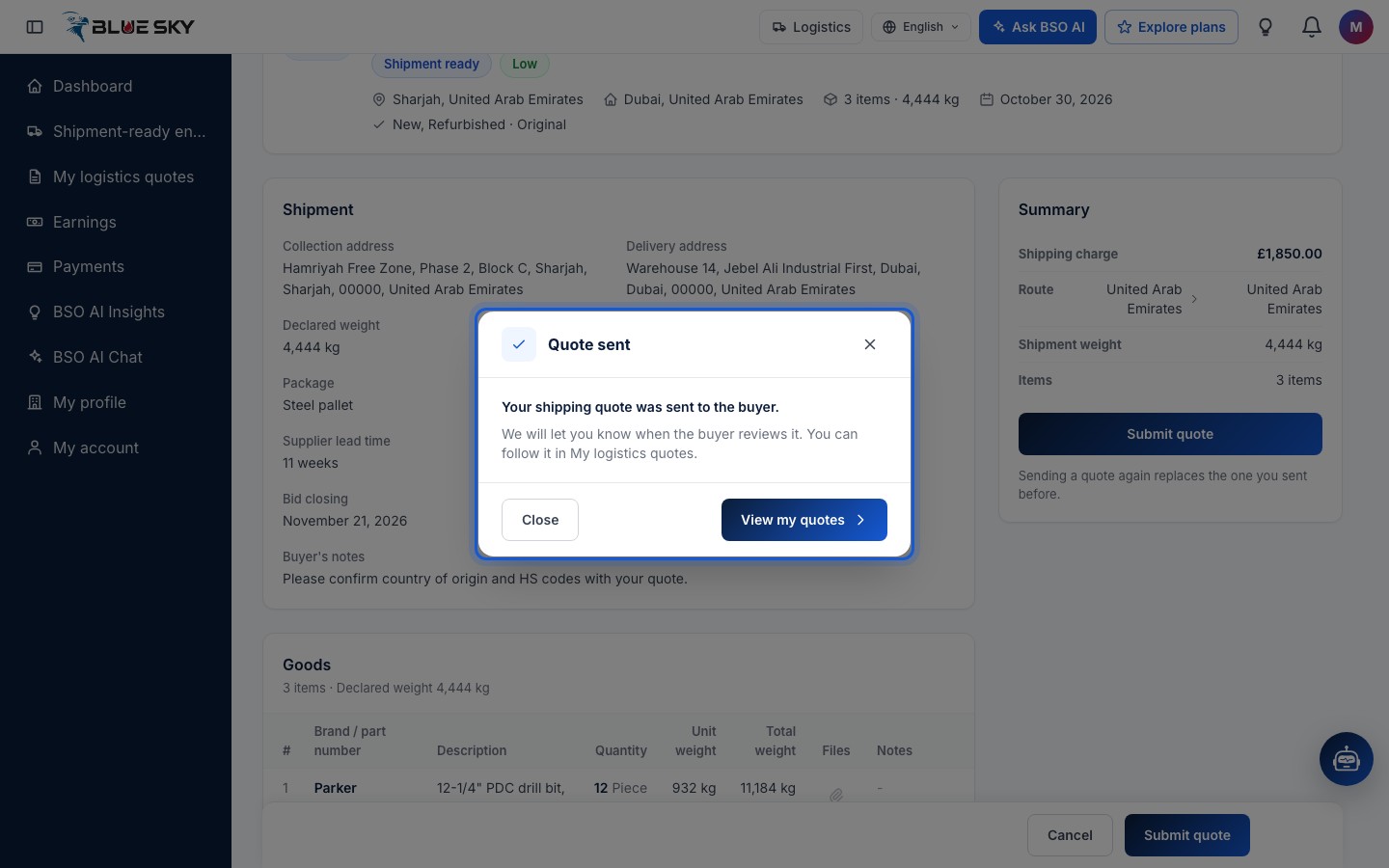
Quote sent
A Quote sent window confirms: Your shipping quote was sent to the buyer. We will let you know when the buyer reviews it. Close stays on the form; View my quotes opens My logistics quotes. The buyer is told in the bell that a new quote arrived.
Your quote in My logistics quotes
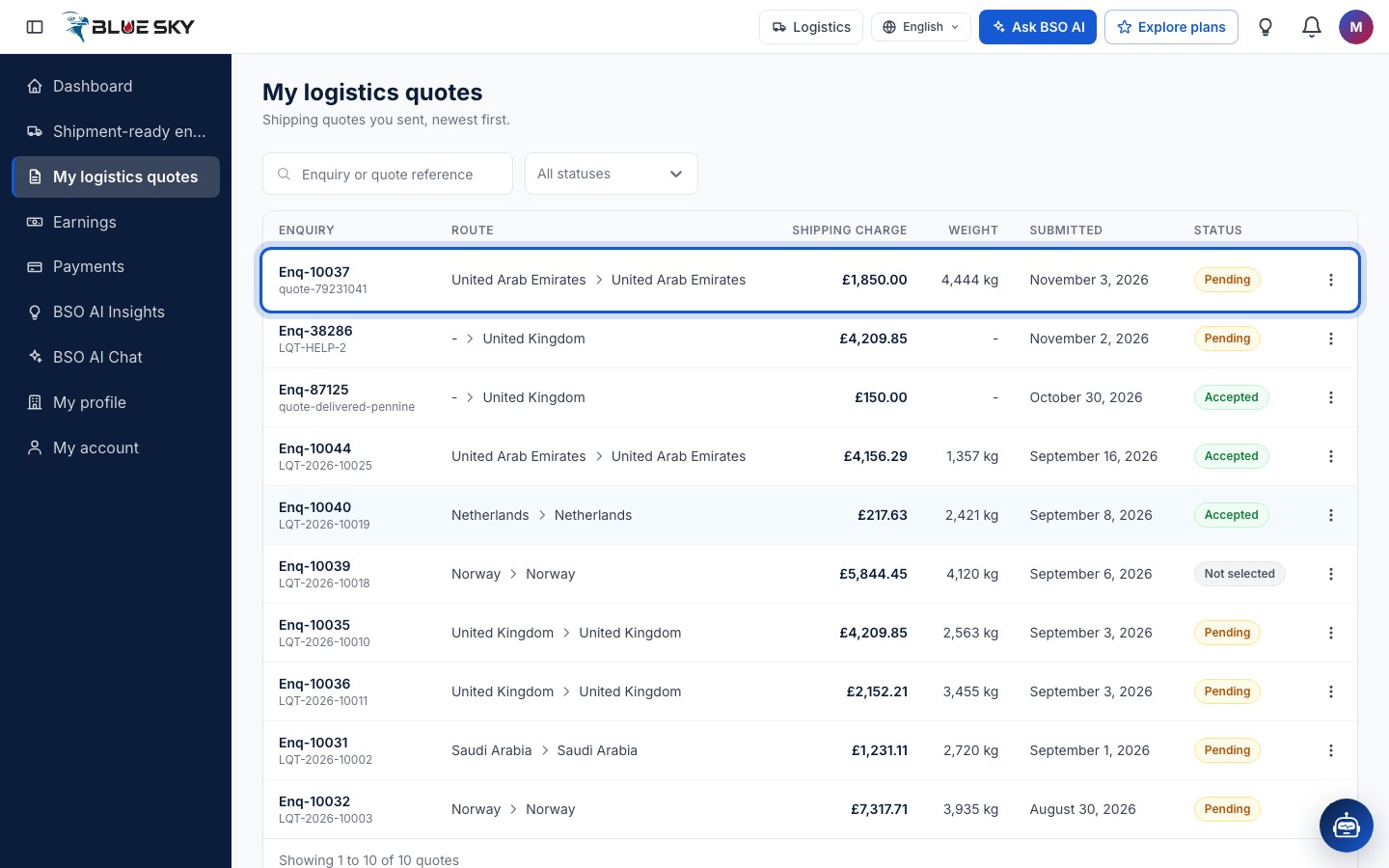
The new quote is at the top of My logistics quotes, with the enquiry reference, your quote reference, the route, the charge, the weight, the date and the status Pending. Back on the board the shipment now reads Quoted. What happens next, and what each status means, is in Your logistics quotes.
Good to know
- Quote in the enquiry's currency, shown next to the field. Everything else on BSO is in pounds sterling (GBP).
- Bid closing on the board is the supplier's own bid date, shown for information. Your quote stays open until a logistics provider is chosen or the enquiry moves on; after that the row reads Closed.
- If you are picked, the shipment moves to your side: Pickup, document and delivery.
- Questions about a shipment? Email support@bsoservices.ai, Monday to Friday 07:00 to 17:00 UK time.
Related guides
Still stuck? We are here.
Open BSO AI Chat inside the platform, or email the support team. Monday to Friday, 07:00 to 17:00 UK time.