

Buying and job seeking are free on BSO. Suppliers, logistics providers and recruiters need a plan before they can quote, ship or post jobs, and each of those plans comes as a monthly and a yearly version. The All-in-One plan covers every role in one plan. Plan prices exclude VAT: VAT is added at checkout for UK customers, and the total with VAT is shown before you confirm.
Signed in, the plans live on the Plans page of your dashboard. Visitors see the same plans on the public Pricing page. This guide does not repeat prices, because they can change: the page always shows the current ones. When you are ready to buy, see Buy a plan.
Before you start
- Nothing. The public Pricing page is open to everyone. The Plans page inside the dashboard needs a BSO account; see Create your account.
Open the Plans page
Click Explore plans in the top bar of your dashboard. It opens bsoservices.ai/subscription-plan. The same page is listed as Explore plans in the account menu at the top right. If the dashboard is new to you, see Find your way around.
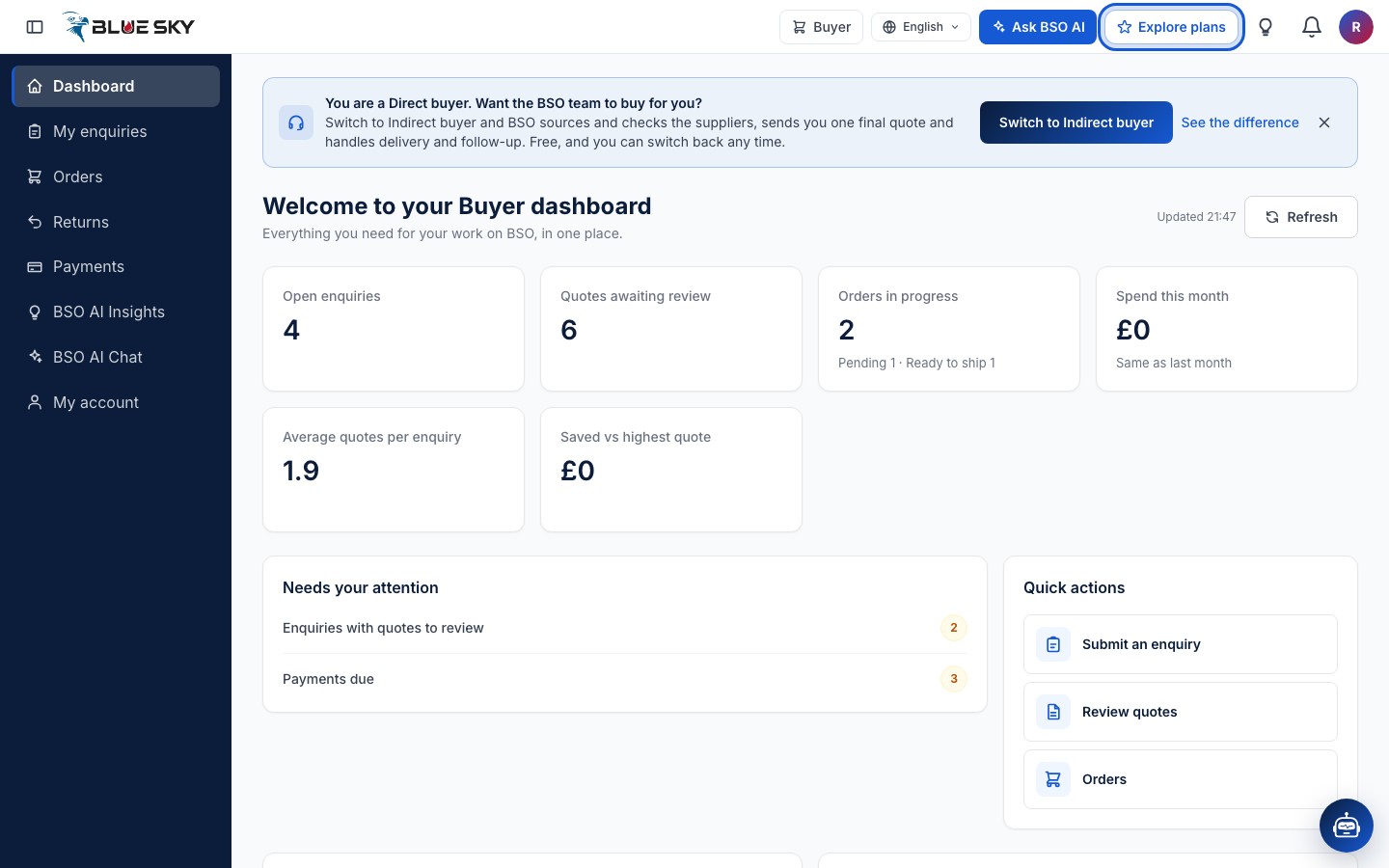
Current plan at the top, one tab per role below
The Plans page starts with the Current plan card: every plan that is active on your account, with its status and renewal date. Until you hold one it says You have no active plan yet. Choose one below. Manage billing on that card opens My account, Plan and billing, where your cards and invoices are; see Your plan.
Below are the role tabs: Buyer, Supplier, Logistics, Recruiter and All-in-One. The page opens on the tab of the role you are working in, and each tab lists the plans for that role.
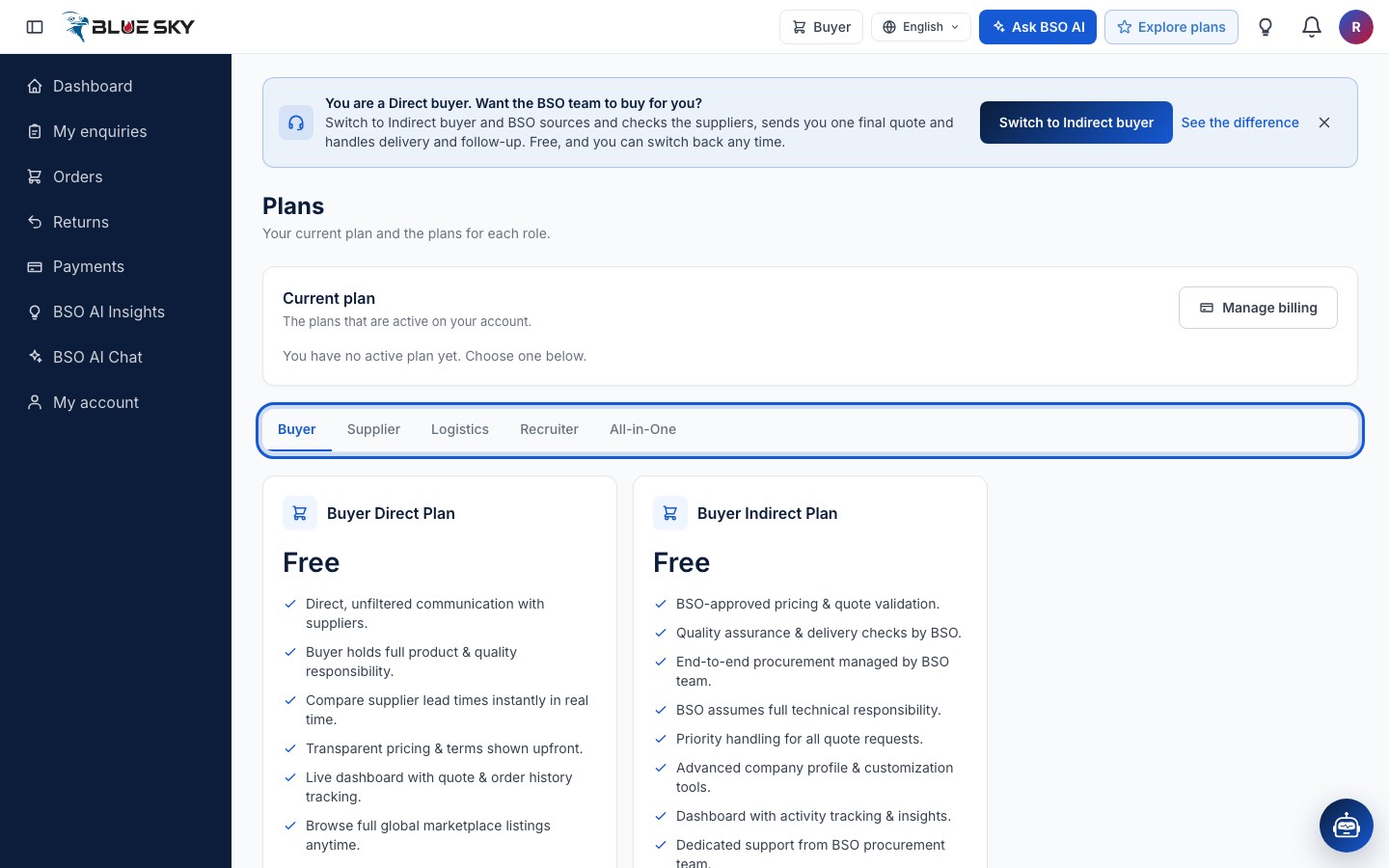
Buyer: two free plans
The Buyer tab shows Buyer Direct Plan and Buyer Indirect Plan, both marked Free. They are the two ways of buying with one account: with the direct plan suppliers quote to you, with the indirect plan the BSO team buys for you. Choosing one sets how your new enquiries are handled; no card is asked for. The difference is explained in Indirect or direct.
If you already hold one of the two, Choose plan on the other simply switches your buying mode. Enquiries you have already sent keep the mode they were sent with.
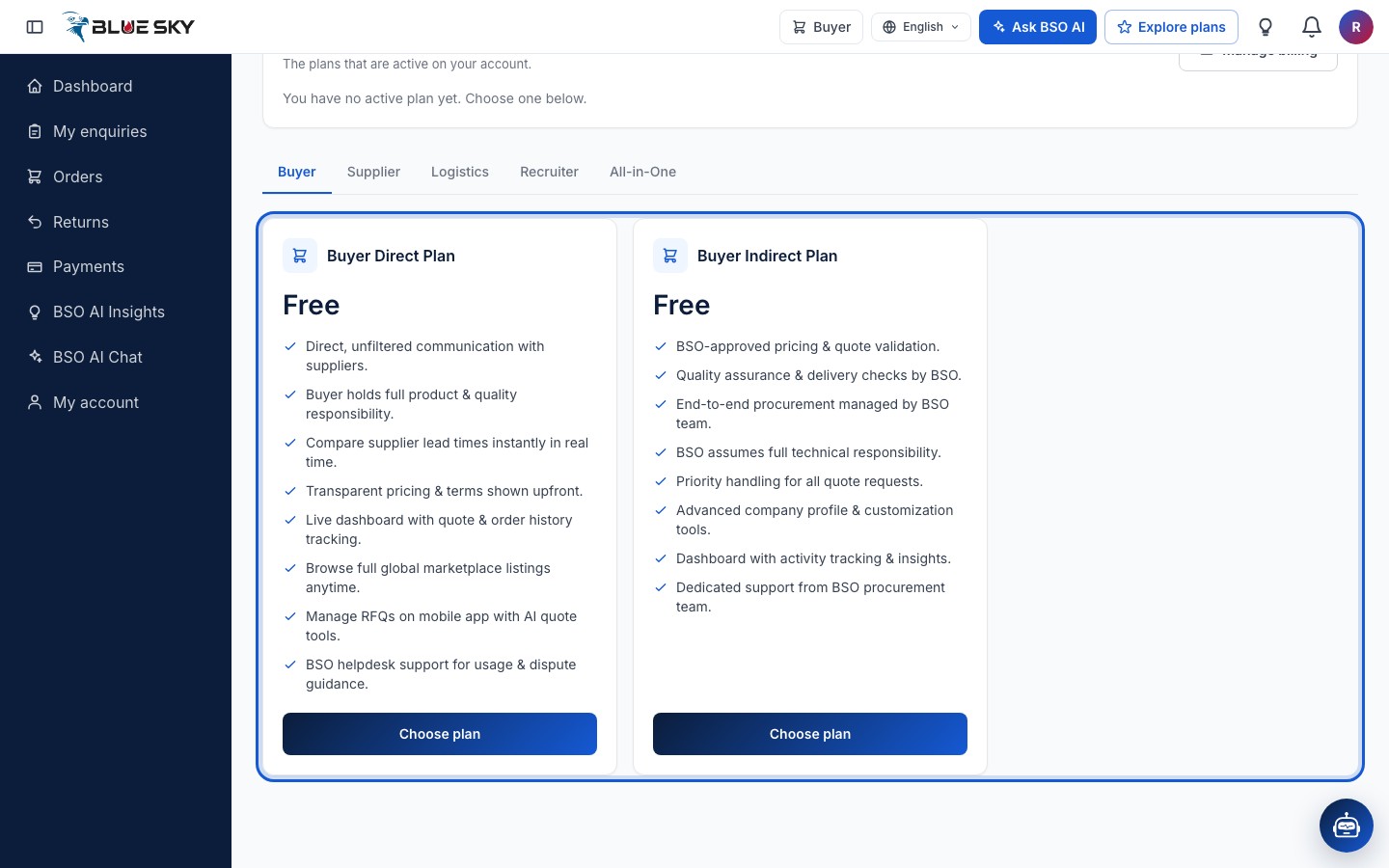
Supplier, Logistics and Recruiter: monthly or yearly
Each paid role has two cards: a monthly plan, priced a month, and a yearly plan, priced a year. When the yearly plan costs less than twelve monthly payments, its card says how much it saves. Under the price, each card lists what the plan includes; the Choose plan button starts the purchase.
The Logistics and Recruiter tabs have the same shape. A supplier plan or a logistics plan also includes recruiter access: when you buy one, the platform adds a recruiter plan for the same period at no extra cost, so you can post jobs as well. What each role needs before it can trade is in Add a role.
All-in-One: every role in one plan
The All-in-One tab lists the All-in-One plans, monthly and yearly, which cover buyer, supplier, logistics and recruiter at once. An account that holds one needs no separate plan for any role. Each card lists what the plan includes.
It suits a company that buys, sells, ships and hires with the same account. If you hold single-role plans when you move to All-in-One, cancel the ones you no longer need; see Your plan.
The public Pricing page
Visitors who open bsoservices.ai/subscription-plan without signing in see the public Pricing page, titled Plans and pricing. It starts with the two free roles, Buyers and Job seekers, then the paid plans with a Monthly and Yearly switch, a table that compares what each role can do, a short How billing works section and a few questions and answers.
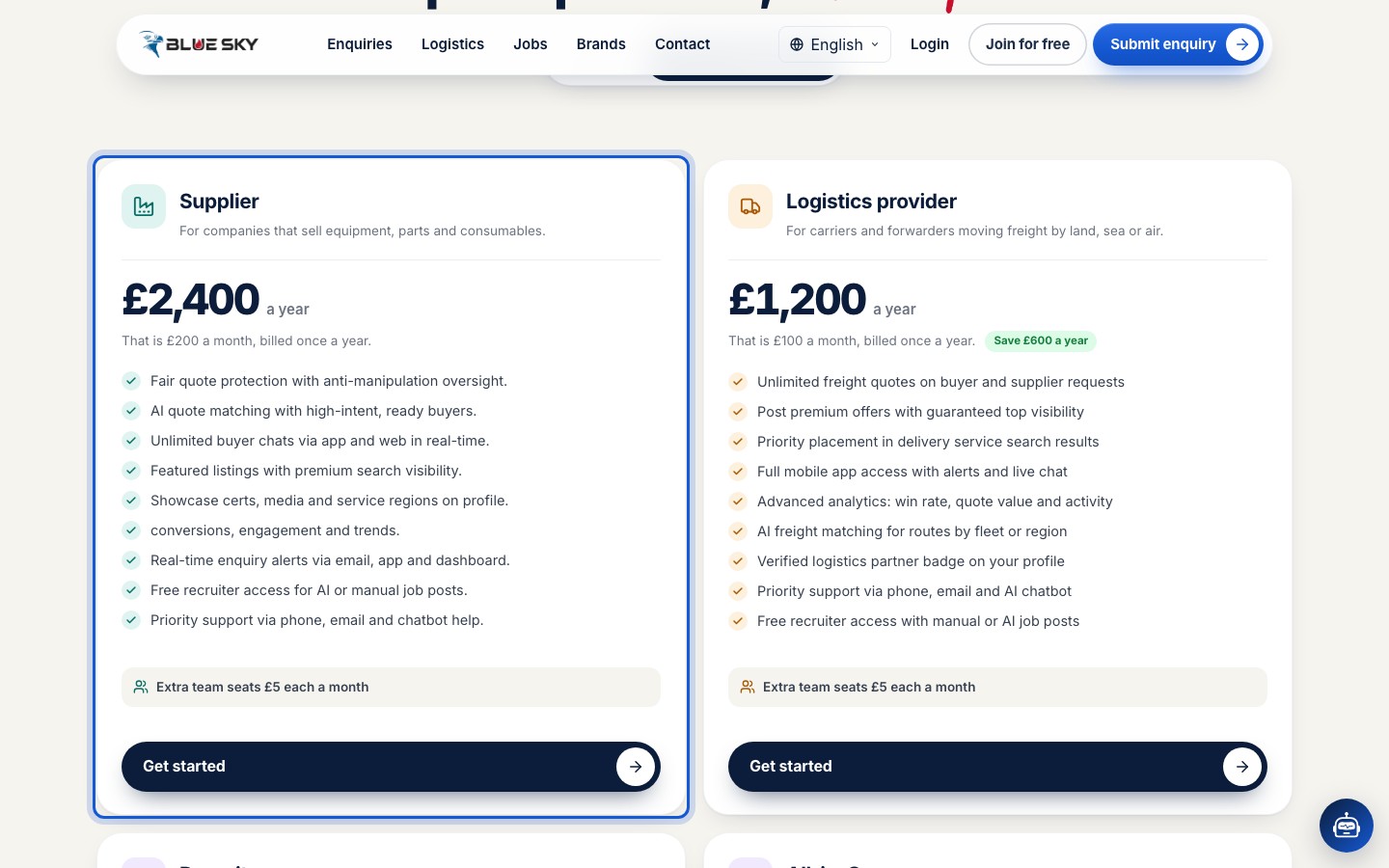
Every Get started button on that page leads to sign-up: plans are bought from inside the account. The page also states the three billing facts: no lock-in, card payment through Stripe, prices in pounds. Team seats for supplier and logistics plans are described in Invite your team.
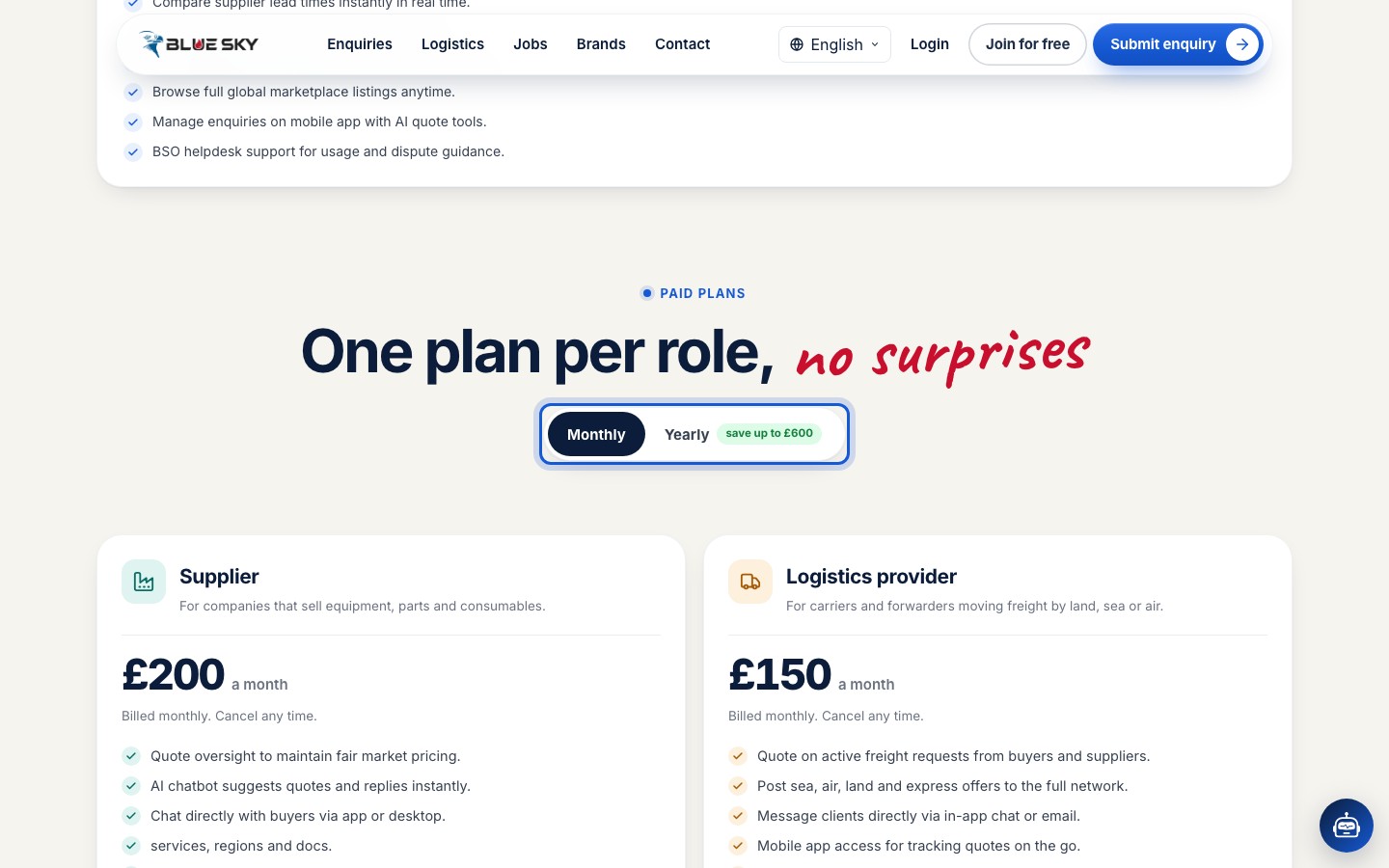
Switch the public page to Yearly
Click Yearly to see the yearly prices. Each card then shows the price a year, what that is a month, that it is billed once a year and, where there is one, the saving against monthly. Click Monthly to go back.
Good to know
- There is no free trial. The first payment is taken when you buy, and the plan is active straight away.
- Each paid role needs its own plan, unless the account holds the All-in-One plan. A role can hold only one plan at a time.
- While you hold a supplier or logistics plan, recruiter access is already included, so Choose plan on the Recruiter tab is switched off.
- Prices and what each plan includes are set by BSO and can change. The Plans page is the reference, not this guide. Questions about which plan you need: support@bsoservices.ai, Monday to Friday 07:00 to 17:00 UK time.
Related guides
Still stuck? We are here.
Open BSO AI Chat inside the platform, or email the support team. Monday to Friday, 07:00 to 17:00 UK time.