

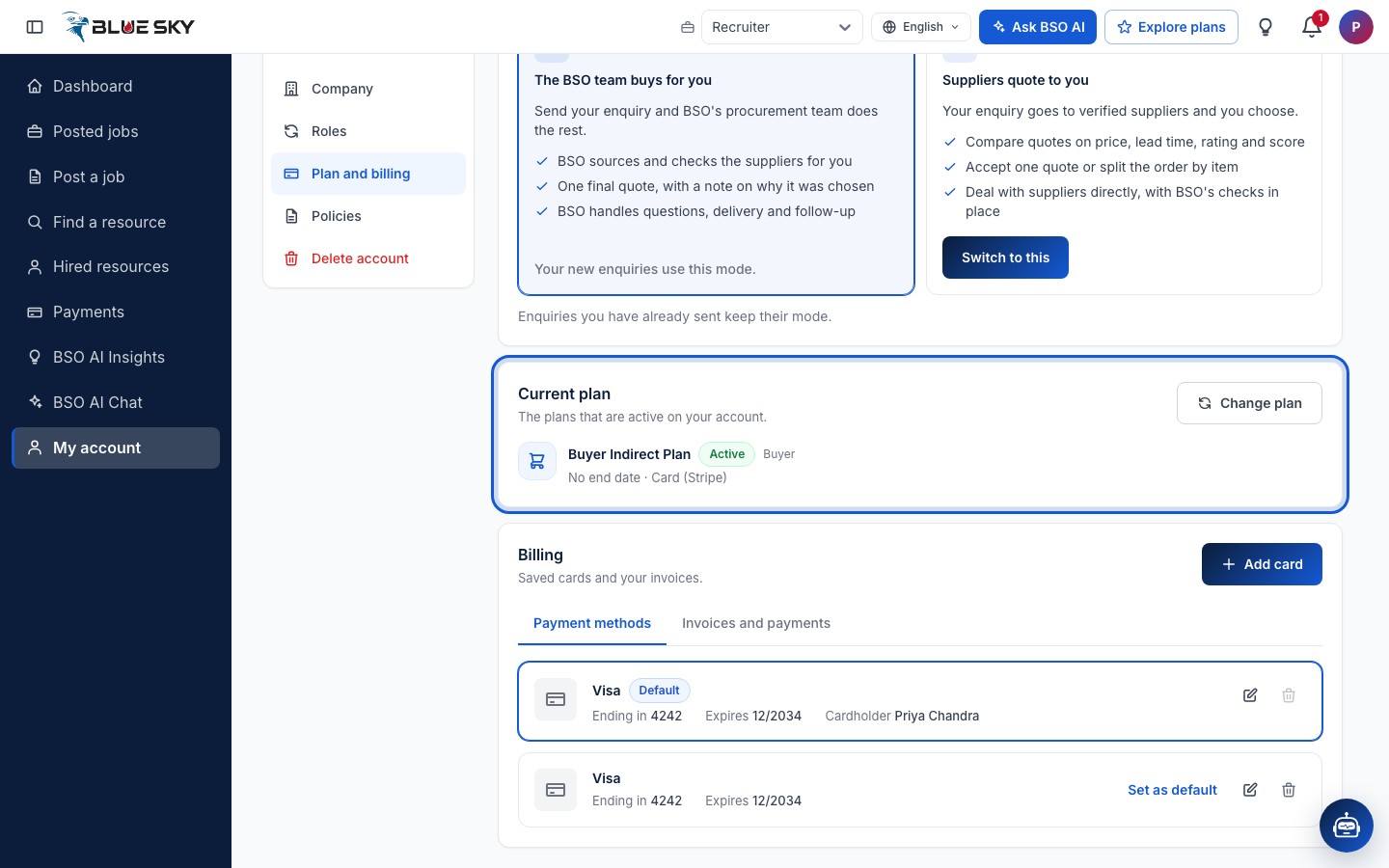
Everything about the plans you hold is in My account under Plan and billing, and on the Plans page. Both show the same Current plan card. On My account the card lists the plans for the role you are working as, plus the All-in-One plan; the full list, with Cancel plan, is on the Plans page. The old address bsoservices.ai/subscription-management still works and sends you to the Plans page.
Buying mode shows only while you are working as a buyer. It is the choice between the BSO team buying for you and suppliers quoting to you, which can be changed at any time. For what each plan includes see Compare plans; for buying one see Buy a plan.
Before you start
- A BSO account you are signed in to.
Open Plan and billing
Click My account at the bottom of the left menu, then the Plan and billing tab, or go straight to my-account?tab=plan. The account menu at the top right has My account and Explore plans too; see Find your way around.
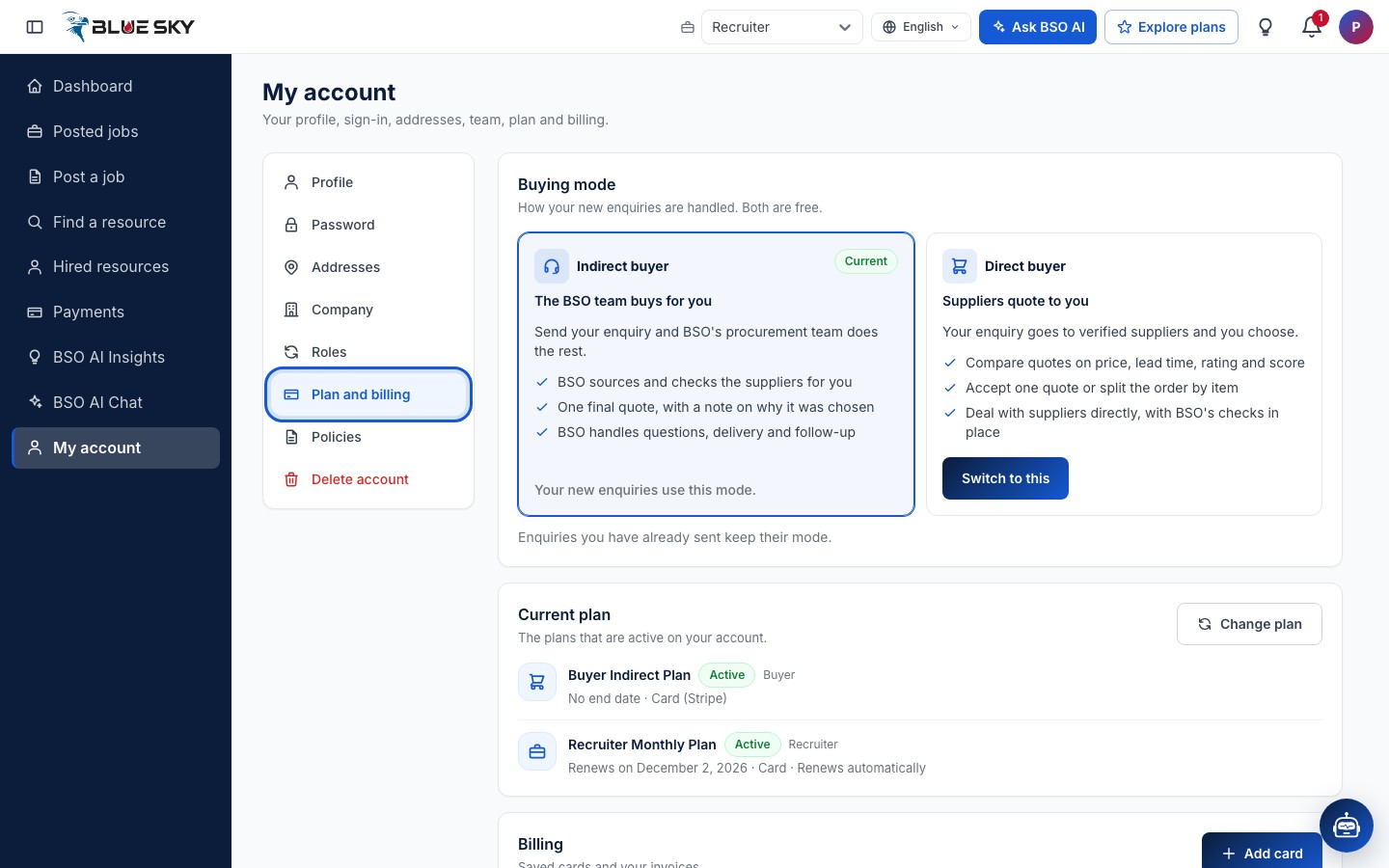
Buyers: the Buying mode card
While you are working as a buyer the page starts with Buying mode (it is not shown on the other roles): how your new enquiries are handled, both free. Indirect buyer means the BSO team buys for you; Direct buyer means suppliers quote to you. The mode you are in is marked Current; the other card has a Switch to this button, and the switch takes effect at once.
Enquiries you have already sent keep their mode. The two modes are compared in Indirect or direct. Choosing the other free buyer plan on the Plans page does the same switch.
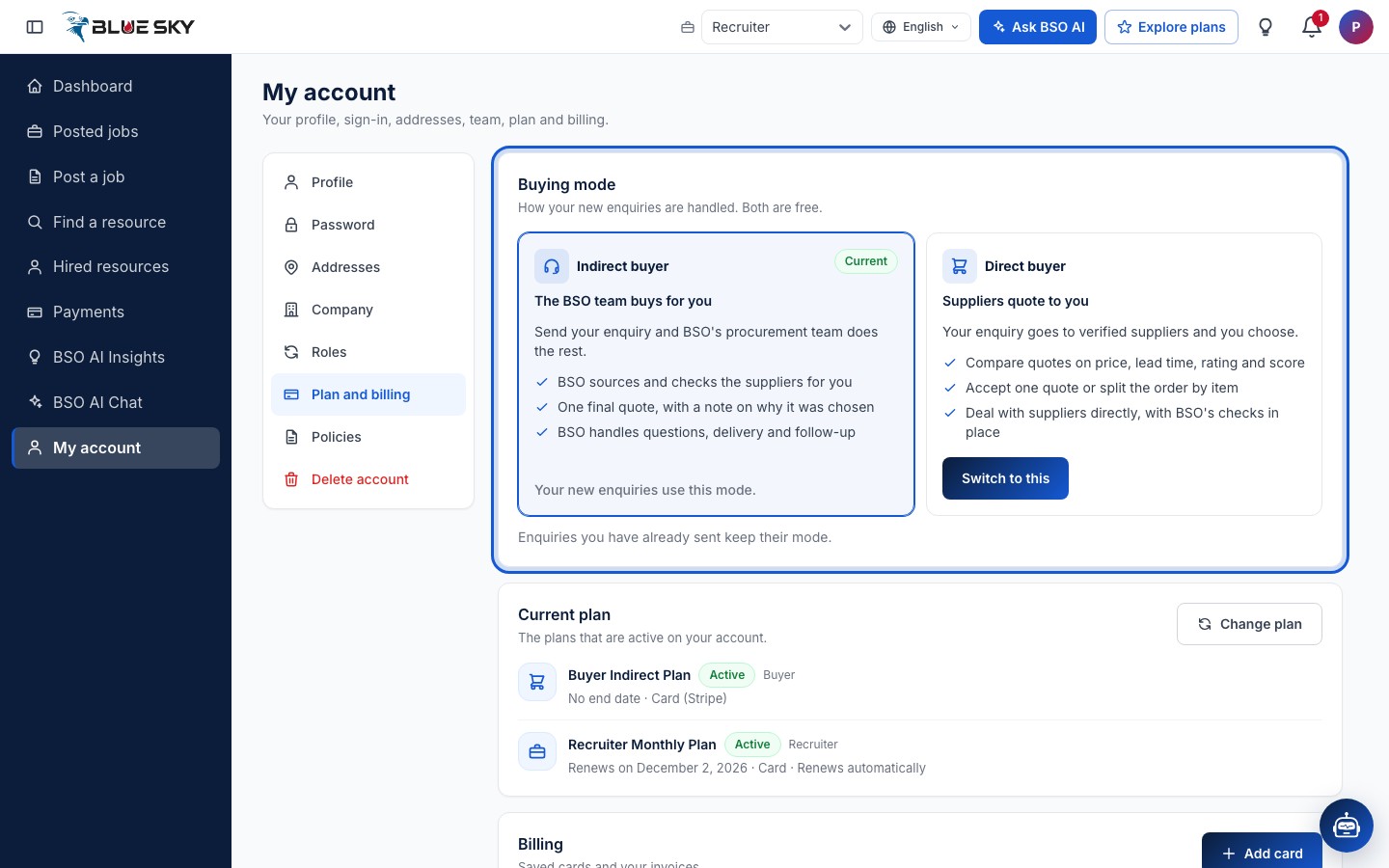
Read the Current plan card
Current plan lists the active plans for the role you are working as, plus the All-in-One plan if you hold it (switch role to see another role's plans): its name, a status chip, the role it is for, and a second line with the period. Renews on and a date means the plan renews by itself on that date, which the line also states with Renews automatically. Ends on and a date means the plan stops on that date. No end date is what the free buyer plans show.
A plan that BSO set up for you says so on the card and asks you to contact support before it ends, because nothing renews it by itself. Change plan at the top right opens the Plans page on your role's tab.
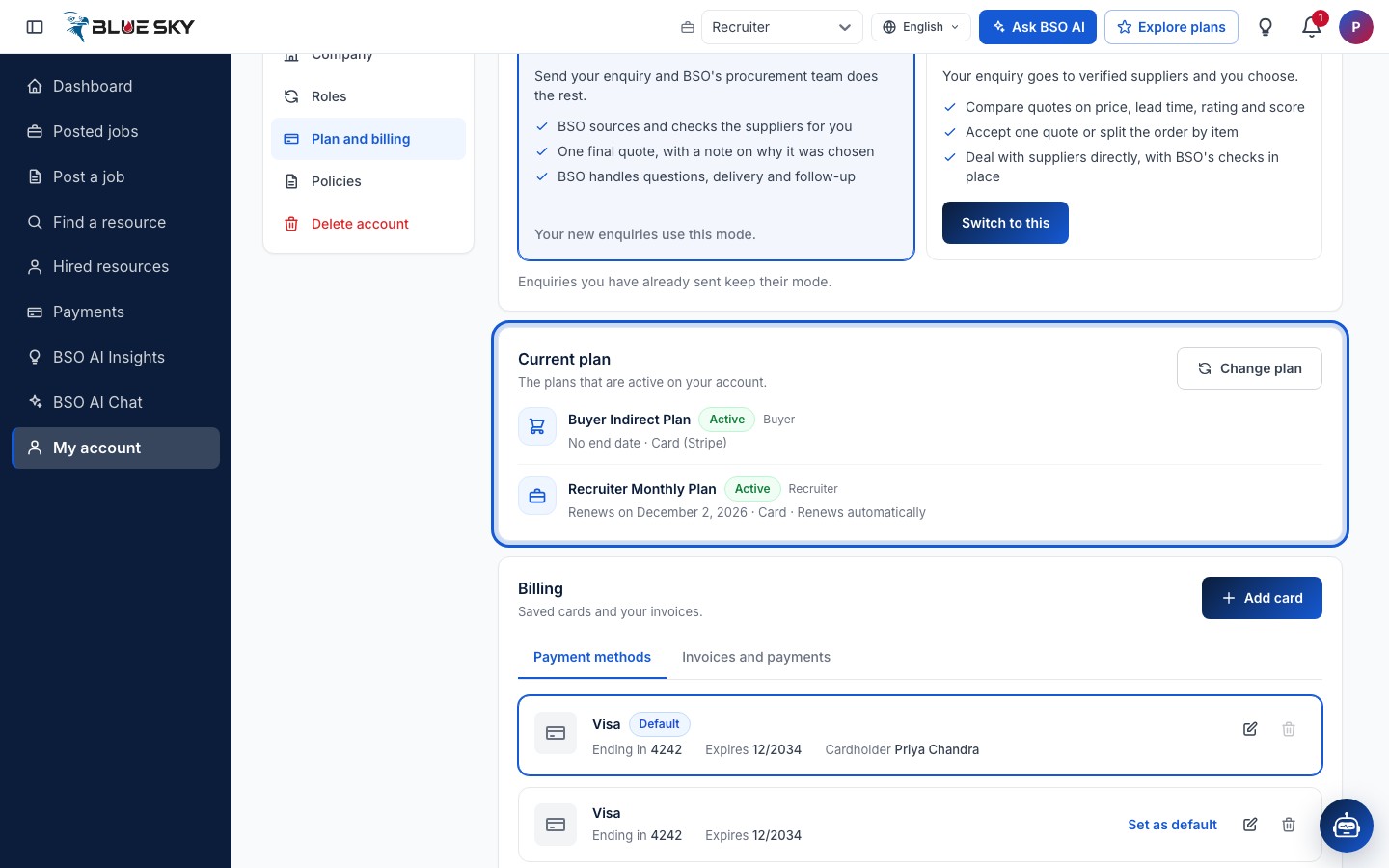
Cancel a plan from the Plans page
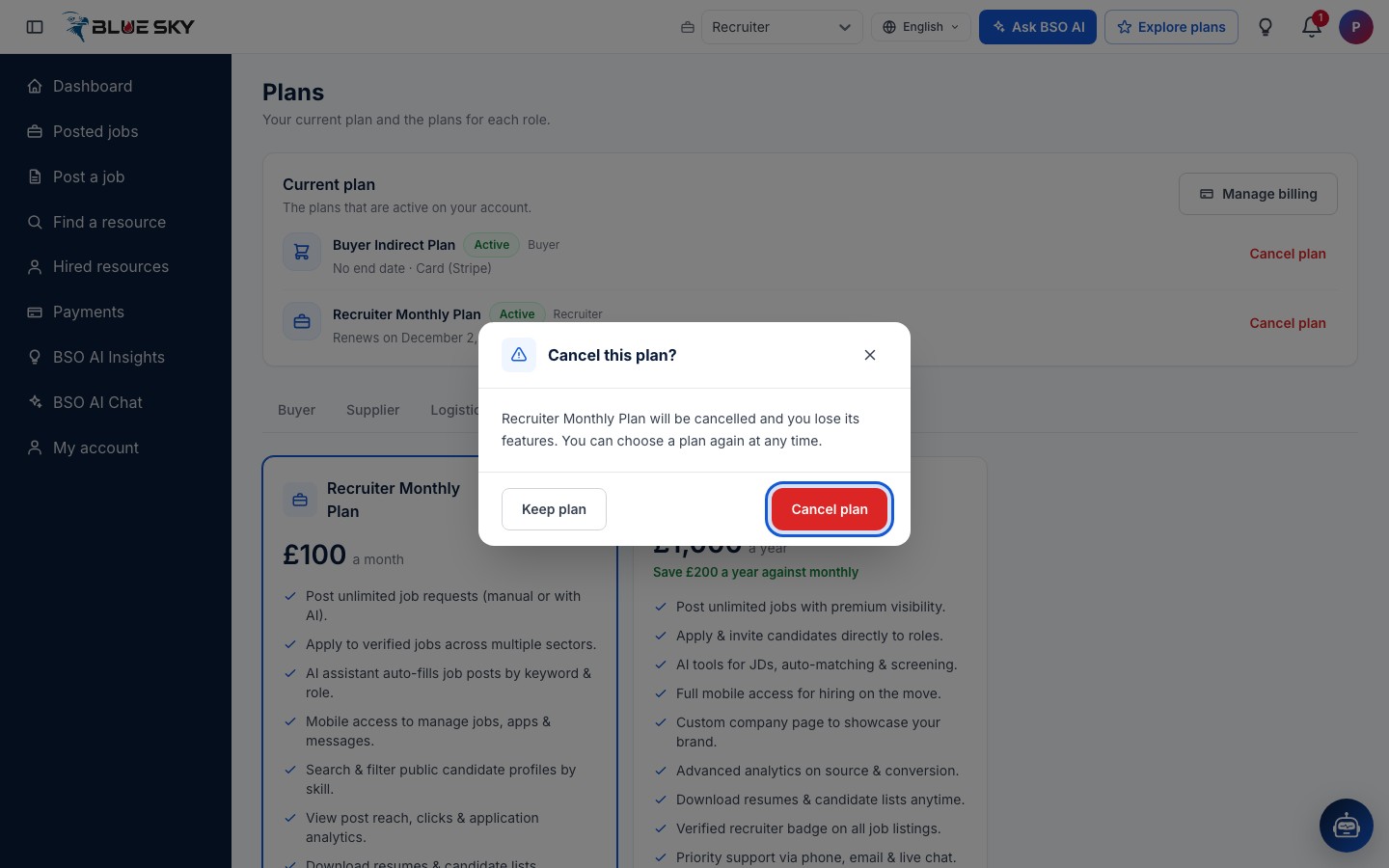
Cancelling is done on the Plans page: click Change plan, or Explore plans in the top bar, to open bsoservices.ai/subscription-plan. In its Current plan card every active plan has a Cancel plan link at the right. The plan you hold is also marked Current plan among the cards below, with its button switched off.
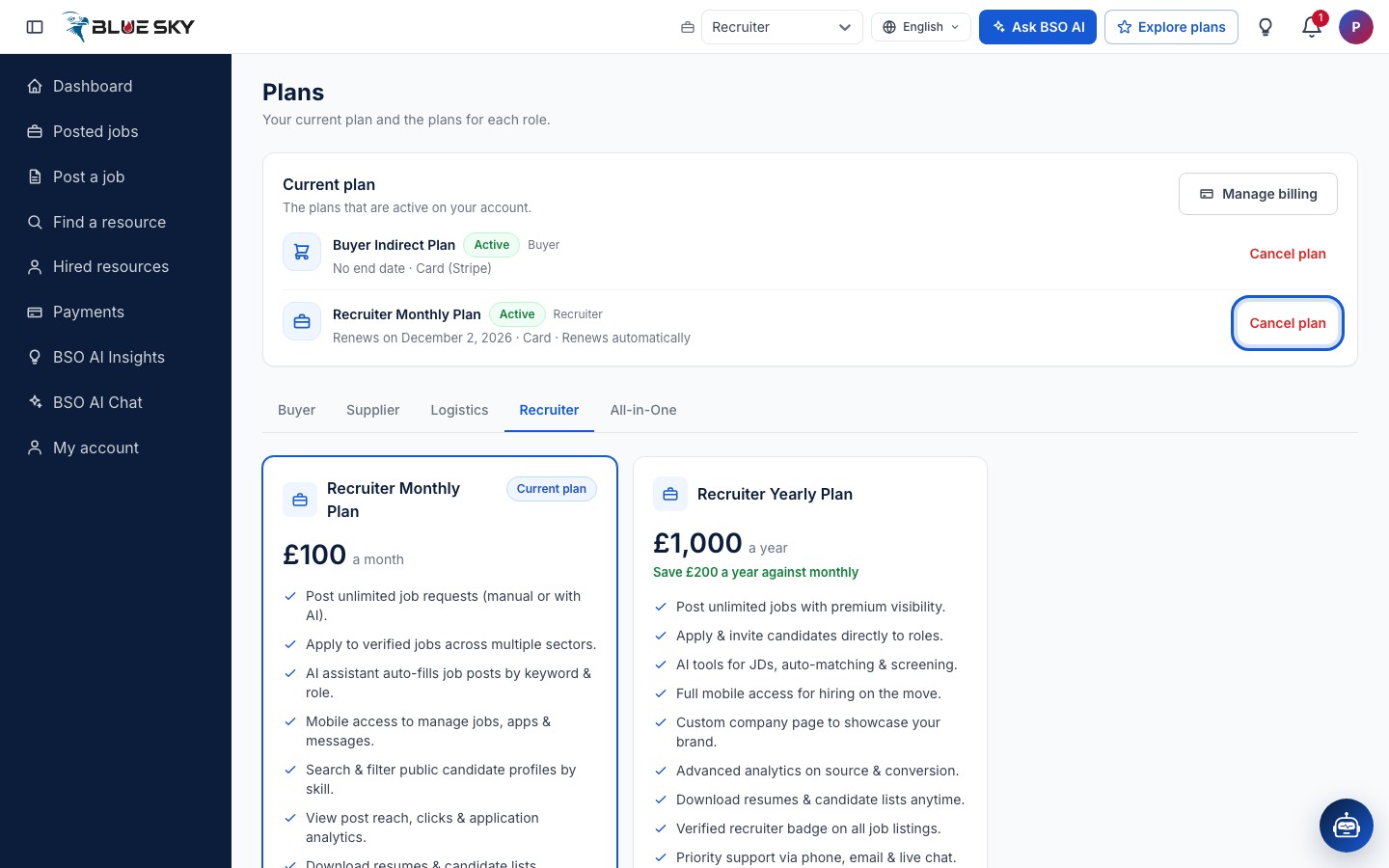
Confirm or keep
Cancel plan opens a Cancel this plan? box that names the plan, says you lose its features and that you can choose a plan again at any time. Click Cancel plan to confirm or Keep plan to change your mind.
What cancelling does
After you confirm you are back on Plan and billing. For a plan paid by card, the subscription is told to stop at the end of the period you have already paid for, so no further payment is taken. The free buyer plan stays on the account.
Cancelling a supplier or logistics plan also ends the recruiter access that came with it, unless another supplier or logistics plan is still active. Cancelling only stops the plan: your account, profile and records stay, and you can choose a plan again whenever you like.
Move to another plan
A role can hold one plan at a time, so there is no upgrade button: to move from monthly to yearly, or the other way, cancel the current plan and then click Choose plan on the one you want. Choosing a second plan for a role you already hold is refused until the first one is cancelled.
If you move to the All-in-One plan, cancel the single-role plans you no longer need yourself; they do not stop on their own.
Good to know
- Team seats for supplier and logistics plans are bought from My account, Team, not from the Plans page; see Invite your team.
- If you were invited to a colleague's team, Plan and billing shows the owner's plan read-only. Only the owner can change it or see its billing.
- Invoices, receipts and saved cards are on the same page, under Billing; see Saved cards and invoices.
- Questions about a renewal or a cancellation: support@bsoservices.ai, Monday to Friday 07:00 to 17:00 UK time.
Related guides
Still stuck? We are here.
Open BSO AI Chat inside the platform, or email the support team. Monday to Friday, 07:00 to 17:00 UK time.